AI agent for audio engineers
Reference Mix Comparison Agent
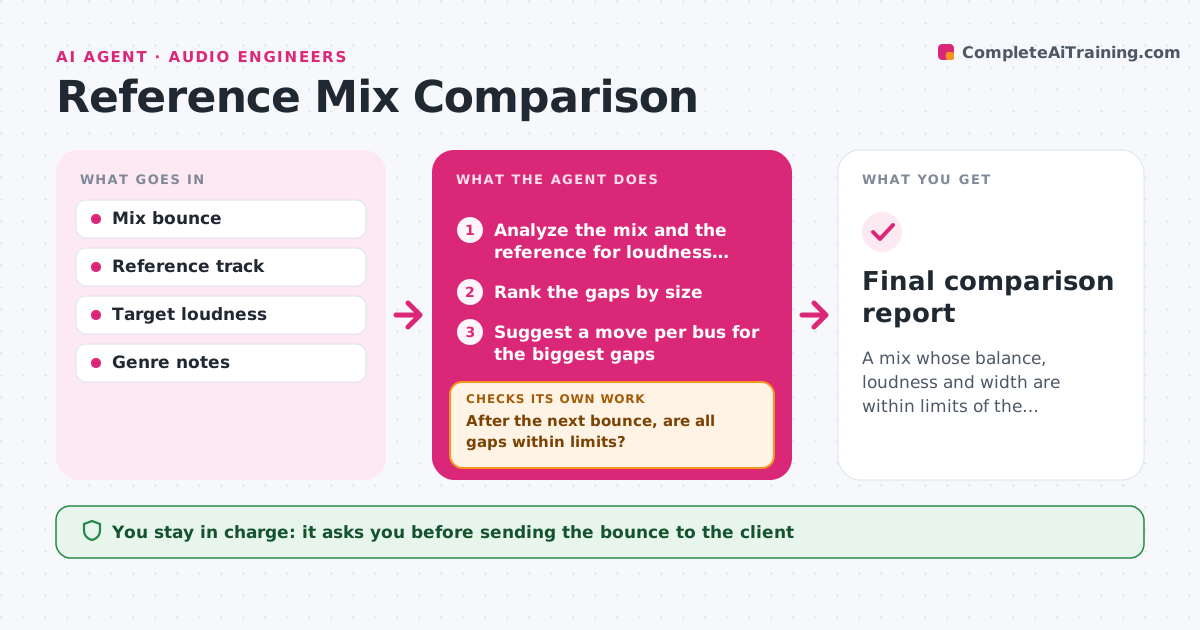
A mix whose balance, loudness and width are within limits of the reference
What it does
Mixes are judged by ear against a reference and miss clear balance problems until the client hears them. This agent analyzes the mix and a chosen reference for loudness, spectral balance, stereo width and dynamic range. It lists the biggest gaps, for example too little low end or too narrow a chorus, and suggests moves for each bus, such as a 2 dB shelf or less compression on the drums. After a new bounce, it compares again and checks that fixing one gap did not create another. It stops when the gaps are within limits. The producer approves the bounce sent to the client. Edge case: a deliberately lo-fi reference gets a note that wide gaps in high frequencies are expected.
How it works
Follow the arrows from top to bottom. The orange dashed arrow is the loop: when a check fails, the agent goes back and tries again.
Read the steps as a list
- New bounce made
- Analyze the mix and the reference for loudness, spectrum, width and dynamics
- Rank the gaps by size
- Suggest a move per bus for the biggest gaps
- After the next bounce, are all gaps within limits?If not: update the ranking and suggest the next move. Back to step 3.
- Check that fixing one gap did not make another worse
- Is every other measure still within its limit?If not: suggest a smaller move that fixes both. Back to step 3.
- Producer approves the bounce for the clientThe agent waits here for your OK.
- Final comparison report
How it decides
A gap matters when it exceeds its limit, such as 2 dB in a frequency band or 3 LU in loudness. The agent works on the biggest gap first.
- Work on the largest gap first
- Allow 2 dB per frequency band
- Allow 3 LU in loudness
- Ignore bands the genre note says to skip
Make it yours
Every agent is a starting point. You choose these settings for your own situation.
- Reference track
- Limit per band (default 2 dB)
- Loudness target
- Bands to ignore
What keeps you in control
It always asks you first
- Sending the bounce to the client
- Accepting a gap as intended
Hard limits
- Never changes the session
- Never sends bounces to the client
It stops when
- Done: all gaps within limits and the producer approved
- Stop: the reference is not suitable or the bounce is missing
Set it up
We guide you through the set-up, step by step
Members get the full set-up guide for this agent. No technical skills needed: you copy, paste and upload.
- One set of instructions to paste into your AI, with the clicks for ChatGPT, Claude, Microsoft 365 Copilot, Gemini and Grok
- The agent then walks you through connecting your own data, one source at a time
- A downloadable copy with the flow chart, the rules and the full guide