AI agent for policy makers
Benefit Eligibility Rule Simulation Agent
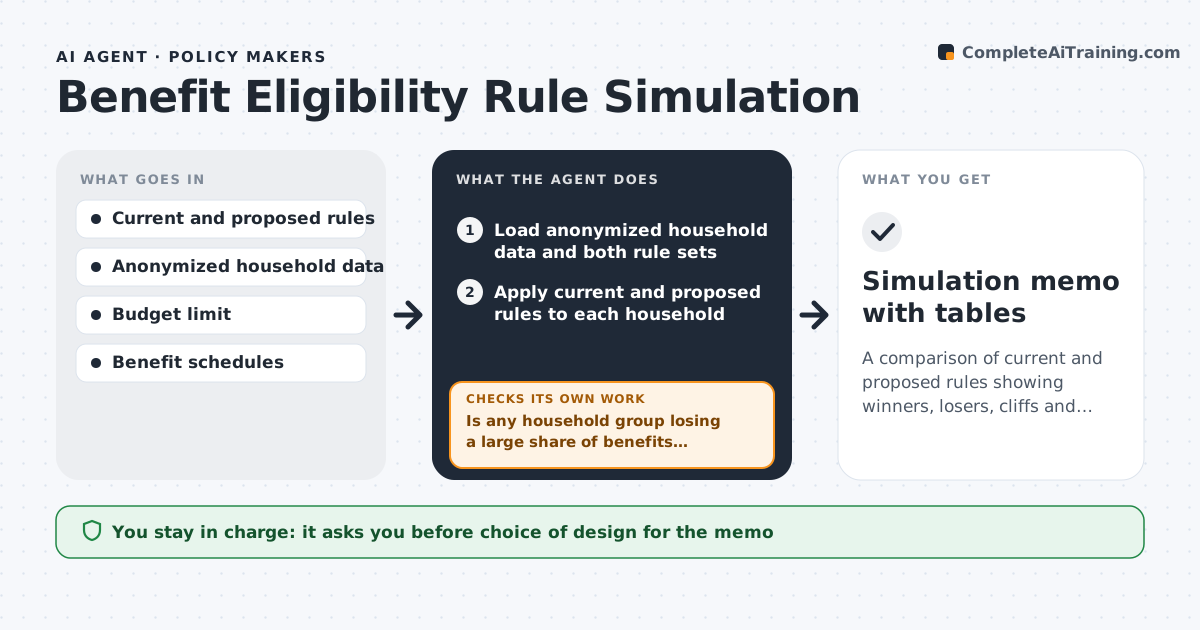
A comparison of current and proposed rules showing winners, losers, cliffs and cost, with a gentler option where needed
What it does
Changing an income limit or a household rule helps some families and hurts others, and the team only learns who after launch. This agent applies the proposed eligibility rules to anonymized household data and compares them with current rules. It counts effects by group, such as family size, income band, region and age, and shows how many gain, lose or stay the same, with the amounts. It looks for benefit cliffs, where a small income rise causes a large drop in benefits. If a cliff or sudden loss appears, it tests a gentler phase-out and recalculates. It checks that the final design stays within the budget and that the data used is anonymized. The analyst chooses the design. Edge case: a rule that looks neutral on average can hit single parents with three children hard, and the agent reports that group separately.
How it works
Follow the arrows from top to bottom. The orange dashed arrow is the loop: when a check fails, the agent goes back and tries again.
Read the steps as a list
- A rule change is drafted
- Load anonymized household data and both rule sets
- Apply current and proposed rules to each household
- Count gainers, losers and cost by group
- Is any household group losing a large share of benefits suddenly?If not: test a gentler phase-out and rerun the numbers. Back to step 3.
- Scan income ranges for benefit cliffs
- Is every cliff smaller than the limit?If not: adjust the phase-out rate and recalculate. Back to step 5.
- Does the final design fit the budget limit?If not: change the rate or income limit and rerun. Back to step 5.
- Analyst chooses the design for the memoThe agent waits here for your OK.
- Simulation memo with tables
How it decides
A cliff is found when earning one more dollar reduces total benefits by more than a set amount. It tests phase-out options until no cliff exceeds the limit and the cost fits.
- Flag any income range where a $1 rise cuts benefits by more than $100
- Report effects separately for groups with 3 or more children and single parents
- Test phase-out options before accepting a cliff
- Reject designs that exceed the budget limit
Make it yours
Every agent is a starting point. You choose these settings for your own situation.
- Cliff size that triggers a test (default $100 per $1)
- Groups to report
- Budget limit
- Phase-out options to test
What keeps you in control
It always asks you first
- Choice of design for the memo
Hard limits
- Never uses identifiable data
- Does not choose the policy
It stops when
- Done: the memo is approved
- Stop: household data is not anonymized
Set it up
We guide you through the set-up, step by step
Members get the full set-up guide for this agent. No technical skills needed: you copy, paste and upload.
- One set of instructions to paste into your AI, with the clicks for ChatGPT, Claude, Microsoft 365 Copilot, Gemini and Grok
- The agent then walks you through connecting your own data, one source at a time
- A downloadable copy with the flow chart, the rules and the full guide