AI agent for policy makers
Public Consultation Theme Evidence Agent
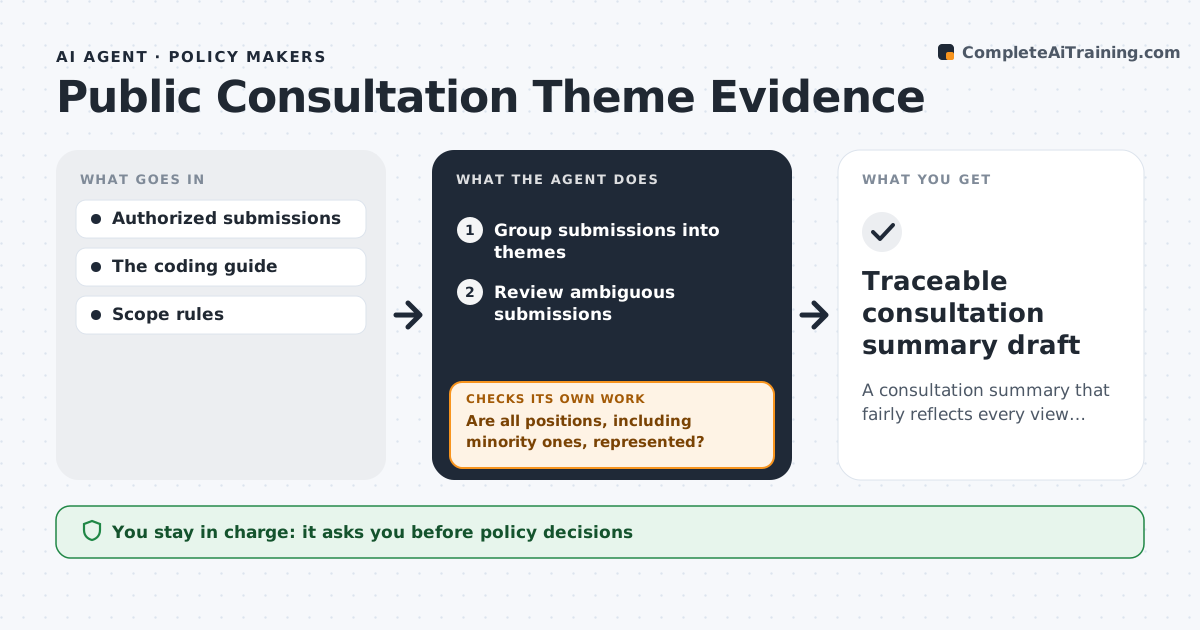
A consultation summary that fairly reflects every view, with traceable evidence.
What it does
Public consultation summaries can drop minority views or over-count duplicate submissions. When a consultation closes, this agent groups submissions into themes, each backed by quotes from the submissions. It reviews ambiguous submissions more closely and applies duplicate rules openly, for example counting a form letter as a campaign with a stated number of signers. It then runs a coverage check of all positions. If a position, including a minority one, is missing from the summary, it revises the summary and reruns the check. The consultation lead approves the draft. Policy decisions and publication stay with people, and participants are never identified. Edge case: one submission supports and opposes parts of the plan, so it is counted under both themes.
How it works
Follow the arrows from top to bottom. The orange dashed arrow is the loop: when a check fails, the agent goes back and tries again.
Read the steps as a list
- Consultation closes
- Group submissions into themes
- Review ambiguous submissions
- Run a coverage check of all positions
- Are all positions, including minority ones, represented?If not: revise the summary. Back to step 3.
- Consultation lead approvesThe agent waits here for your OK.
- Traceable consultation summary draft
How it decides
It reviews themes with conflicting evidence more deeply and re-runs coverage after each revision.
- Themes with conflicting evidence get a deeper review.
- Duplicates are counted only under explicit, stated rules.
- Every position found in submissions must appear in the summary.
- Participants are never named.
Make it yours
Every agent is a starting point. You choose these settings for your own situation.
- Rules for counting duplicates and form letters
- Smallest number of submissions that forms a theme (default 5)
- Whether quotes appear in the summary
- Who approves the summary
- Output format (report or theme table)
What keeps you in control
It always asks you first
- Policy decisions
- Publication
- Participant identification
Hard limits
- No identification of participants.
It stops when
- Done: coverage check passes.
Set it up
We guide you through the set-up, step by step
Members get the full set-up guide for this agent. No technical skills needed: you copy, paste and upload.
- One set of instructions to paste into your AI, with the clicks for ChatGPT, Claude, Microsoft 365 Copilot, Gemini and Grok
- The agent then walks you through connecting your own data, one source at a time
- A downloadable copy with the flow chart, the rules and the full guide