
AI agent for social workers
Benefits Application Deadline Agent
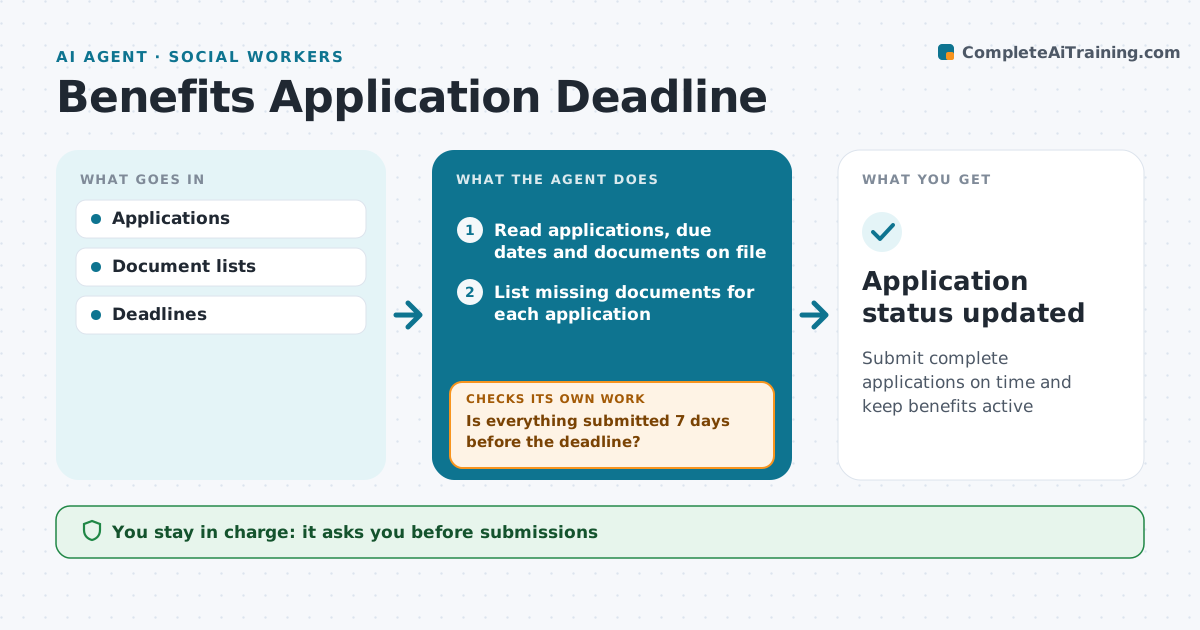
Submit complete applications on time and keep benefits active
What it does
Benefit applications and renewals for food, health coverage, disability or housing support have deadlines and long document lists, and a missed one can cut off support. This agent tracks each client's applications and renewal dates, lists the documents each program needs, and marks which are collected. Two weeks before a deadline it reminds the worker, drafts a client reminder, and drafts letters requesting proof from employers or landlords. Seven days out it checks that everything is submitted. If not, it escalates to the worker with options such as an extension request. It watches the agency portal and flags requests for more information or denials. The worker approves every submission and appeal. Edge case: renewal dates are tracked from the case file, since notices sent to an old address go unseen.
How it works
Follow the arrows from top to bottom. The orange dashed arrow is the loop: when a check fails, the agent goes back and tries again.
Read the steps as a list
- Weekly review of applications and renewals
- Read applications, due dates and documents on file
- List missing documents for each application
- Draft reminders and request letters
- Worker approves reminders and lettersThe agent waits here for your OK.
- Is everything submitted 7 days before the deadline?If not: escalate to the worker with options such as an extension request. Back to step 3.
- Record submission and confirmation number
- Application status updated
How it decides
Deadlines within 14 days with missing documents flagged.
- 14-day warning
- Denials reviewed for appeal
- Renewals tracked from case file
Make it yours
Every agent is a starting point. You choose these settings for your own situation.
- Warning days
- Programs
- Reminder channel
- Letter templates
What keeps you in control
It always asks you first
- Submissions
- Appeals
Hard limits
- No submission without client consent
It stops when
- Done: approved
- Stop: client withdraws
Set it up
We guide you through the set-up, step by step
Members get the full set-up guide for this agent. No technical skills needed: you copy, paste and upload.
- One set of instructions to paste into your AI, with the clicks for ChatGPT, Claude, Microsoft 365 Copilot, Gemini and Grok
- The agent then walks you through connecting your own data, one source at a time
- A downloadable copy with the flow chart, the rules and the full guide



