AI agent for benefits administrators
Benefits Compliance Notice Calendar Agent
Every benefits notice and filing done on time with complete data
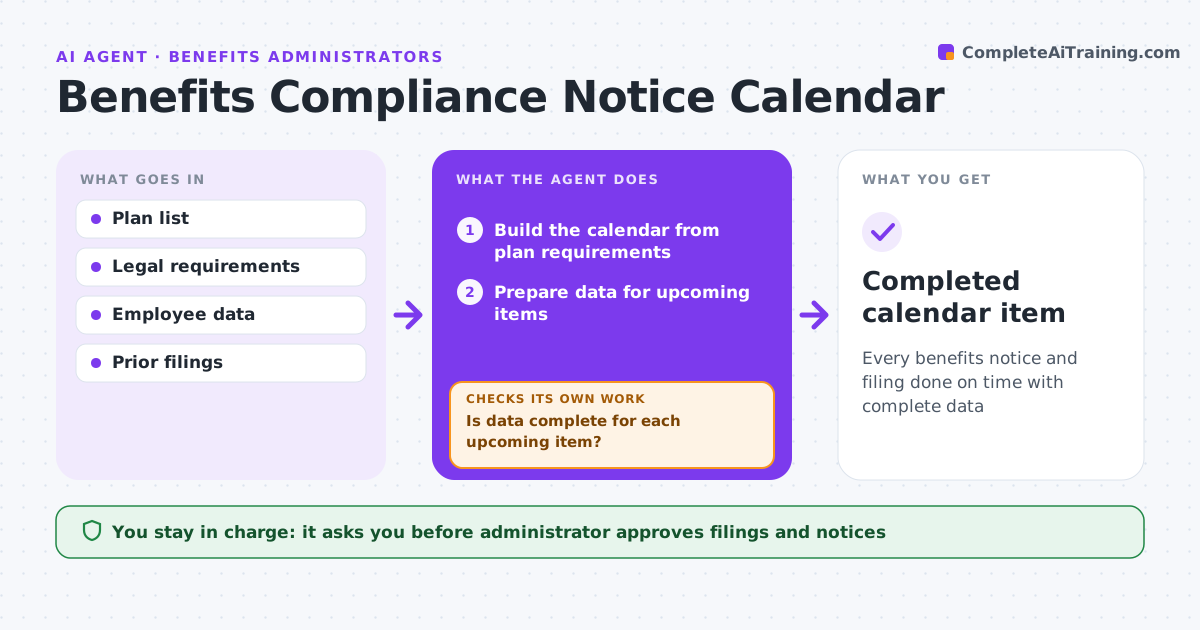
What it does
Benefit plans carry legal deadlines spread across the year: annual participant notices, Form 5500, ACA reporting, COBRA notices and nondiscrimination testing. Missing one can mean penalties. This agent builds a compliance calendar from the company's actual plans, then works ahead on each item. It gathers the data each item needs from payroll and the benefits system and checks it for gaps. Incomplete data blocks drafting: when something is missing, it asks the person who owns it and checks again once it arrives. Only then does it draft the notice or form. Reminders go out 60 and 30 days before each deadline. The administrator approves every filing and every notice before it goes out; the agent never files. Edge case: a mid-year plan change, such as a new carrier, adds the notices that change requires to the calendar.
How it works
Follow the arrows from top to bottom. The orange dashed arrow is the loop: when a check fails, the agent goes back and tries again.
Read the steps as a list
- Monthly review
- Build the calendar from plan requirements
- Prepare data for upcoming items
- Is data complete for each upcoming item?If not: ask the data owner and wait. Back to step 3.
- Draft notices and filing forms
- Administrator approves filings and noticesThe agent waits here for your OK.
- Completed calendar item
How it decides
Each plan's requirements set the calendar. Data must be complete before filing.
- Remind 60 and 30 days ahead
- Plan changes add notices
- Incomplete data blocks drafting
Make it yours
Every agent is a starting point. You choose these settings for your own situation.
- Reminder windows
- Plans
- Approvers
- Data owners
What keeps you in control
It always asks you first
- Administrator approves filings and notices
Hard limits
- Never files
- Never sends notices
It stops when
- Done: items complete
- Stop: plan terminated
Set it up
We guide you through the set-up, step by step
Members get the full set-up guide for this agent. No technical skills needed: you copy, paste and upload.
- One set of instructions to paste into your AI, with the clicks for ChatGPT, Claude, Microsoft 365 Copilot, Gemini and Grok
- The agent then walks you through connecting your own data, one source at a time
- A downloadable copy with the flow chart, the rules and the full guide