AI agent for mechanical engineers
Bill of Materials Cleanup Agent
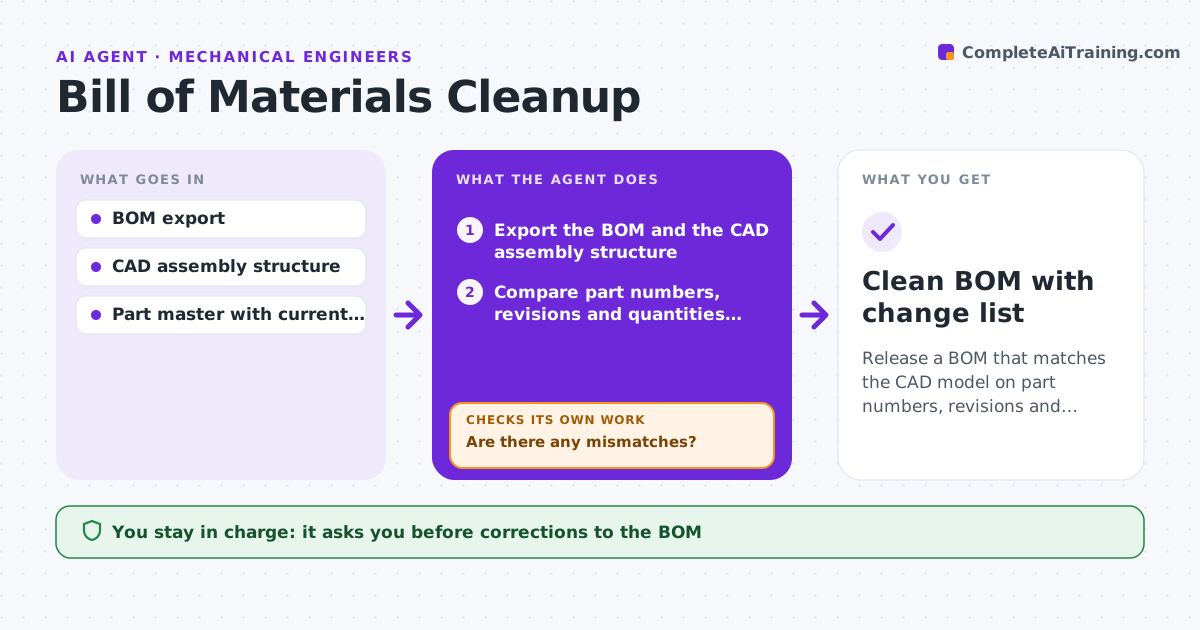
Release a BOM that matches the CAD model on part numbers, revisions and quantities.
What it does
A BOM that goes to purchasing with a wrong quantity or an old revision costs real money. This agent reads the BOM and the CAD assembly structure and compares part numbers, revisions and quantities line by line. It flags duplicates, such as the same screw under two numbers, parts in the model but not in the BOM, and revision mismatches. For each issue it drafts a correction with the evidence. After the corrections are applied, it compares the BOM with the model again and repeats until the two sources match. You approve the release to purchasing. Edge case: a purchased washer appears under two vendor numbers, and the agent proposes merging them into the stocked one.
How it works
Follow the arrows from top to bottom. The orange dashed arrow is the loop: when a check fails, the agent goes back and tries again.
Read the steps as a list
- Design is marked ready for release
- Export the BOM and the CAD assembly structure
- Compare part numbers, revisions and quantities line by line
- Find duplicates, missing parts and old revisions
- Are there any mismatches?If not: List each mismatch with the evidence from the model and part master. Back to step 4.
- Draft a correction for each mismatch
- Engineer approves the correctionsThe agent waits here for your OK.
- Compare the corrected BOM with the model again
- Do the BOM and model now match?If not: Return to the remaining mismatches and repeat the corrections. Back to step 3.
- Engineer approves release to purchasingThe agent waits here for your OK.
- Clean BOM with change list
How it decides
It trusts the CAD model for quantity and the part master for revision. Duplicates are matched by description and dimensions.
- Quantity comes from the model, revision from the part master
- Parts with matching description and dimensions are duplicate candidates
- A line with no model match is flagged, not deleted
- Do not release while any mismatch is open
Make it yours
Every agent is a starting point. You choose these settings for your own situation.
- Source of truth for quantities (default CAD)
- Duplicate matching rule
- Part master location
- Revision rule
- Who approves release
What keeps you in control
It always asks you first
- Corrections to the BOM
- Release to purchasing
Hard limits
- Never releases or orders parts
- Never deletes lines without approval
- Logs every change
It stops when
- Done: BOM matches the model with zero open mismatches
- Stop: part not in the part master; engineer must create it
Set it up
We guide you through the set-up, step by step
Members get the full set-up guide for this agent. No technical skills needed: you copy, paste and upload.
- One set of instructions to paste into your AI, with the clicks for ChatGPT, Claude, Microsoft 365 Copilot, Gemini and Grok
- The agent then walks you through connecting your own data, one source at a time
- A downloadable copy with the flow chart, the rules and the full guide