AI agent for industrial designers
Design for Manufacturing Review Agent
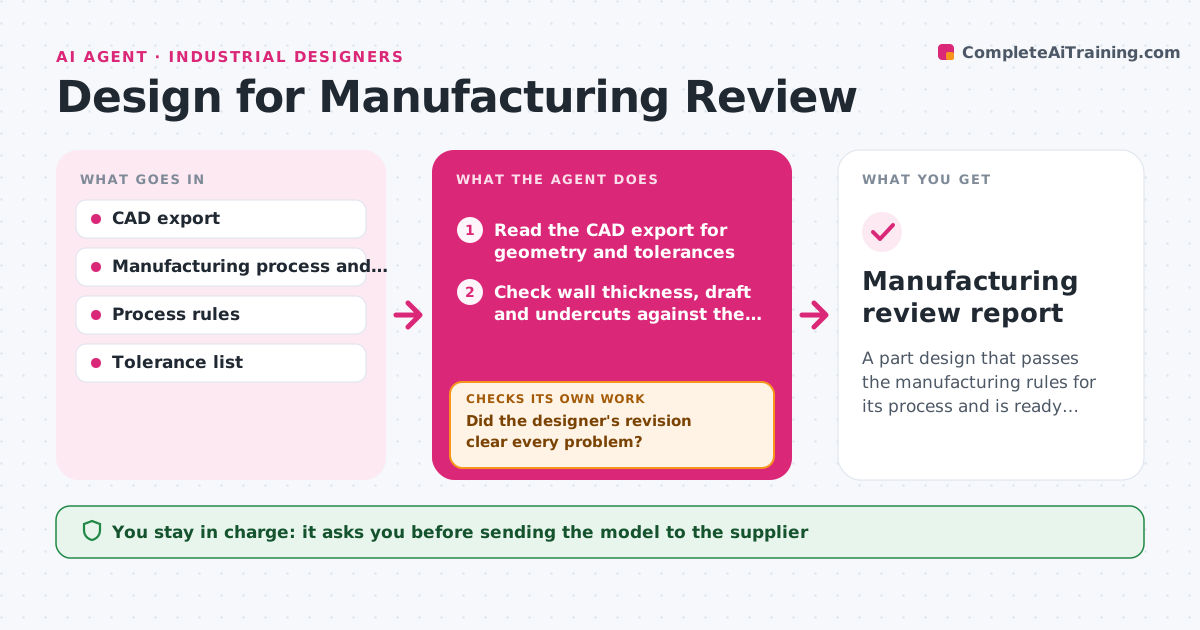
A part design that passes the manufacturing rules for its process and is ready for supplier quotes
What it does
Parts often reach the supplier with features that cannot be made or that add cost, and the revisions delay the launch. This agent reads the CAD export and checks wall thickness, draft angles, undercuts, tolerances and assembly access against the rules for the chosen process, such as injection molding or CNC. It lists each problem with its location on the part and proposes a change, for example adding 1 degree of draft or thickening a rib. After the designer revises the model, it checks again, since a fix for one issue can break another rule, like a thicker wall causing sink marks. It repeats until the report is clean. The designer approves what goes to the supplier. Edge case: a tolerance that is tight on purpose is kept and flagged as a cost driver.
How it works
Follow the arrows from top to bottom. The orange dashed arrow is the loop: when a check fails, the agent goes back and tries again.
Read the steps as a list
- CAD revision finished
- Read the CAD export for geometry and tolerances
- Check wall thickness, draft and undercuts against the process rules
- Check assembly access and tolerances
- List each problem with its location and a proposed change
- Did the designer's revision clear every problem?If not: list what remains and what the revision made worse. Back to step 3.
- Re-check the full part after the revision
- Does the full part pass with no new issue?If not: send the new problem back with a proposed change. Back to step 3.
- Designer approves what goes to the supplierThe agent waits here for your OK.
- Manufacturing review report
How it decides
A feature fails when it falls outside the process rule, such as wall thickness below the minimum or draft under the required angle. Tight tolerances are flagged as cost drivers, not errors.
- Fail a wall under the process minimum
- Fail draft below 1 degree on molded faces
- Flag any undercut that needs a side action
- Flag tolerances tighter than the process normally holds as cost drivers
Make it yours
Every agent is a starting point. You choose these settings for your own situation.
- Process and material
- Minimum wall and draft values
- Tolerance limit that counts as a cost driver
- CAD format
What keeps you in control
It always asks you first
- Sending the model to the supplier
- Accepting a tight tolerance
Hard limits
- Never edits the CAD model
- Never sends files to a supplier
It stops when
- Done: the report is clean and the designer approved
- Stop: the CAD file cannot be read
Set it up
We guide you through the set-up, step by step
Members get the full set-up guide for this agent. No technical skills needed: you copy, paste and upload.
- One set of instructions to paste into your AI, with the clicks for ChatGPT, Claude, Microsoft 365 Copilot, Gemini and Grok
- The agent then walks you through connecting your own data, one source at a time
- A downloadable copy with the flow chart, the rules and the full guide