AI agent for customs brokers
Binding Ruling Reuse Agent
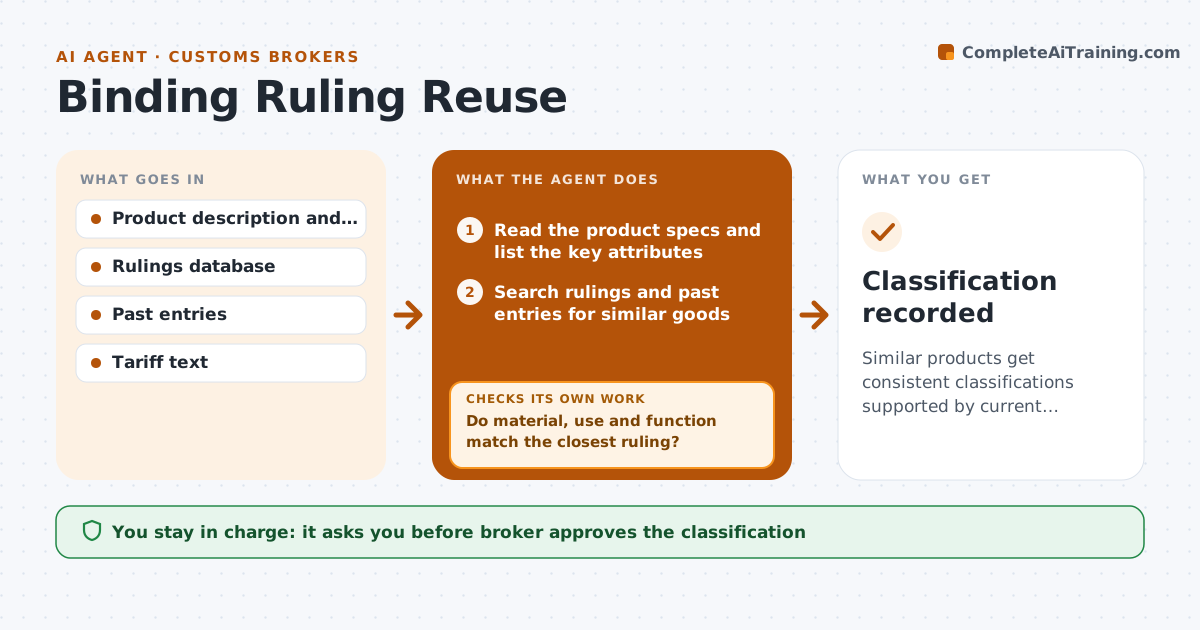
Similar products get consistent classifications supported by current rulings and past entries.
What it does
A broker spends an hour classifying a product that was classified six months ago under a different code for a similar item. This agent searches binding rulings and past entries for similar goods. It compares the key attributes such as material, use, construction and function, checks the status of each ruling to see if it is current, modified or revoked, and suggests a classification code with the reasoning. When attributes do not match closely enough, it searches again with different terms and tries neighboring headings. It lists the supporting rulings and the differences. The broker approves the code. Edge case: a ruling matches the product, but it was revoked last year.
How it works
Follow the arrows from top to bottom. The orange dashed arrow is the loop: when a check fails, the agent goes back and tries again.
Read the steps as a list
- Product needs a classification
- Read the product specs and list the key attributes
- Search rulings and past entries for similar goods
- Compare attributes with each close match
- Do material, use and function match the closest ruling?If not: search with different terms and neighboring headings, then compare again. Back to step 3.
- Check each ruling's status for revocation or modification
- Is the supporting ruling still valid?If not: drop the ruling and use the next best match or the tariff text. Back to step 3.
- Suggest a code with the reasoning and the differences found
- Broker approves the classificationThe agent waits here for your OK.
- Save the decision with its sources for reuse
- Classification recorded
How it decides
It suggests a code only when the closest ruling matches on material, use and function, and the ruling is still valid.
- Require a match on material, use and function.
- Drop any ruling that is revoked or modified against the product.
- Prefer rulings for products with matching construction.
- Note differences next to the suggested code.
Make it yours
Every agent is a starting point. You choose these settings for your own situation.
- Rulings database
- Attributes compared
- Match strictness
- Where decisions are saved
What keeps you in control
It always asks you first
- Broker approves the classification
Hard limits
- Cite the ruling number and its status
- Never apply a code to an entry itself
It stops when
- Done: code approved and saved.
- Stop: no close match, so the broker classifies from the tariff text.
Set it up
We guide you through the set-up, step by step
Members get the full set-up guide for this agent. No technical skills needed: you copy, paste and upload.
- One set of instructions to paste into your AI, with the clicks for ChatGPT, Claude, Microsoft 365 Copilot, Gemini and Grok
- The agent then walks you through connecting your own data, one source at a time
- A downloadable copy with the flow chart, the rules and the full guide