AI agent for customs brokers
Duty Drawback Claim Agent
Find every eligible refund and assemble complete claims before the time limits.
What it does
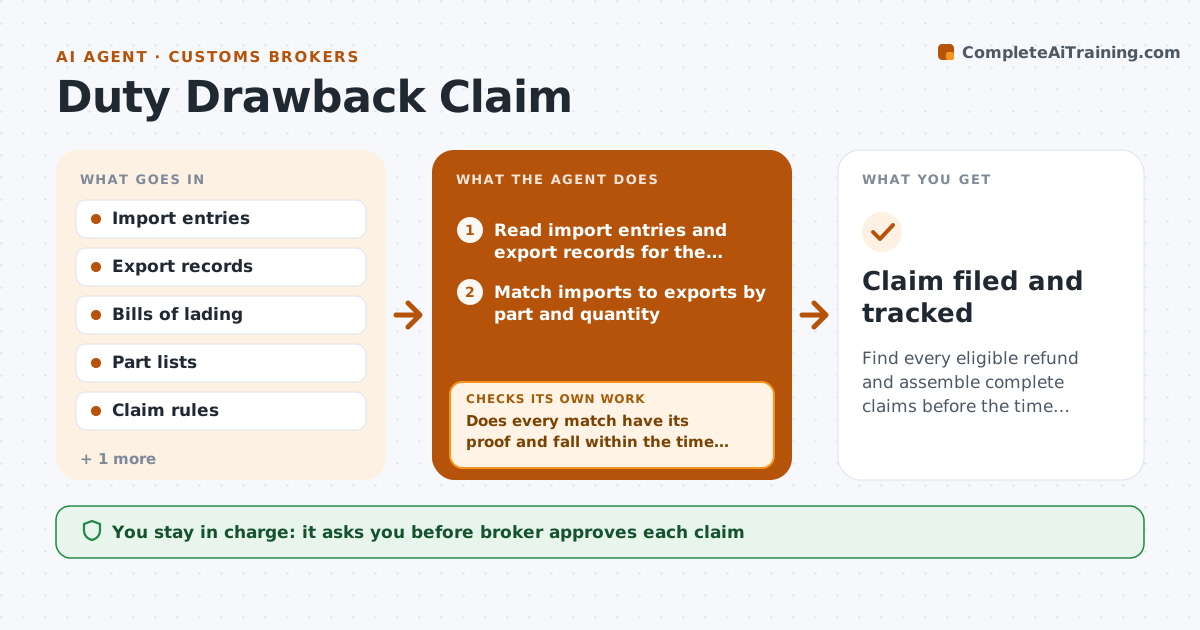
A client imports components, exports finished goods, and could claim back up to 99 percent of the duties, but matching the records takes weeks, so most claims are never filed. The agent matches import entries with export records by part number, description and quantity. It checks the time limit, which is usually five years from import, the proof of export, and the other required documents. It flags gaps, such as an export with no bill of lading or an import with a changed description, and asks the client for proof. After the answer, it rematches. When matches are complete it assembles the claim with the calculated refund and the supporting list. The broker approves filing. Edge case: a part imported in one entry and exported in several shipments. The agent allocates quantities across them.
How it works
Follow the arrows from top to bottom. The orange dashed arrow is the loop: when a check fails, the agent goes back and tries again.
Read the steps as a list
- Monthly drawback run
- Read import entries and export records for the client
- Match imports to exports by part and quantity
- Check time limits and the proof of export for each match
- Does every match have its proof and fall within the time limit?If not: request missing proof from the client and rematch when it arrives. Back to step 3.
- Allocate quantities when an import covers several exports
- Calculate the refund for each match
- Does the total of allocated quantities stay within each import quantity?If not: correct the allocation and recalculate. Back to step 6.
- Assemble the claim with the supporting list
- Broker approves filingThe agent waits here for your OK.
- Claim filed and tracked
How it decides
A match requires the same part, quantity within the import, an export within the time limit and proof of export. Gaps are requested, never assumed.
- Match on part number and quantity first, description second
- Flag imports older than 4 years 6 months
- Require proof of export for every unit claimed
- Never claim more units than were imported
Make it yours
Every agent is a starting point. You choose these settings for your own situation.
- Time limit warning
- Matching rules
- Clients included
- Claim format
- Run schedule
What keeps you in control
It always asks you first
- Broker approves each claim
- Broker approves contacting the client for missing proof
Hard limits
- Never file a claim itself
- Do not match records without proof
It stops when
- Done: claim filed and tracked
- Stop: records conflict and cannot be resolved, ask the client
Set it up
We guide you through the set-up, step by step
Members get the full set-up guide for this agent. No technical skills needed: you copy, paste and upload.
- One set of instructions to paste into your AI, with the clicks for ChatGPT, Claude, Microsoft 365 Copilot, Gemini and Grok
- The agent then walks you through connecting your own data, one source at a time
- A downloadable copy with the flow chart, the rules and the full guide