AI agent for proofreaders
Book Production Specification Agent
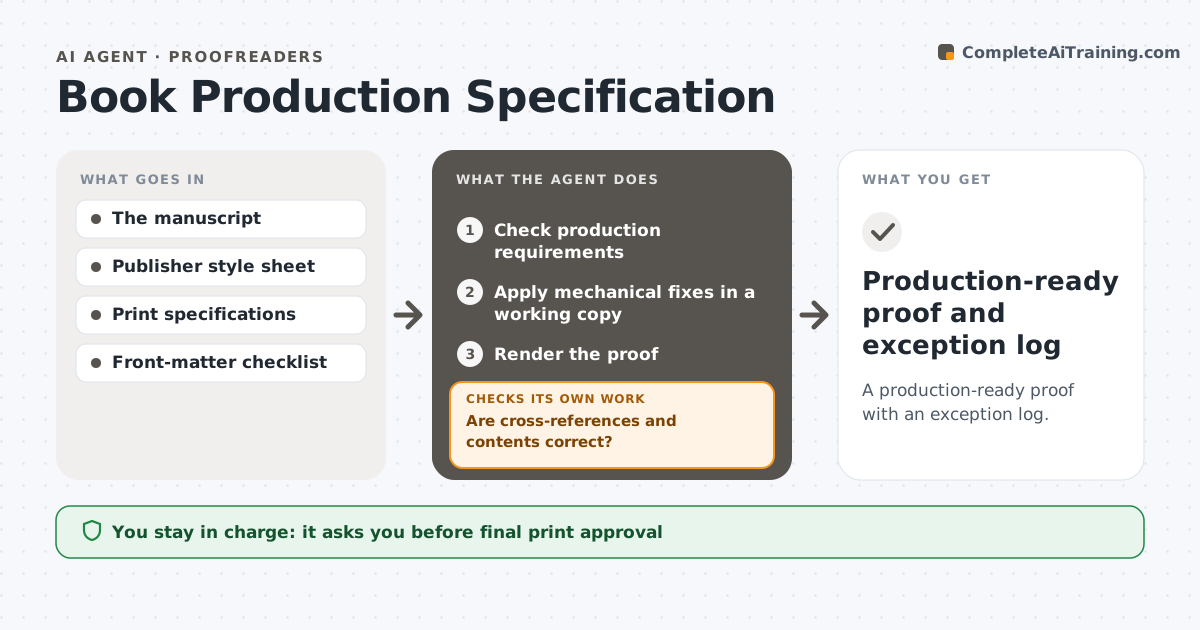
A production-ready proof with an exception log.
What it does
Manuscripts often fail production checks after layout changes, with broken cross-references, wrong contents entries or style sheet violations. This agent runs when production starts. It checks structural and production requirements against the publisher's style sheet, such as heading levels, figure numbering and front matter. It applies only pre-approved mechanical fixes in a working copy, then renders a proof and checks cross-references and contents after each group of corrections. When pagination changes, it regenerates the contents and affected references. Any fix that would change meaning is reverted and logged for the editor. The production editor approves print. Edge case: a cross-reference to a figure that was deleted is logged as an exception, not pointed at the nearest figure.
How it works
Follow the arrows from top to bottom. The orange dashed arrow is the loop: when a check fails, the agent goes back and tries again.
Read the steps as a list
- Production starts
- Check production requirements
- Apply mechanical fixes in a working copy
- Render the proof
- Are cross-references and contents correct?If not: regenerate affected entries and re-render. Back to step 3.
- Production editor approves printThe agent waits here for your OK.
- Production-ready proof and exception log
How it decides
Mechanical corrections only, verified by rendering.
- Only pre-approved mechanical fixes are applied.
- Fixes that change meaning are reverted.
- Contents are regenerated after pagination changes.
- References to deleted items are logged, not guessed.
Make it yours
Every agent is a starting point. You choose these settings for your own situation.
- Publisher style sheet
- List of pre-approved mechanical fixes
- Proof rendering tool
- Who approves print (default: production editor)
- Exception log format
What keeps you in control
It always asks you first
- Final print approval
- Content changes
- Vendor submission
Hard limits
- No content changes.
It stops when
- Done: proof passes.
Set it up
We guide you through the set-up, step by step
Members get the full set-up guide for this agent. No technical skills needed: you copy, paste and upload.
- One set of instructions to paste into your AI, with the clicks for ChatGPT, Claude, Microsoft 365 Copilot, Gemini and Grok
- The agent then walks you through connecting your own data, one source at a time
- A downloadable copy with the flow chart, the rules and the full guide