AI agent for authors
Manuscript Continuity Repair Agent
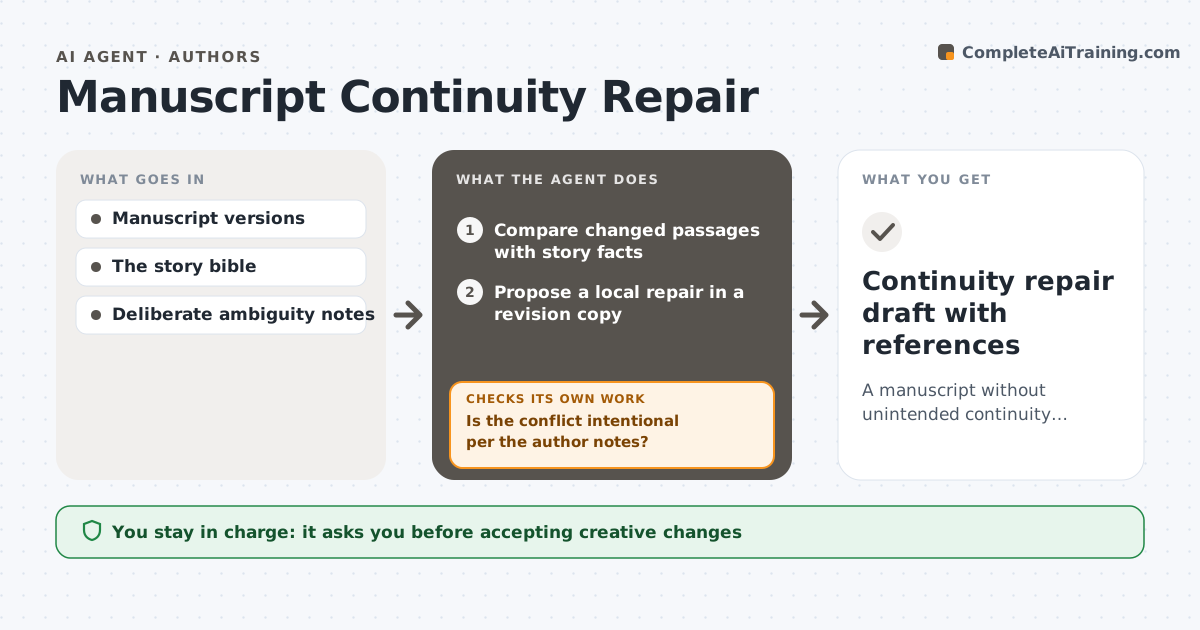
A manuscript without unintended continuity errors, with every creative choice left to the author.
What it does
When a novel is revised, small contradictions creep in: a character's eye color changes, a timeline no longer adds up, a minor name is spelled two ways. This agent compares every changed passage with the author's approved story bible of facts. When it finds a conflict, it first checks the author's notes, because some contradictions are deliberate, like an unreliable narrator. For real errors, it proposes the smallest local repair in a separate revision copy and then rechecks all affected references. If a repair breaks another fact or touches deliberate ambiguity, it undoes it and gives the author a choice instead. The author accepts or rejects every change. Edge case: a fact that changed in the story bible itself is applied forward, not backward.
How it works
Follow the arrows from top to bottom. The orange dashed arrow is the loop: when a check fails, the agent goes back and tries again.
Read the steps as a list
- Revised draft saved
- Compare changed passages with story facts
- Is the conflict intentional per the author notes?If not: (intentional) leave it and log it. Back to step 2.
- Propose a local repair in a revision copy
- Does the repair break another fact?If not: undo and present an author choice. Back to step 4.
- Author accepts changesThe agent waits here for your OK.
- Continuity repair draft with references
How it decides
Smallest local fix, checked against all story facts and protected ambiguity.
- Intentional contradictions in the author notes are left alone.
- Choose the smallest repair that fixes the conflict.
- Undo any repair that breaks another fact.
- The author decides every change.
Make it yours
Every agent is a starting point. You choose these settings for your own situation.
- Story bible location and fact categories
- Author notes on intentional contradictions
- Size of repair allowed (default: one sentence)
- Chapters to check (default: changed chapters plus references)
- Output format (default: tracked changes in a revision copy)
What keeps you in control
It always asks you first
- Accepting creative changes
- Altering ambiguity
Hard limits
- Works in a copy.
It stops when
- Done: all conflicts resolved or with the author.
Set it up
We guide you through the set-up, step by step
Members get the full set-up guide for this agent. No technical skills needed: you copy, paste and upload.
- One set of instructions to paste into your AI, with the clicks for ChatGPT, Claude, Microsoft 365 Copilot, Gemini and Grok
- The agent then walks you through connecting your own data, one source at a time
- A downloadable copy with the flow chart, the rules and the full guide