AI agent for actors
Booking Availability and Conflict Agent
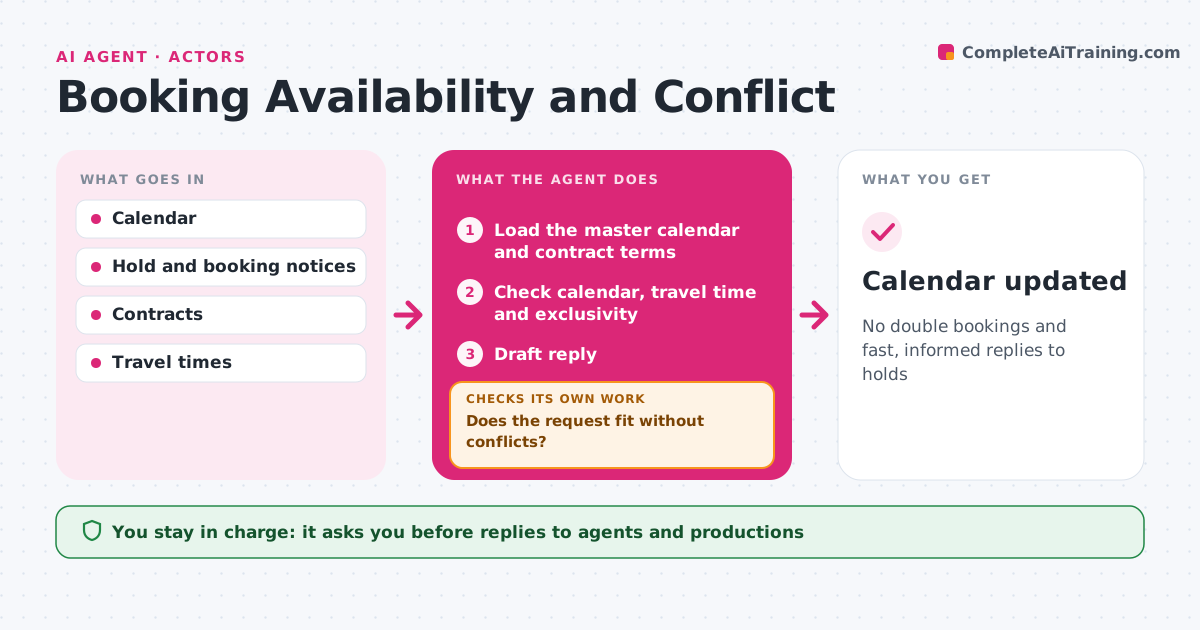
No double bookings and fast, informed replies to holds
What it does
Working actors juggle holds, bookings, fittings and day jobs, and one missed clash can cost a job or a relationship with a casting office. This agent keeps the actor's master calendar of holds, confirmed bookings, fittings, rehearsals, travel and day-job shifts. When a new hold or booking request arrives, it checks for conflicts, including travel time and contract terms like exclusivity or release periods. It drafts a reply for the agent or the actor. When a hold is released or confirmed, it updates the calendar and rechecks every other hold. If two first holds clash, it lays out the options with fees and dates. The actor decides and approves every reply. Edge case: a commercial with category exclusivity blocks other bookings in that category for the term.
How it works
Follow the arrows from top to bottom. The orange dashed arrow is the loop: when a check fails, the agent goes back and tries again.
Read the steps as a list
- Hold or booking request arrives
- Load the master calendar and contract terms
- Check calendar, travel time and exclusivity
- Does the request fit without conflicts?If not: lay out options with fees and dates for the actor. Back to step 3.
- Draft reply
- Actor approves the replyThe agent waits here for your OK.
- After any change, do remaining holds still fit?If not: flag the new clash and draft options. Back to step 3.
- Calendar updated
How it decides
It checks dates, travel and contract terms and lays out options when holds clash.
- Exclusivity blocks the category for the term
- Allow travel time between jobs
- First holds get priority
Make it yours
Every agent is a starting point. You choose these settings for your own situation.
- Travel buffer
- Contract rules tracked
- Reply templates
- Calendar sources
What keeps you in control
It always asks you first
- Replies to agents and productions
Hard limits
- Never accepts or declines without approval
- Never shares fees
It stops when
- Done: calendar clean
- Stop: actor goes on hiatus
Set it up
We guide you through the set-up, step by step
Members get the full set-up guide for this agent. No technical skills needed: you copy, paste and upload.
- One set of instructions to paste into your AI, with the clicks for ChatGPT, Claude, Microsoft 365 Copilot, Gemini and Grok
- The agent then walks you through connecting your own data, one source at a time
- A downloadable copy with the flow chart, the rules and the full guide