AI agent for actors
Callback and Booking Follow-up Agent
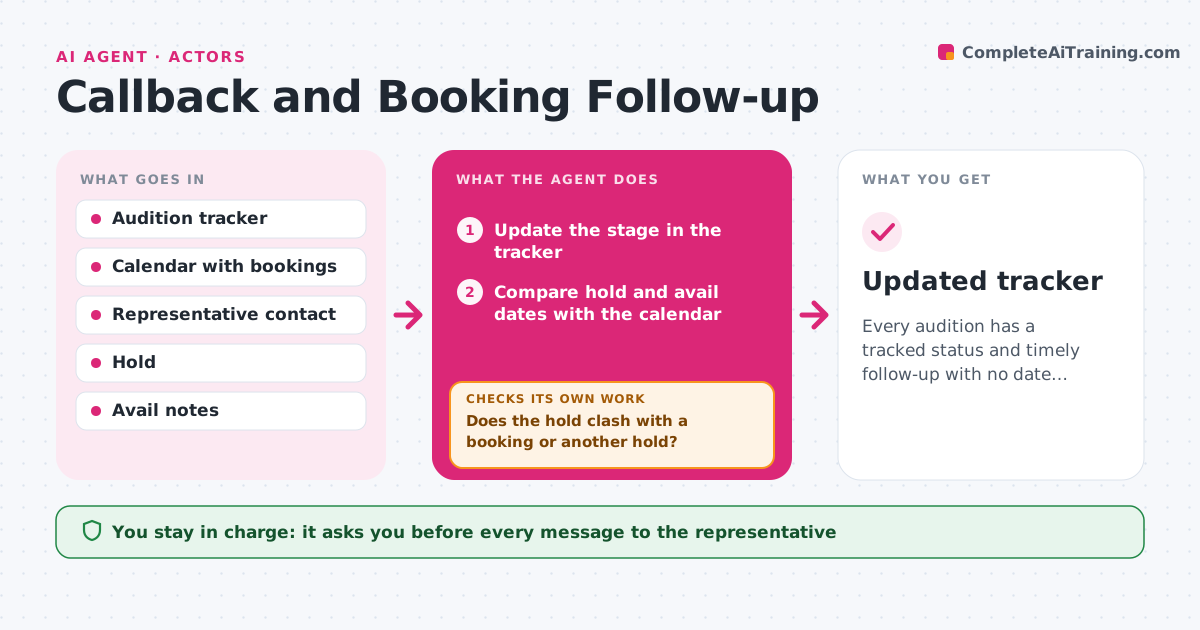
Every audition has a tracked status and timely follow-up with no date conflicts
What it does
Auditions that went well are never followed up, and the status of holds and avails is lost. This agent tracks the stage of each audition: submitted, auditioned, callback, hold, booked or passed. It checks for holds and avails and compares the dates against existing bookings to avoid a clash. At set times, it drafts a short note to the representative, such as a thank you after a callback or a question about a hold. It updates the tracker with replies and removes expired holds. If a new hold clashes with a booking, it flags the conflict before anything is confirmed. The actor approves each message. Edge case: two holds on the same day are shown together so the actor can tell the rep which to release first.
How it works
Follow the arrows from top to bottom. The orange dashed arrow is the loop: when a check fails, the agent goes back and tries again.
Read the steps as a list
- Audition done or hold arrives
- Update the stage in the tracker
- Compare hold and avail dates with the calendar
- Does the hold clash with a booking or another hold?If not: flag the conflict and draft a question to the rep. Back to step 2.
- Draft the follow-up note for the stage
- Actor approves the messageThe agent waits here for your OK.
- Send the message to the representative
- Log the reply and update the tracker
- Is any hold past its expiry or any audition silent for too long?If not: draft a status check. Back to step 3.
- Updated tracker
How it decides
A follow-up is drafted at set intervals after each stage. A hold is flagged when it overlaps a booking or another hold.
- Follow up 3 days after a callback
- Flag any overlap between holds and bookings
- Expire a hold after the date given
- Draft status checks after 10 days of silence
Make it yours
Every agent is a starting point. You choose these settings for your own situation.
- Follow-up timing (default 3 days)
- Status labels
- Silence limit (default 10 days)
- Who to contact
What keeps you in control
It always asks you first
- Every message to the representative
- Confirming a hold or booking
Hard limits
- Never contacts casting directly
- Never confirms a booking
It stops when
- Done: tracker updated and notes approved
- Stop: the representative is unreachable
Set it up
We guide you through the set-up, step by step
Members get the full set-up guide for this agent. No technical skills needed: you copy, paste and upload.
- One set of instructions to paste into your AI, with the clicks for ChatGPT, Claude, Microsoft 365 Copilot, Gemini and Grok
- The agent then walks you through connecting your own data, one source at a time
- A downloadable copy with the flow chart, the rules and the full guide