AI agent for loan officers
Borrower Document Collection Agent
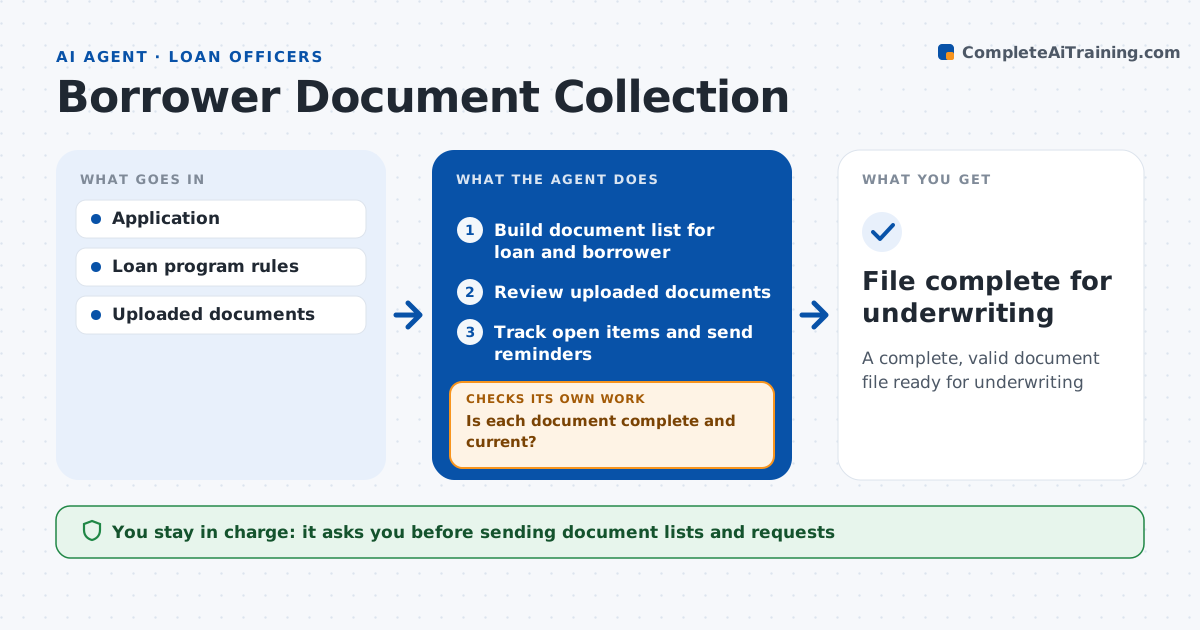
A complete, valid document file ready for underwriting
What it does
Loan files stall when borrowers upload the wrong pages, old statements or blurry photos, and loan officers spend days chasing paper. After an application is taken, this agent builds the document list for the loan type and the borrower's situation, such as pay stubs, W-2s, tax returns and bank statements. The loan officer approves the list before it goes out through the portal. As documents arrive, it checks each one: right borrower, right dates, all pages and legible. Statements older than 60 days get a request for newer ones. A deposit over half of monthly income gets a request for its source. It tracks what is still missing and sends reminders. The loan officer decides when the file goes to underwriting. Edge case: a bank statement shows a large deposit, so the agent adds a source request.
How it works
Follow the arrows from top to bottom. The orange dashed arrow is the loop: when a check fails, the agent goes back and tries again.
Read the steps as a list
- Application taken
- Build document list for loan and borrower
- Loan officer approves the listThe agent waits here for your OK.
- Review uploaded documents
- Is each document complete and current?If not: draft a specific replacement request and recheck new uploads. Back to step 4.
- Track open items and send reminders
- File complete for underwriting
How it decides
It builds the list from program rules and checks each document for dates, pages, name and legibility.
- Statement older than 60 days: request newer
- Missing page: request full statement
- Large deposit over 50% of monthly income: request source
Make it yours
Every agent is a starting point. You choose these settings for your own situation.
- Document rules by loan type
- Reminder schedule
- Large deposit threshold
- Message tone
What keeps you in control
It always asks you first
- Sending document lists and requests
- Submitting to underwriting
Hard limits
- Never stores documents outside the system
- Never submits without approval
It stops when
- Done: file complete
- Stop: borrower withdraws
Set it up
We guide you through the set-up, step by step
Members get the full set-up guide for this agent. No technical skills needed: you copy, paste and upload.
- One set of instructions to paste into your AI, with the clicks for ChatGPT, Claude, Microsoft 365 Copilot, Gemini and Grok
- The agent then walks you through connecting your own data, one source at a time
- A downloadable copy with the flow chart, the rules and the full guide