AI agent for network engineers
Branch Site Rollout Agent
A new site that goes live with circuits, addressing and monitoring all tested
What it does
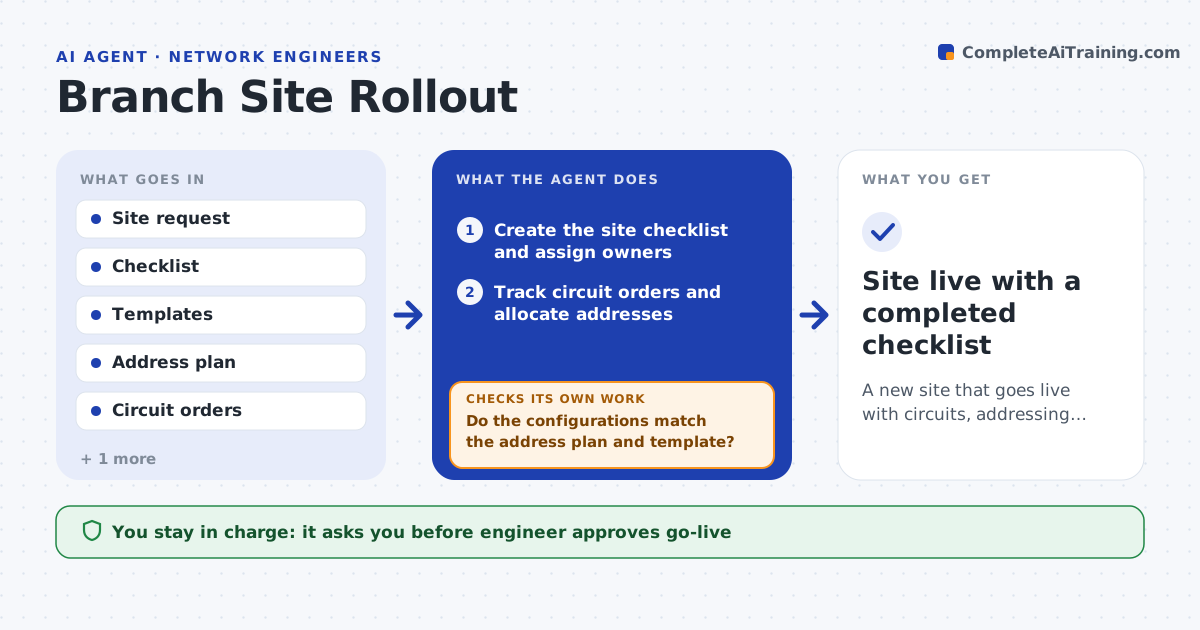
New site setup misses steps such as circuits, addressing and monitoring. This agent tracks the site checklist from order to go-live. It follows circuit orders and address allocations, builds device configurations from your templates, and tests links and monitoring before the site opens. If a test fails, it traces the cause, fixes the draft and tests again. It keeps a list of blockers and who owns them. The engineer approves go-live. It sends each owner a reminder when a task slips and keeps the checklist current, so everyone sees the same status. Nothing goes live until the engineer has seen the test results. Edge case: a circuit is delivered two weeks late, so the agent reorders the checklist and shifts testing dates.
How it works
Follow the arrows from top to bottom. The orange dashed arrow is the loop: when a check fails, the agent goes back and tries again.
Read the steps as a list
- New site is approved
- Create the site checklist and assign owners
- Track circuit orders and allocate addresses
- Build device configurations from the templates
- Do the configurations match the address plan and template?If not: correct the configuration and recheck. Back to step 3.
- Test links, routing and monitoring
- Do all tests pass?If not: find the failing item, fix the draft and rerun the tests. Back to step 4.
- Update the blocker list and dates
- Engineer approves go-liveThe agent waits here for your OK.
- Site live with a completed checklist
How it decides
A step is done only when its evidence exists. Go-live needs every required test to pass.
- Mark a step done only with evidence
- Check addresses against the plan before building configs
- Rerun all tests after any fix
- Reorder tasks when a circuit is late
Make it yours
Every agent is a starting point. You choose these settings for your own situation.
- Site checklist
- Templates
- Required tests
- Owners by task
What keeps you in control
It always asks you first
- Engineer approves go-live
Hard limits
- Never goes live without approval
- Never changes templates
It stops when
- Done: all checks pass and go-live is approved
- Stop: a required circuit is not delivered
Set it up
We guide you through the set-up, step by step
Members get the full set-up guide for this agent. No technical skills needed: you copy, paste and upload.
- One set of instructions to paste into your AI, with the clicks for ChatGPT, Claude, Microsoft 365 Copilot, Gemini and Grok
- The agent then walks you through connecting your own data, one source at a time
- A downloadable copy with the flow chart, the rules and the full guide