AI agent for underwriters
Broker Quote Follow-Up Agent
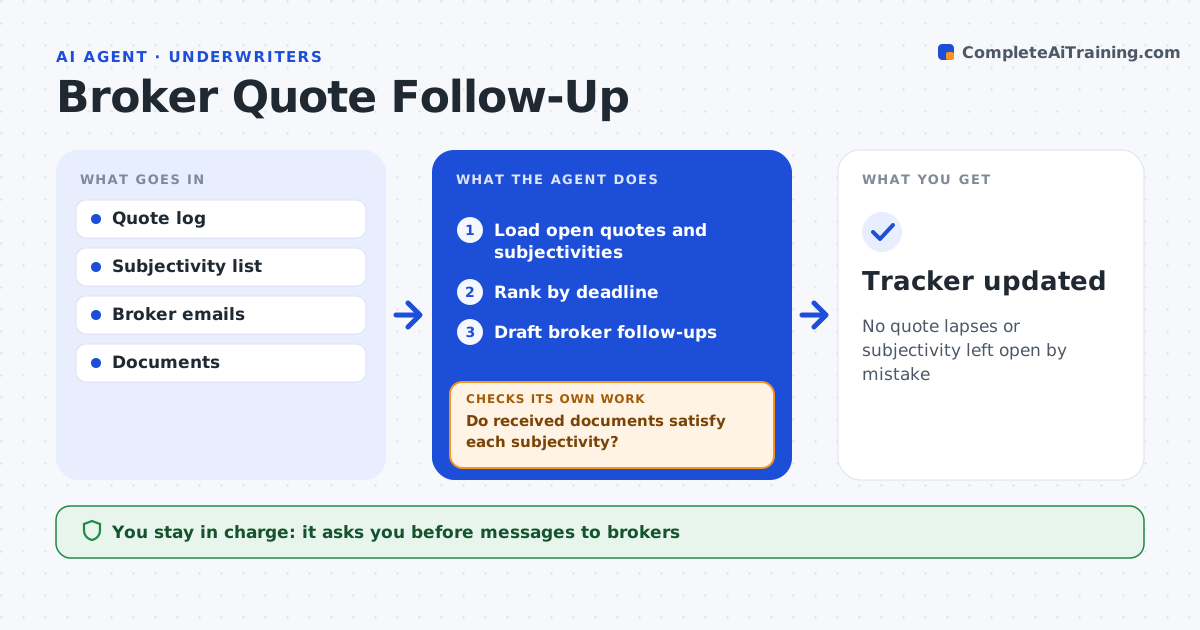
No quote lapses or subjectivity left open by mistake
What it does
Quotes expire and bound policies carry open conditions that nobody chases, which leaves coverage on shaky ground. This agent tracks open quotes and bound policies with outstanding subjectivities. Each day it loads them, ranks items by deadline and checks broker replies and documents received. It drafts follow-ups for quotes expiring within five days and subjectivities due within ten, such as signed applications or inspections. The underwriter approves messages before they go out. When documents arrive, it checks each one against the exact subjectivity. An unsigned or incomplete document does not count, so the agent drafts a request for what is still needed and keeps the item open. The underwriter decides on any extension. Edge case: a broker sends an unsigned application, so the item stays open.
How it works
Follow the arrows from top to bottom. The orange dashed arrow is the loop: when a check fails, the agent goes back and tries again.
Read the steps as a list
- Daily check
- Load open quotes and subjectivities
- Rank by deadline
- Draft broker follow-ups
- Underwriter approves messagesThe agent waits here for your OK.
- Do received documents satisfy each subjectivity?If not: draft a request for what is still missing. Back to step 4.
- Tracker updated
How it decides
It ranks items by days to expiry or deadline and checks each document against the subjectivity wording.
- Quote expires within 5 days: follow up
- Subjectivity due within 10 days: follow up
- Document unsigned or incomplete: not satisfied
Make it yours
Every agent is a starting point. You choose these settings for your own situation.
- Follow-up timing
- Message tone
- Subjectivity types
- Tracker layout
What keeps you in control
It always asks you first
- Messages to brokers
- Extensions
Hard limits
- Never cancels policies
- Never sends without approval
It stops when
- Done: tracker updated
- Stop: policy cancelled or declined
Set it up
We guide you through the set-up, step by step
Members get the full set-up guide for this agent. No technical skills needed: you copy, paste and upload.
- One set of instructions to paste into your AI, with the clicks for ChatGPT, Claude, Microsoft 365 Copilot, Gemini and Grok
- The agent then walks you through connecting your own data, one source at a time
- A downloadable copy with the flow chart, the rules and the full guide