AI agent for underwriters
Policy Wording and Endorsement Check Agent
A quote whose wording matches approved forms, with agreed exclusions present and exceptions approved
What it does
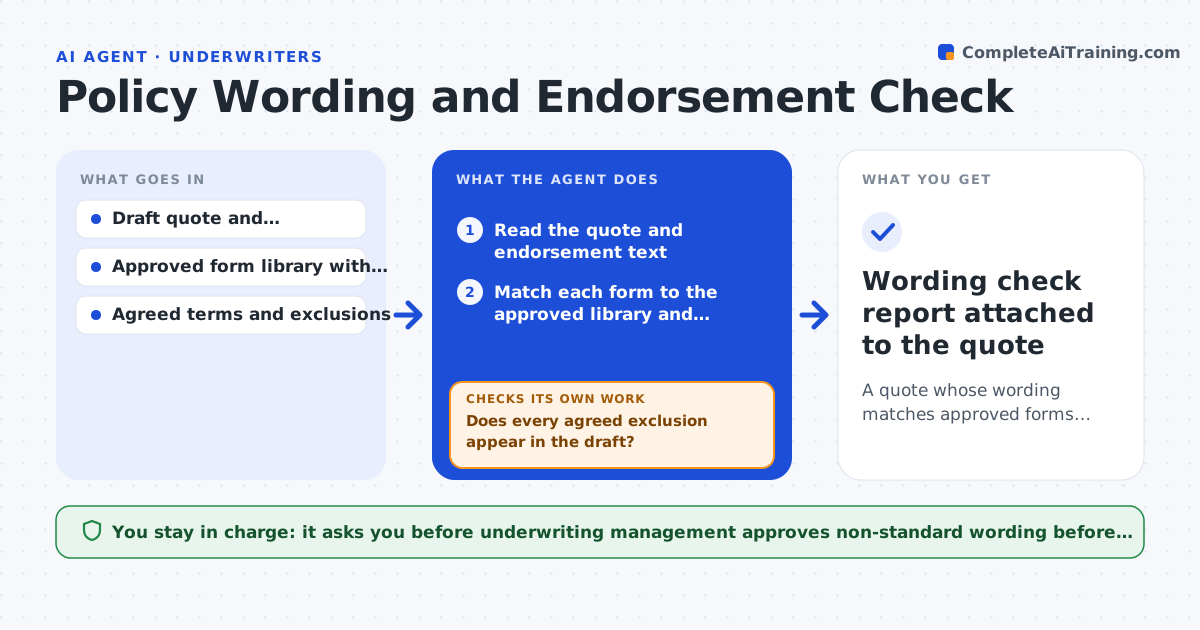
Quote wording often drifts from approved forms, and agreed exclusions get lost during edits. This agent compares the draft quote and endorsements to your approved form library. It flags added, removed or changed wording and checks that every exclusion agreed with the broker appears in the document. It reruns after each edit so that a fix does not create a new gap. It labels any wording outside the library as non-standard and explains the difference. Underwriting management approves any non-standard wording before release. Edge case: a form was revised last month, so the agent tests against the current version and warns if the draft used the old edition.
How it works
Follow the arrows from top to bottom. The orange dashed arrow is the loop: when a check fails, the agent goes back and tries again.
Read the steps as a list
- Draft quote is ready
- Read the quote and endorsement text
- Match each form to the approved library and edition
- Compare wording and mark added, removed or changed text
- Does every agreed exclusion appear in the draft?If not: list the missing exclusions and ask the underwriter to restore them. Back to step 4.
- Label non-standard wording and explain the difference
- Underwriting management approves any non-standard wordingThe agent waits here for your OK.
- After any edit, rerun the comparison
- Is the edited draft free of new differences?If not: flag the new differences and repeat. Back to step 4.
- Wording check report attached to the quote
How it decides
Wording is standard only when it matches the current approved form. Anything else is flagged and needs management approval.
- Compare against the current edition of each form
- Flag any missing agreed exclusion
- Label wording outside the library as non-standard
- Treat any edited draft as new and recheck it
Make it yours
Every agent is a starting point. You choose these settings for your own situation.
- Form library location
- Edition handling (default: latest only)
- Exclusion list source
- Who approves non-standard wording
What keeps you in control
It always asks you first
- Underwriting management approves non-standard wording before release
Hard limits
- Never edits the quote itself
- Never releases a quote
It stops when
- Done: the draft is clean or exceptions are approved
- Stop: an approved form for the line of business is not in the library
Set it up
We guide you through the set-up, step by step
Members get the full set-up guide for this agent. No technical skills needed: you copy, paste and upload.
- One set of instructions to paste into your AI, with the clicks for ChatGPT, Claude, Microsoft 365 Copilot, Gemini and Grok
- The agent then walks you through connecting your own data, one source at a time
- A downloadable copy with the flow chart, the rules and the full guide