AI agent for qa managers
Browser Support Matrix Update Agent
A support list that matches real usage and the code, verified by smoke tests on the minimum versions
What it does
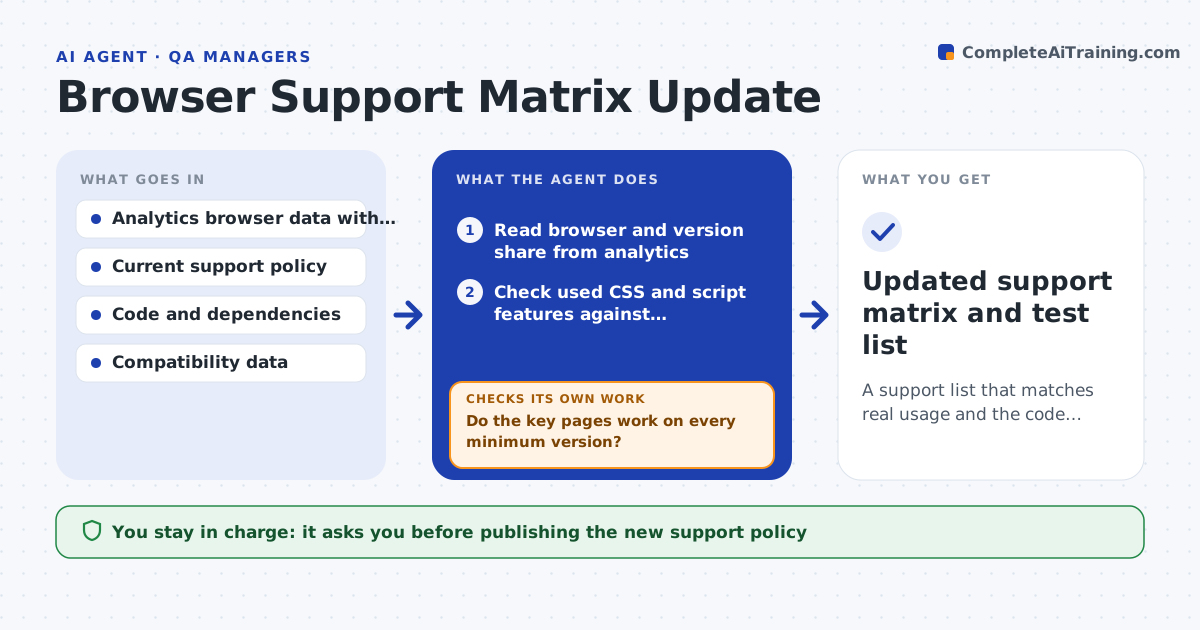
The support list written two years ago no longer matches who visits the site. Each quarter this agent reads analytics for browser and version share, and compares it with the current support policy. It then checks which CSS and scripts the code actually uses against compatibility data, so it knows which features need which minimum version. It proposes an updated support list, for example dropping a version with 0.3 percent of traffic and adding a newer one. Before the lead reviews it, the agent runs a smoke test of the key pages on the proposed minimum versions and records any failures. If a minimum version fails, it adjusts the proposal and tests again. The lead approves the new policy. Edge case: a small browser share that produces most of the revenue is shown, not dropped.
How it works
Follow the arrows from top to bottom. The orange dashed arrow is the loop: when a check fails, the agent goes back and tries again.
Read the steps as a list
- Quarterly review begins
- Read browser and version share from analytics
- Check used CSS and script features against compatibility data
- Propose an updated support list with the reasons
- Check revenue and conversion by browser for small shares
- Smoke test key pages on the proposed minimum versions
- Do the key pages work on every minimum version?If not: raise that minimum or list the fix needed and update the proposal. Back to step 3.
- List features that need a fallback or polyfill
- Does the proposal cover at least 98 percent of traffic?If not: lower the minimum for the largest uncovered browser and retest. Back to step 3.
- Lead approves the new policyThe agent waits here for your OK.
- Updated support matrix and test list
How it decides
A version is supported if it has at least 1 percent of traffic or notable revenue, and the code works on it in a smoke test.
- Support versions above 1 percent of traffic
- Keep a browser with under 1 percent if it drives over 5 percent of revenue
- Require a smoke test pass on each minimum version
- Aim to cover 98 percent of traffic
Make it yours
Every agent is a starting point. You choose these settings for your own situation.
- Traffic share threshold (default 1 percent)
- Revenue share exception (default 5 percent)
- Coverage target (default 98 percent)
- Key pages to smoke test
What keeps you in control
It always asks you first
- Publishing the new support policy
Hard limits
- Never changes the live site or policy
- Never drops a browser tied to meaningful revenue without showing it
It stops when
- Done: proposal passes smoke tests and coverage target
- Stop: analytics data is missing for the quarter
Set it up
We guide you through the set-up, step by step
Members get the full set-up guide for this agent. No technical skills needed: you copy, paste and upload.
- One set of instructions to paste into your AI, with the clicks for ChatGPT, Claude, Microsoft 365 Copilot, Gemini and Grok
- The agent then walks you through connecting your own data, one source at a time
- A downloadable copy with the flow chart, the rules and the full guide