AI agent for filmmakers
Budget Breakdown From Script Agent
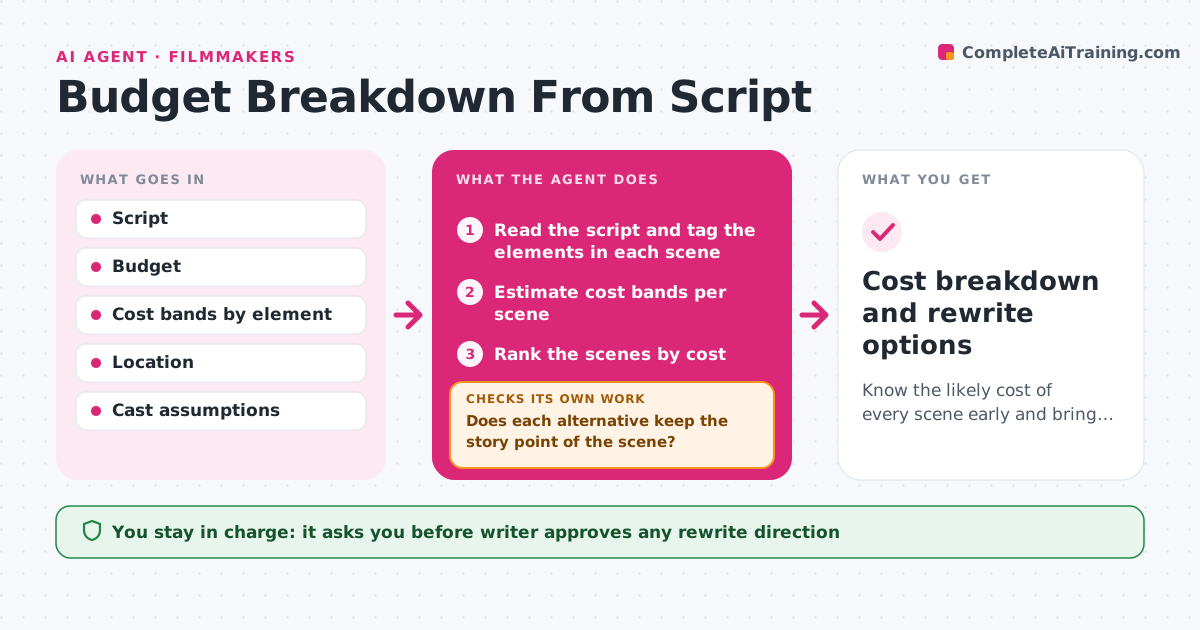
Know the likely cost of every scene early and bring the script within budget with approved changes.
What it does
A short film script is finished, and only at the production meeting does anyone notice that a night car chase and a crowd scene will cost half the budget. This agent reads the script and tags each scene for locations, cast, extras, stunts, effects, vehicles and time of day. It estimates cost bands per scene and ranks them from the most expensive. For the top few, it proposes cheaper alternatives, such as moving the chase to one street, using fewer extras or shifting a scene to daytime. It recalculates the total with each alternative and checks the sum against the budget. If it is still over, it proposes the next change. The writer approves any rewrite direction. Edge case: the story requires the crowd, so the agent proposes a different way of showing it.
How it works
Follow the arrows from top to bottom. The orange dashed arrow is the loop: when a check fails, the agent goes back and tries again.
Read the steps as a list
- Script draft is ready
- Read the script and tag the elements in each scene
- Estimate cost bands per scene
- Rank the scenes by cost
- Propose cheaper alternatives for the top scenes
- Does each alternative keep the story point of the scene?If not: drop it and propose another way. Back to step 4.
- Recalculate the total with the alternatives
- Is the total within the budget?If not: propose changes to the next most expensive scenes. Back to step 4.
- Writer approves any rewrite directionThe agent waits here for your OK.
- Cost breakdown and rewrite options
How it decides
It adds up element costs per scene using bands, then ranks by cost. Alternatives are accepted when they keep the story point and reduce the cost.
- Rank scenes by estimated cost, not by length
- Treat night exteriors, stunts and crowds as high-cost elements
- Accept an alternative only if the story point stays
- Add 10% contingency to the total
Make it yours
Every agent is a starting point. You choose these settings for your own situation.
- Cost bands for elements
- Budget and contingency (default 10%)
- Elements to flag as high cost
- Location and cast assumptions
- Report format
What keeps you in control
It always asks you first
- Writer approves any rewrite direction
Hard limits
- Never rewrite the script itself
- Never present cost bands as quotes
It stops when
- Done: total is within budget with approved changes
- Stop: the budget cannot be met without losing the story, so the writer and producer decide
Set it up
We guide you through the set-up, step by step
Members get the full set-up guide for this agent. No technical skills needed: you copy, paste and upload.
- One set of instructions to paste into your AI, with the clicks for ChatGPT, Claude, Microsoft 365 Copilot, Gemini and Grok
- The agent then walks you through connecting your own data, one source at a time
- A downloadable copy with the flow chart, the rules and the full guide