AI agent for game developers
Bug Triage and Reproduction Agent
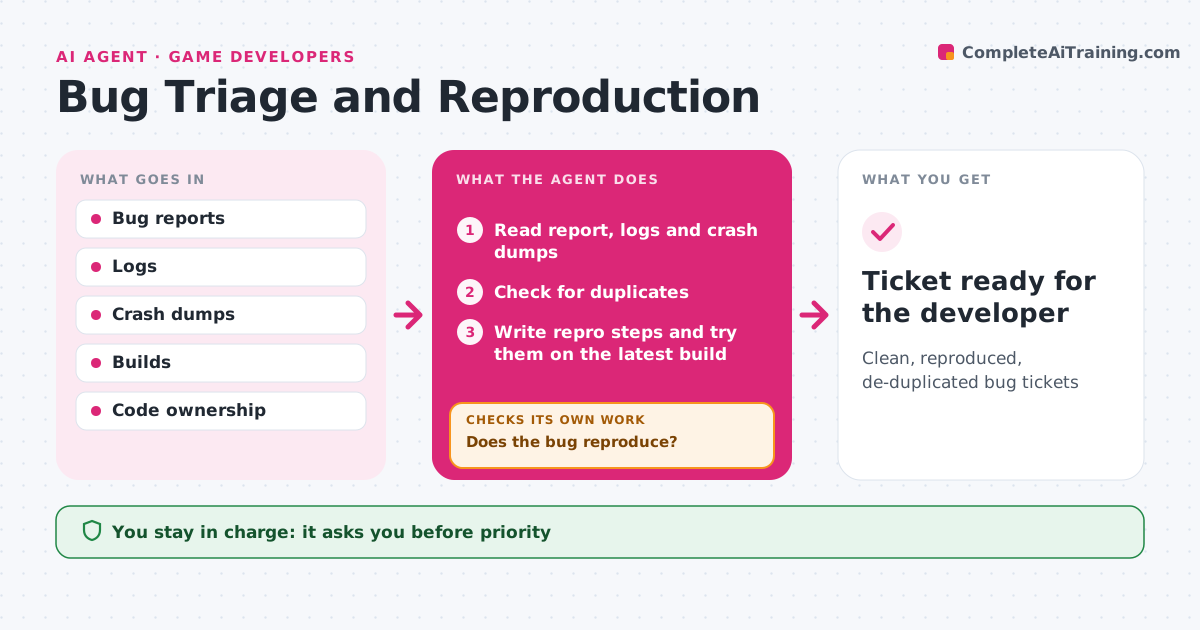
Clean, reproduced, de-duplicated bug tickets
What it does
Game teams get many bug reports a day, many of them duplicates or too vague to act on. As reports arrive, this agent reads each one with its logs, crash dumps and video. It finds duplicates by comparing stack traces and descriptions, and merges them. It writes clear reproduction steps and tries them on the latest build, using automated test tools where possible, and records which platforms show the bug. If the bug does not reproduce, it tries other settings or asks the reporter for details such as hardware or save files. After two failed tries it sends the ticket back to the reporter. Once reproduced, it sets severity and suggests an owner based on code ownership. The lead approves priority. Edge case: a new crash stack trace right after a fresh build is linked to the latest change in that code.
How it works
Follow the arrows from top to bottom. The orange dashed arrow is the loop: when a check fails, the agent goes back and tries again.
Read the steps as a list
- Bug report arrives
- Read report, logs and crash dumps
- Check for duplicates
- Write repro steps and try them on the latest build
- Does the bug reproduce?If not: try other settings or ask the reporter for details. Back to step 4.
- Set severity and suggest owner
- Lead approves priorityThe agent waits here for your OK.
- Ticket ready for the developer
How it decides
It merges duplicates by stack trace and sets severity by crash, data loss, blocker or cosmetic.
- Crashes and save loss are top severity
- Duplicates merged by stack trace
- Unreproduced after two tries goes back to the reporter
Make it yours
Every agent is a starting point. You choose these settings for your own situation.
- Severity rules
- Platforms tested
- Duplicate matching
- Owner mapping
What keeps you in control
It always asks you first
- Priority
Hard limits
- Never changes code
- Never closes bugs as fixed
It stops when
- Done: ticket ready
- Stop: report not about the game
Set it up
We guide you through the set-up, step by step
Members get the full set-up guide for this agent. No technical skills needed: you copy, paste and upload.
- One set of instructions to paste into your AI, with the clicks for ChatGPT, Claude, Microsoft 365 Copilot, Gemini and Grok
- The agent then walks you through connecting your own data, one source at a time
- A downloadable copy with the flow chart, the rules and the full guide