AI agent for game designers
Level Layout Playability Review Agent
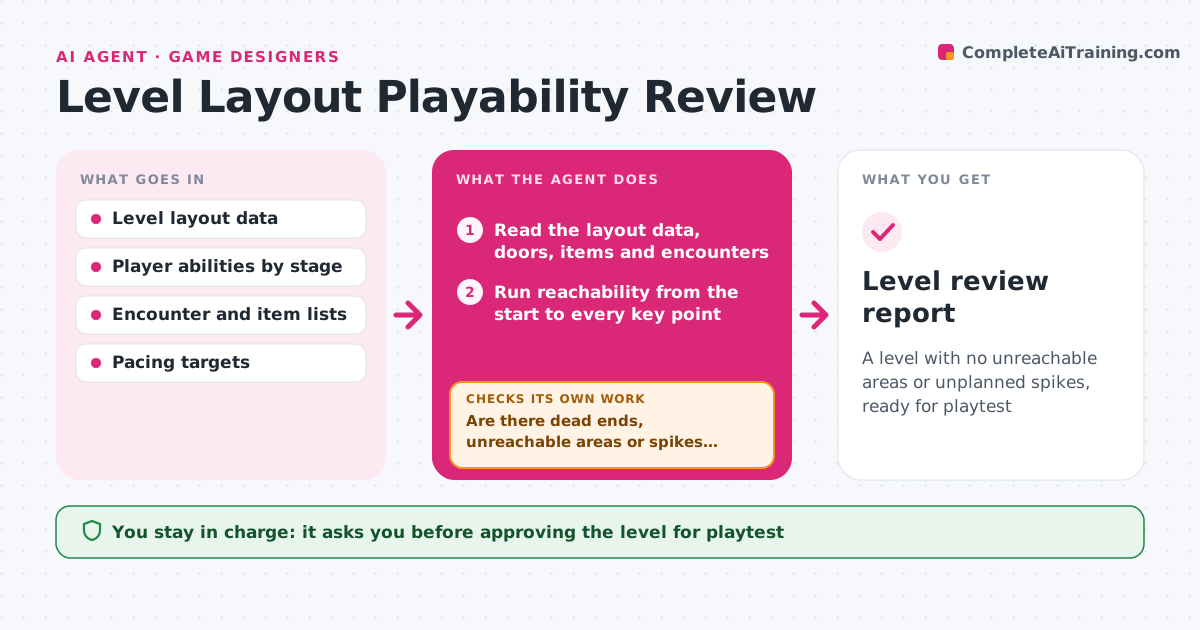
A level with no unreachable areas or unplanned spikes, ready for playtest
What it does
Levels often have dead ends, unreachable areas or difficulty spikes that testers find late. This agent reads the level layout data and runs reachability and path checks from the start to every key point. It estimates encounter density and pacing along the main route, and marks spikes where difficulty jumps without a rest or a new tool for the player. It checks every item and door against what the player can have at that point. After the designer edits, it runs the checks again, because a fix for one spike can block a route. It repeats until the report is clean. The lead approves the level for the playtest build. Edge case: a secret room that is meant to be hard to find is allowed but listed.
How it works
Follow the arrows from top to bottom. The orange dashed arrow is the loop: when a check fails, the agent goes back and tries again.
Read the steps as a list
- Level marked ready for review
- Read the layout data, doors, items and encounters
- Run reachability from the start to every key point
- Check each gate against the abilities the player has at that point
- Estimate encounter density and pacing along the route
- Are there dead ends, unreachable areas or spikes above the limit?If not: list each with its location and send to the designer. Back to step 3.
- Re-run all checks after the designer edits
- Is the layout now clean with no new issue created by the fix?If not: list the new problem and send it back. Back to step 3.
- Lead approves the level for the playtest buildThe agent waits here for your OK.
- Level review report
How it decides
A level fails when a required area is unreachable, a gate needs an item the player cannot yet have, or encounter density rises by more than the allowed step without a rest.
- Flag any required area that cannot be reached
- Flag a gate whose item comes later in the route
- Flag a density jump of more than 40% with no rest
- Allow marked secret areas
Make it yours
Every agent is a starting point. You choose these settings for your own situation.
- Spike limit (default 40%)
- Abilities at each stage
- Secret area tags
- Level format to read
What keeps you in control
It always asks you first
- Approving the level for playtest
- Accepting a spike as intended
Hard limits
- Never edits the level files
- Never judges fun, only structure and pacing numbers
It stops when
- Done: clean report and the lead approved
- Stop: layout data cannot be read
Set it up
We guide you through the set-up, step by step
Members get the full set-up guide for this agent. No technical skills needed: you copy, paste and upload.
- One set of instructions to paste into your AI, with the clicks for ChatGPT, Claude, Microsoft 365 Copilot, Gemini and Grok
- The agent then walks you through connecting your own data, one source at a time
- A downloadable copy with the flow chart, the rules and the full guide