AI agent for game developers
Build Smoke Test Gatekeeper Agent
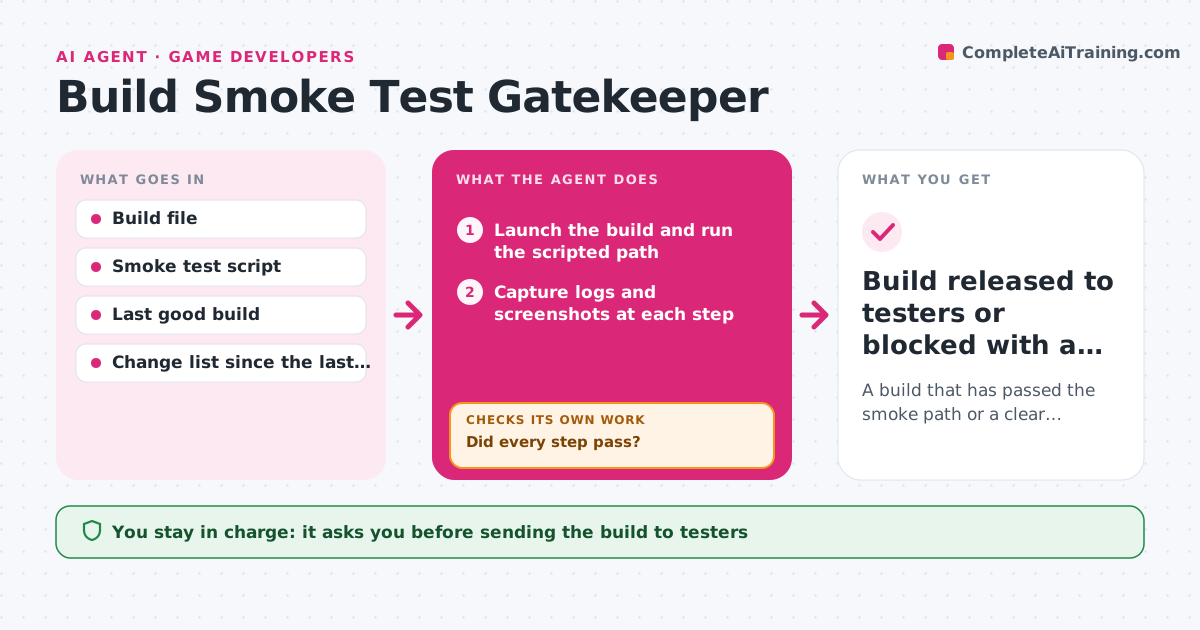
A build that has passed the smoke path or a clear report on what broke and why
What it does
Broken builds reach testers and waste a day for everyone. After each build, this agent launches it and runs a scripted path through the main menus, a level and a save and load. It captures logs and screenshots at each step and compares them with the last good build. If a step fails, it narrows down the cause by testing recent changes one by one, a bisect, then reruns the path on the suspected build to confirm. It posts the result with the failing step, the likely change and the evidence. The lead approves sending the build to testers. Edge case: a crash that appears in only one run out of three is retried and marked flaky, not treated as a pass.
How it works
Follow the arrows from top to bottom. The orange dashed arrow is the loop: when a check fails, the agent goes back and tries again.
Read the steps as a list
- New build finishes
- Launch the build and run the scripted path
- Capture logs and screenshots at each step
- Compare results with the last good build
- Did every step pass?If not: bisect the recent changes to find the likely cause and rerun the path on that build. Back to step 3.
- Retry any failed step twice to detect flaky failures
- Is the result stable across retries?If not: mark the step flaky and include the logs. Back to step 3.
- Write the report with steps, evidence and the likely change
- Lead approves sending the build to testersThe agent waits here for your OK.
- Build released to testers or blocked with a report
How it decides
A build passes when every scripted step finishes without errors and screenshots match the last good build within the tolerance. One failure out of three retries is flaky and needs a person.
- Fail the build if any step crashes or times out
- Treat one failure in three tries as flaky
- Compare screenshots within a 3% pixel difference
- Block the build if the save and load step fails
Make it yours
Every agent is a starting point. You choose these settings for your own situation.
- Smoke test path
- Screenshot tolerance (default 3%)
- Retries for flaky steps
- Where reports are posted
What keeps you in control
It always asks you first
- Sending the build to testers
- Rolling back a change
Hard limits
- Never sends a build to testers itself
- Never edits the source code
It stops when
- Done: passed smoke and approved, or blocked with a report
- Stop: the test environment is unavailable
Set it up
We guide you through the set-up, step by step
Members get the full set-up guide for this agent. No technical skills needed: you copy, paste and upload.
- One set of instructions to paste into your AI, with the clicks for ChatGPT, Claude, Microsoft 365 Copilot, Gemini and Grok
- The agent then walks you through connecting your own data, one source at a time
- A downloadable copy with the flow chart, the rules and the full guide