AI agent for game developers
Save Data Compatibility Agent
Every supported old save loads correctly in the new build
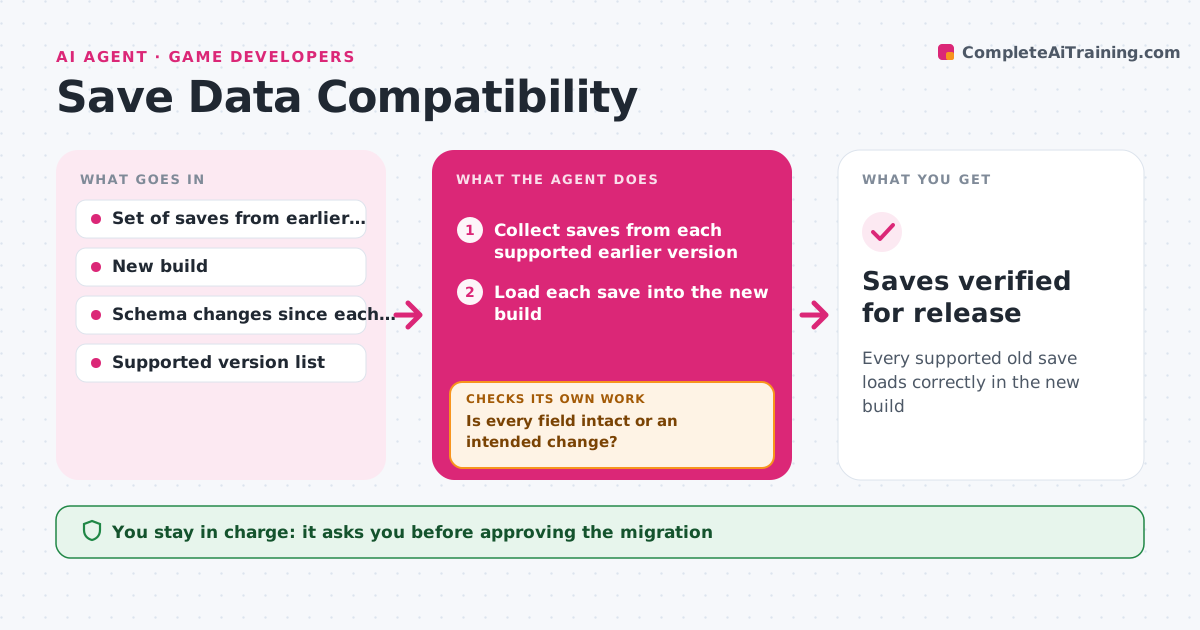
What it does
A patch can corrupt old save files, and players lose progress they cannot get back. Before release, this agent loads a set of saved files from earlier versions into the new build. It checks that progress, inventory, settings and unlocks are intact and logs every difference. If a field is lost or changed, it proposes a migration step and tests it again on all the files. It also tests the result against edge cases such as a full inventory, a save made mid-quest or a corrupted file. It repeats until every file loads with no unexplained difference. The lead approves the migration and the release. Edge case: a save from a version too old to support gets a clear message, not a crash, and is logged.
How it works
Follow the arrows from top to bottom. The orange dashed arrow is the loop: when a check fails, the agent goes back and tries again.
Read the steps as a list
- Patch candidate ready
- Collect saves from each supported earlier version
- Load each save into the new build
- Compare progress, inventory, settings and unlocks with the original
- Is every field intact or an intended change?If not: write a migration step for the lost field and reload all saves. Back to step 3.
- Test edge cases: full inventory, mid-quest and damaged saves
- Do edge cases load or fail with a clear message?If not: fix the migration or the error message and rerun. Back to step 3.
- Write the migration report
- Lead approves the migration and releaseThe agent waits here for your OK.
- Saves verified for release
How it decides
A save passes when each tracked field matches its expected value after loading. Any lost or changed field is a failure unless the change is listed as intended.
- Fail on any lost progress, item or unlock
- Allow listed intended changes
- Fail a crash on a damaged save
- Test every supported version, not only the last
Make it yours
Every agent is a starting point. You choose these settings for your own situation.
- Supported versions
- Fields that must match
- Edge cases to test
- Intended change list
What keeps you in control
It always asks you first
- Approving the migration
- Releasing the patch
Hard limits
- Never touches real player saves
- Never releases the patch itself
It stops when
- Done: all saves pass and the lead approved
- Stop: no saves are available for a supported version
Set it up
We guide you through the set-up, step by step
Members get the full set-up guide for this agent. No technical skills needed: you copy, paste and upload.
- One set of instructions to paste into your AI, with the clicks for ChatGPT, Claude, Microsoft 365 Copilot, Gemini and Grok
- The agent then walks you through connecting your own data, one source at a time
- A downloadable copy with the flow chart, the rules and the full guide