AI agent for real estate developers
Builder's Risk and Contractor Insurance Compliance Agent
Check every insurance certificate against lender and contract rules and keep them current through the project
What it does
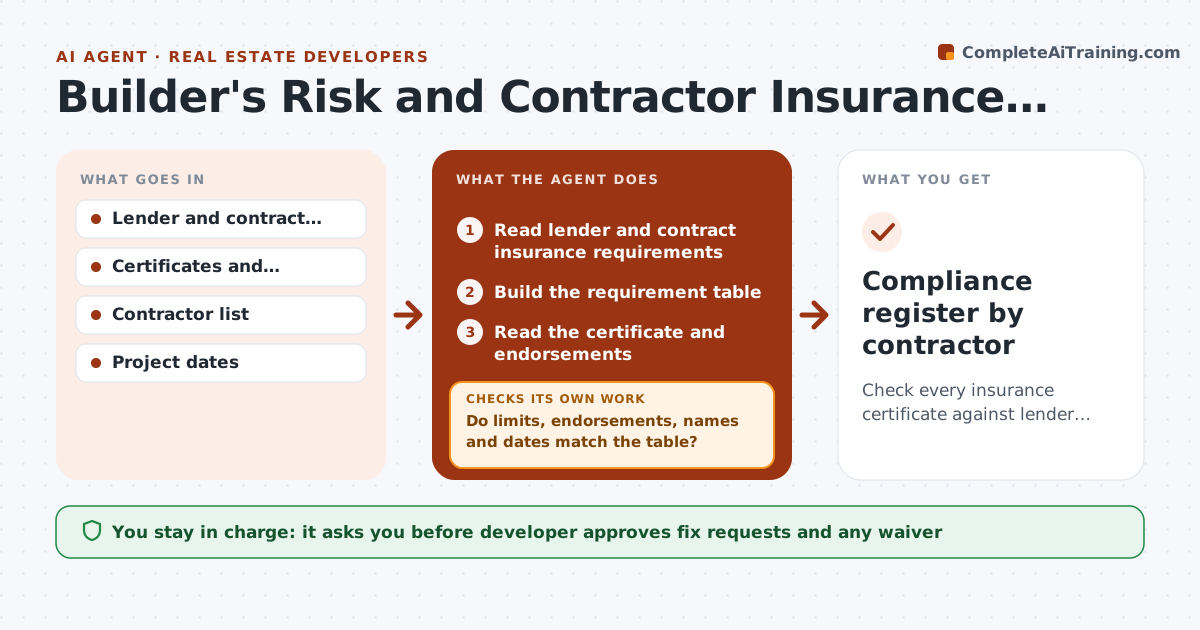
Certificates expire in the middle of a project and policies often miss the loan requirements. The agent first reads the lender and contract documents and builds a requirement table: limits, endorsements such as additional insured, waiver of subrogation and dates. It checks every certificate against that table and logs what fails. It sends the contractor a clear list of fixes, tracks the response and reruns the check on the new certificate. Each week it looks ahead for expiry dates and starts renewals 30 days before. The developer approves any waiver of a requirement. Edge case: a subcontractor shows the right limit but the wrong named insured, so the agent rejects it with the exact wording needed.
How it works
Follow the arrows from top to bottom. The orange dashed arrow is the loop: when a check fails, the agent goes back and tries again.
Read the steps as a list
- Certificate received or weekly scan
- Read lender and contract insurance requirements
- Build the requirement table
- Read the certificate and endorsements
- Do limits, endorsements, names and dates match the table?If not: List each failure and request a corrected certificate. Back to step 2.
- Developer approves sending the fix listThe agent waits here for your OK.
- Track the response and read the corrected certificate
- Does the corrected certificate pass?If not: Repeat the request and flag the contractor if it fails twice. Back to step 5.
- Check expiry dates and start renewals 30 days ahead
- Developer approves any waiverThe agent waits here for your OK.
- Compliance register by contractor
How it decides
A certificate passes only if limits, endorsements, named insureds and dates all match the requirement table.
- Reject a certificate with any limit below the requirement
- Require additional insured wording exactly as the contract states
- Start renewal tracking 30 days before expiry
- Escalate a contractor after two failed corrections
Make it yours
Every agent is a starting point. You choose these settings for your own situation.
- Requirements by contractor type
- Renewal lead time (default 30 days)
- Escalation after failures (default 2)
- Contacts for follow-up
What keeps you in control
It always asks you first
- Developer approves fix requests and any waiver
- Developer approves stopping work for non-compliance
Hard limits
- Never approve a waiver without the developer
- Never accept a certificate that was not read in full
It stops when
- Done: every active contractor has a passing certificate
- Stop: a contractor cannot meet a requirement and the developer must decide
Set it up
We guide you through the set-up, step by step
Members get the full set-up guide for this agent. No technical skills needed: you copy, paste and upload.
- One set of instructions to paste into your AI, with the clicks for ChatGPT, Claude, Microsoft 365 Copilot, Gemini and Grok
- The agent then walks you through connecting your own data, one source at a time
- A downloadable copy with the flow chart, the rules and the full guide