AI agent for frontend developers
Bundle Size Budget Agent
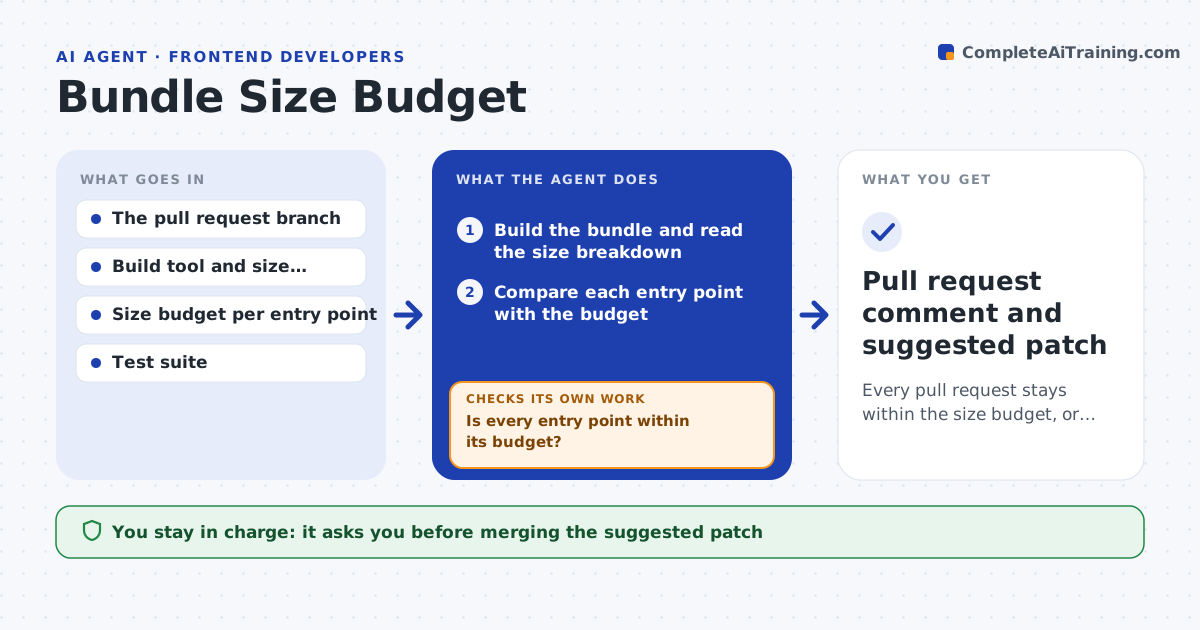
Every pull request stays within the size budget, or the extra cost is explained and accepted
What it does
A new date library adds 70 KB, and three months later the page loads half a second slower. On each pull request, this agent builds the bundle and compares its size with the budget for each entry point. If the size grows beyond the allowance, it traces the increase to the dependency or import that caused it, using the build's size breakdown. It then tries cheaper options: a lighter library, importing only the part needed or loading the code later on demand. After each try it rebuilds to confirm the savings and checks that the tests still pass. It writes the results as a comment on the pull request. The developer approves the change. Edge case: a growth that comes from a needed feature is reported with the cost so the team can raise the budget on purpose.
How it works
Follow the arrows from top to bottom. The orange dashed arrow is the loop: when a check fails, the agent goes back and tries again.
Read the steps as a list
- Pull request opened or updated
- Build the bundle and read the size breakdown
- Compare each entry point with the budget
- Is every entry point within its budget?If not: trace the growth to the dependency or import responsible. Back to step 2.
- Try a lighter alternative, a partial import or lazy loading
- Rebuild and run the tests
- Is the size now within budget and do the tests pass?If not: try the next option or report the change as over budget. Back to step 5.
- Write the results as a pull request comment
- Developer approves the change or raises the budgetThe agent waits here for your OK.
- Pull request comment and suggested patch
How it decides
A change fails when it grows an entry point beyond its budget. Fixes are chosen by size saved with the least code change.
- Fail when an entry point grows more than 5 KB over its budget
- Prefer lazy loading for code used on less than 20 percent of visits
- Report the cost of any new dependency over 10 KB
- Suggest raising the budget only with the feature owner's approval
Make it yours
Every agent is a starting point. You choose these settings for your own situation.
- Budget per entry point
- Tolerance over budget (default 5 KB)
- Alternatives allowed (lighter libraries, lazy loading)
- Where comments are posted
What keeps you in control
It always asks you first
- Merging the suggested patch
- Any change to the budget
Hard limits
- Never merges code
- Never changes the budget without approval
It stops when
- Done: budget met or increase accepted by the developer
- Stop: the build fails for reasons unrelated to size
Set it up
We guide you through the set-up, step by step
Members get the full set-up guide for this agent. No technical skills needed: you copy, paste and upload.
- One set of instructions to paste into your AI, with the clicks for ChatGPT, Claude, Microsoft 365 Copilot, Gemini and Grok
- The agent then walks you through connecting your own data, one source at a time
- A downloadable copy with the flow chart, the rules and the full guide