AI agent for public affairs specialists
Business Incident Response Coordination Agent
One verified timeline, tracked actions and approved updates during an incident
What it does
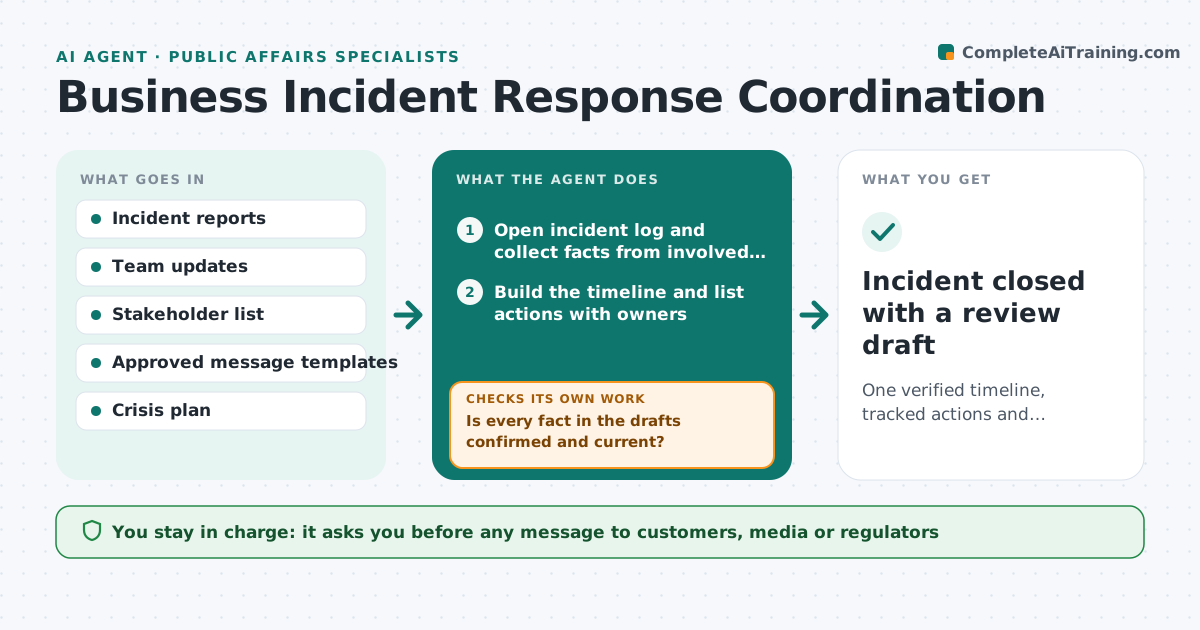
During an incident such as an outage, a safety event or a public complaint, facts and messages scatter and stakeholders get mixed updates. This agent opens an incident log, collects facts from the people involved, keeps a timeline and tracks actions with owners. It drafts holding statements for staff, customers and partners from verified facts only. Before each update it checks whether any fact changed or is still unconfirmed, and corrects drafts if so. A social media rumor is logged as unconfirmed and kept out of statements. The leader approves every outward message. When the incident closes, it drafts a review with lessons and open actions.
How it works
Follow the arrows from top to bottom. The orange dashed arrow is the loop: when a check fails, the agent goes back and tries again.
Read the steps as a list
- Incident is declared
- Open incident log and collect facts from involved teams
- Build the timeline and list actions with owners
- Draft holding statements for each stakeholder group
- Is every fact in the drafts confirmed and current?If not: remove or correct unconfirmed facts and redraft. Back to step 4.
- Leader approves each outward updateThe agent waits here for your OK.
- Are all actions done and the incident stable?If not: chase overdue actions and schedule the next update. Back to step 3.
- Incident closed with a review draft
How it decides
It uses only facts confirmed by a named source and sets update frequency by incident severity.
- Facts need a named source to be used
- Update frequency follows the severity level
- Legal or regulator-related items go to the leader first
Make it yours
Every agent is a starting point. You choose these settings for your own situation.
- Severity levels and update intervals
- Stakeholder groups
- Message templates
- Who approves outward updates
What keeps you in control
It always asks you first
- Any message to customers, media or regulators
- Closing the incident
Hard limits
- Never posts publicly
- Never states causes before they are confirmed
It stops when
- Done: incident closed and review drafted
- Stop: legal counsel takes over communications
Set it up
We guide you through the set-up, step by step
Members get the full set-up guide for this agent. No technical skills needed: you copy, paste and upload.
- One set of instructions to paste into your AI, with the clicks for ChatGPT, Claude, Microsoft 365 Copilot, Gemini and Grok
- The agent then walks you through connecting your own data, one source at a time
- A downloadable copy with the flow chart, the rules and the full guide