AI agent for systems analysts
Business Rule Extraction Agent
A tested catalog of business rules with source, owner and a confirmed status for each
What it does
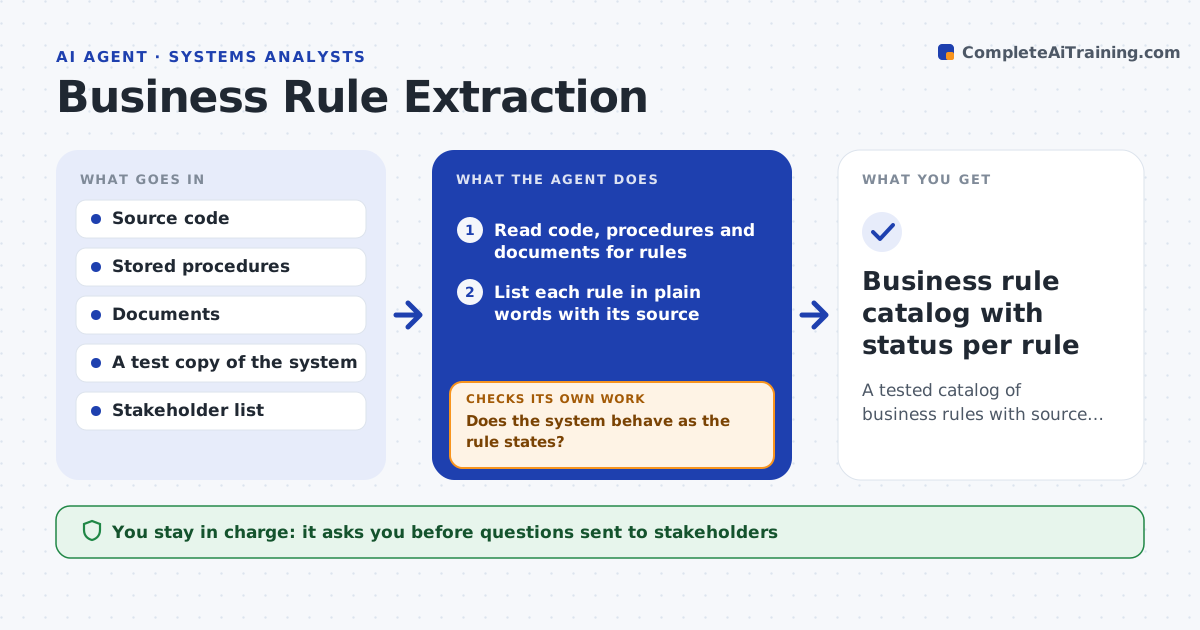
When a legacy system is replaced, nobody can say what it really does, such as why some orders skip approval or how a discount is capped. This agent reads the code, stored procedures, old specs and manuals and lists each rule in plain words with where it was found. For each rule, it builds sample data that should trigger it and runs the data through a test copy of the system to see if the rule really holds. Rules that do not behave as written are flagged. For unclear or conflicting ones it drafts a question for the right stakeholder and waits for the answer. After each reply it updates the rule catalog and retests. The analyst approves the catalog. Edge case: code says discounts cap at 15 percent, but the system applies 20 percent for one customer group.
How it works
Follow the arrows from top to bottom. The orange dashed arrow is the loop: when a check fails, the agent goes back and tries again.
Read the steps as a list
- Analyst names a legacy system to document
- Read code, procedures and documents for rules
- List each rule in plain words with its source
- Build sample data and run it through the test system
- Does the system behave as the rule states?If not: flag the mismatch and note which behavior is real. Back to step 4.
- Draft stakeholder questions for unclear or conflicting rules
- Analyst approves the questions to sendThe agent waits here for your OK.
- Record answers and update the rule catalog
- Is every rule now confirmed, retired or marked open?If not: retest changed rules and ask a follow-up. Back to step 4.
- Analyst approves the catalogThe agent waits here for your OK.
- Business rule catalog with status per rule
How it decides
A rule is confirmed when a test shows the system behaves as the rule says and a stakeholder agrees it is correct.
- Mark a rule as mismatched if the test result differs from the code
- Ask a stakeholder when two sources conflict
- Never retire a rule without an owner's confirmation
- Group rules by process area
Make it yours
Every agent is a starting point. You choose these settings for your own situation.
- Systems and folders to read
- Rule format
- Stakeholder list
- How rules are grouped
What keeps you in control
It always asks you first
- Questions sent to stakeholders
- The final catalog
Hard limits
- Never changes code or data in the system
- Never runs tests on live data
It stops when
- Done: every rule confirmed, retired or marked open with an owner
- Stop: no test system is available
Set it up
We guide you through the set-up, step by step
Members get the full set-up guide for this agent. No technical skills needed: you copy, paste and upload.
- One set of instructions to paste into your AI, with the clicks for ChatGPT, Claude, Microsoft 365 Copilot, Gemini and Grok
- The agent then walks you through connecting your own data, one source at a time
- A downloadable copy with the flow chart, the rules and the full guide