AI agent for real estate agents
Buyer Lead Nurture Agent
Turn more online leads into active clients
What it does
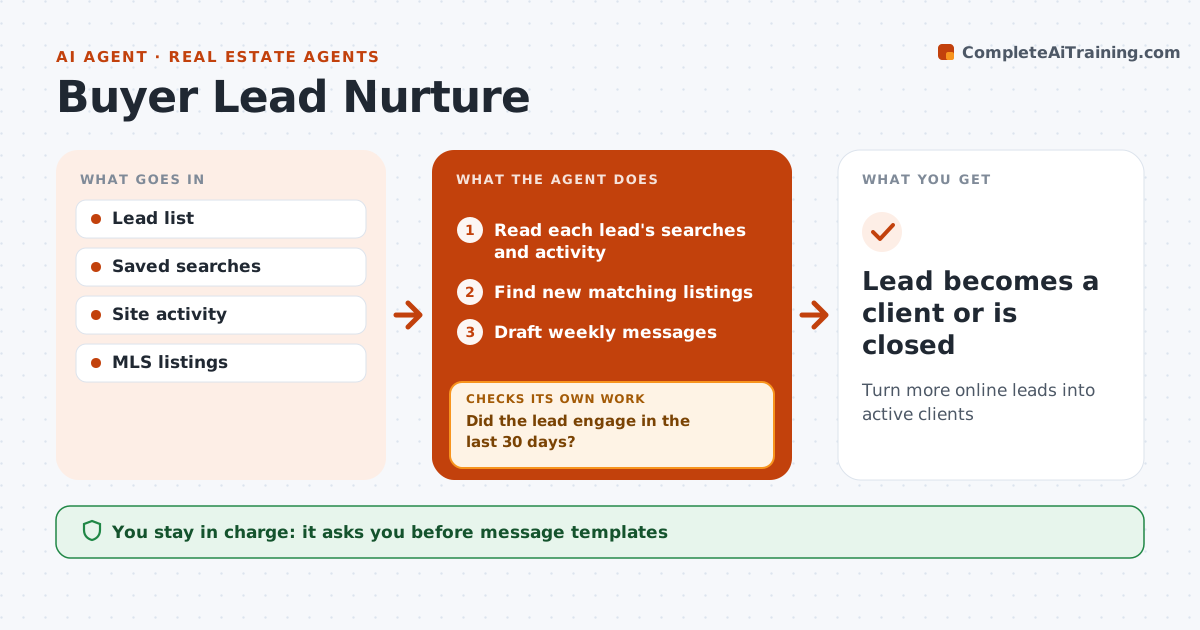
Online buyer leads often take months to purchase, and agents lose them by going quiet or sending generic emails. Each week this agent reads each lead's searches and site activity: price range, areas and home types. It finds new listings that match and drafts a short message with them and a market note. The real estate agent approves the message templates. The agent then watches replies and site activity. When a lead shows buying signals, such as saving homes or asking about a showing, it alerts the agent with a summary so they can call. It also checks for leads with no engagement in 30 days and changes the approach, for example switching to sold prices in their area. The agent handles all calls and advice. Edge case: a lead who says they are working with another agent is stopped right away.
How it works
Follow the arrows from top to bottom. The orange dashed arrow is the loop: when a check fails, the agent goes back and tries again.
Read the steps as a list
- Weekly lead review
- Read each lead's searches and activity
- Find new matching listings
- Draft weekly messages
- Agent approves message templatesThe agent waits here for your OK.
- Did the lead engage in the last 30 days?If not: switch to a market update or a short check-in question. Back to step 3.
- Alert the agent on buying signals
- Lead becomes a client or is closed
How it decides
Buying signals include saved homes, showing requests and repeat visits. Silence for 30 days changes the content.
- Stop if the lead has another agent
- Alert on showing requests
- Change content after 30 quiet days
Make it yours
Every agent is a starting point. You choose these settings for your own situation.
- Contact frequency
- Buying signal list
- Content types
- Quiet period
What keeps you in control
It always asks you first
- Message templates
- Any change in contact frequency
Hard limits
- Never contacts opted-out leads
- Never discusses commission
It stops when
- Done: client signed
- Stop: lead opts out
Set it up
We guide you through the set-up, step by step
Members get the full set-up guide for this agent. No technical skills needed: you copy, paste and upload.
- One set of instructions to paste into your AI, with the clicks for ChatGPT, Claude, Microsoft 365 Copilot, Gemini and Grok
- The agent then walks you through connecting your own data, one source at a time
- A downloadable copy with the flow chart, the rules and the full guide