AI agent for real estate agents
Listing Presentation Prep Agent
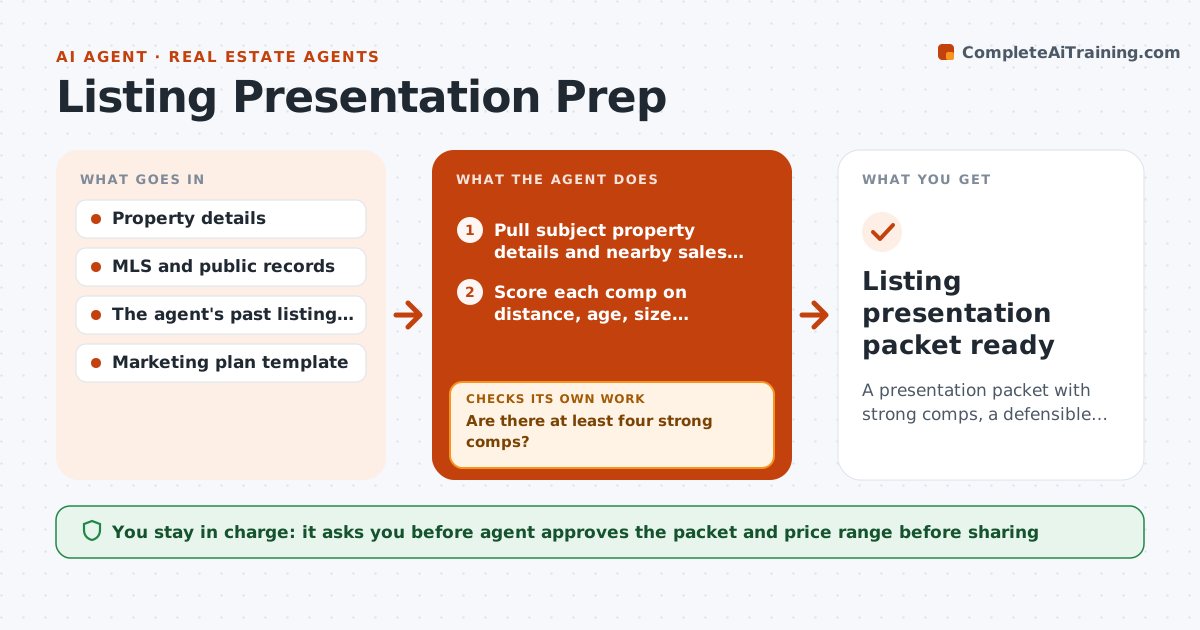
A presentation packet with strong comps, a defensible price range and proof of past results
What it does
A listing presentation is the agent's pitch for the job, yet most are rebuilt from scratch with a few weak comps. This agent prepares the packet for a specific home. It pulls recent sales, active listings and pending sales near the property, then scores each comp on distance, age, size, condition and date. It swaps weak comps for better ones until at least four strong ones remain, and shows how the price range changes. It adds market trends such as days on market and list-to-sale ratio, and pulls results from the agent's past listings for the proof section. It builds the packet and a pricing page. The agent approves everything before it is shared. Edge case: the best comp is a unique renovated home, so it is shown as a stretch comp, not a core one.
How it works
Follow the arrows from top to bottom. The orange dashed arrow is the loop: when a check fails, the agent goes back and tries again.
Read the steps as a list
- Listing appointment booked
- Pull subject property details and nearby sales and listings
- Score each comp on distance, age, size, condition and date
- Are there at least four strong comps?If not: widen the area, period or size range and note the change. Back to step 3.
- Calculate the price range and compare with the seller's expectation if known
- Add market trends and the agent's past results
- Assemble the presentation and pricing pages
- Do all numbers in the packet match the source data?If not: correct the figure and rebuild the page. Back to step 3.
- Agent approves the packet before it is sharedThe agent waits here for your OK.
- Listing presentation packet ready
How it decides
A comp is core when it is within one mile, built within 15 years of the subject, within 20 percent of the size and sold in the last six months. Weak comps are replaced before the range is shown.
- Count a comp as core only within one mile, six months and 20 percent size difference
- Show unusual comps as stretch comps, not core
- Give a range, not a single price
- Replace any comp with a stale or incomplete record
Make it yours
Every agent is a starting point. You choose these settings for your own situation.
- Comp distance and period limits
- Minimum number of comps (default 4)
- Past results to include
- Packet branding
What keeps you in control
It always asks you first
- Agent approves the packet and price range before sharing
- Agent approves any statement about past results
Hard limits
- Never state a price as a guarantee
- Do not share seller data outside the packet
- Cite sources for every comp
It stops when
- Done: packet approved and sent to the seller
- Stop: not enough comparables exist and the agent decides how to present
Set it up
We guide you through the set-up, step by step
Members get the full set-up guide for this agent. No technical skills needed: you copy, paste and upload.
- One set of instructions to paste into your AI, with the clicks for ChatGPT, Claude, Microsoft 365 Copilot, Gemini and Grok
- The agent then walks you through connecting your own data, one source at a time
- A downloadable copy with the flow chart, the rules and the full guide