AI agent for real estate agents
Buyer Closing Readiness Agent
Every closing happens on its date, or a delay is flagged days ahead
What it does
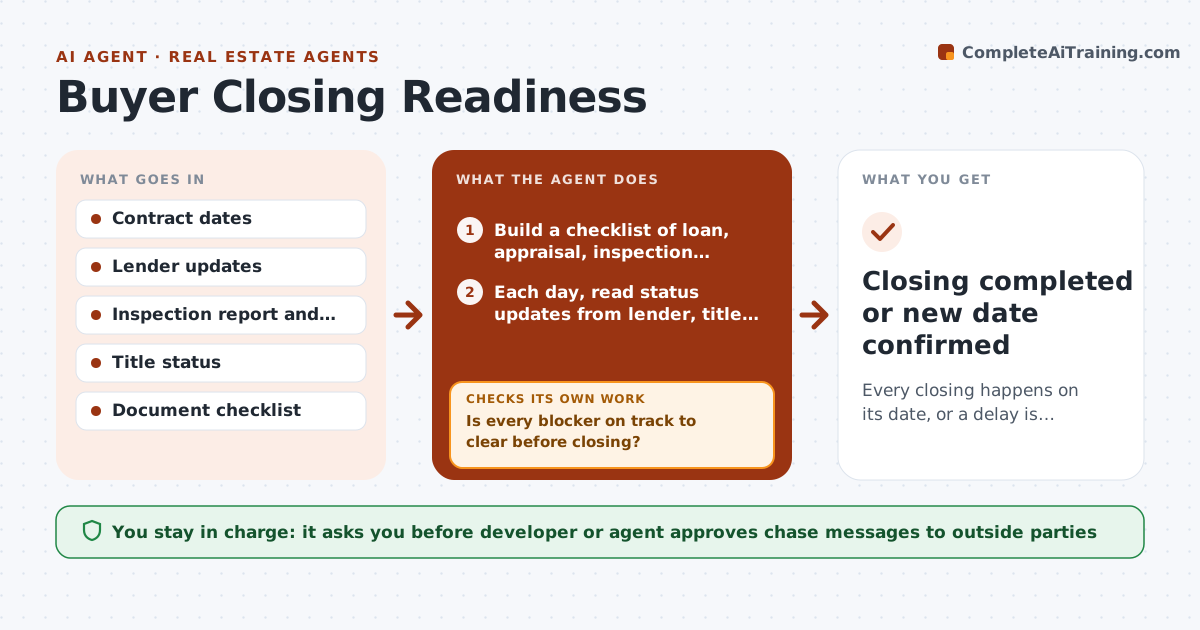
A sale falls through when the buyer's loan is not approved, an inspection repair stays open, or a document is missing on closing day. Agents and developers chase these by phone and spreadsheet. This agent tracks every pending closing, with loan status, appraisal, inspection items, title work and signed documents. Each day it checks what blocks the closing date and who owns the fix, then drafts a polite chase to the owner such as the lender, the buyer or the title company. It rechecks after each reply and recomputes whether the date still holds. If a blocker cannot clear in time, it drafts a date change notice for approval. Edge case: the loan clears but the insurance binder is missing, so the agent adds that blocker.
How it works
Follow the arrows from top to bottom. The orange dashed arrow is the loop: when a check fails, the agent goes back and tries again.
Read the steps as a list
- Sale goes under contract
- Build a checklist of loan, appraisal, inspection, title and document items
- Each day, read status updates from lender, title and buyer
- List blockers to the closing date with owner and due date
- Is every blocker on track to clear before closing?If not: draft a chase to the owner and add the answer to the list. Back to step 3.
- Send approved chases and record replies
- Did the blocker clear after the chase?If not: try another contact or channel and recompute the closing date. Back to step 4.
- If the date cannot hold, draft a date change notice with the reason
- Developer or agent approves any date change noticeThe agent waits here for your OK.
- Closing completed or new date confirmed
How it decides
A closing is on track when every blocker has an owner and a date before closing. It is at risk when a blocker has no confirmed date within three days of closing.
- Mark a closing at risk if a blocker has no confirmed date within 3 days of closing
- Chase twice a day at most per owner
- Add a new blocker whenever a document or condition appears
- Draft a date change only after two failed chases
Make it yours
Every agent is a starting point. You choose these settings for your own situation.
- Chase frequency
- Days before closing that mark a risk (default 3)
- Who gets alerts
- Message tone
What keeps you in control
It always asks you first
- Developer or agent approves chase messages to outside parties
- Developer or agent approves any date change notice
Hard limits
- Never send a date change notice without approval
- Do not share personal financial details between parties
- Record every chase and reply
It stops when
- Done: closing funds and keys transfer
- Stop: contract is terminated or a legal issue needs a lawyer
Set it up
We guide you through the set-up, step by step
Members get the full set-up guide for this agent. No technical skills needed: you copy, paste and upload.
- One set of instructions to paste into your AI, with the clicks for ChatGPT, Claude, Microsoft 365 Copilot, Gemini and Grok
- The agent then walks you through connecting your own data, one source at a time
- A downloadable copy with the flow chart, the rules and the full guide