AI agent for real estate brokers
Fair Housing Communication Review Agent
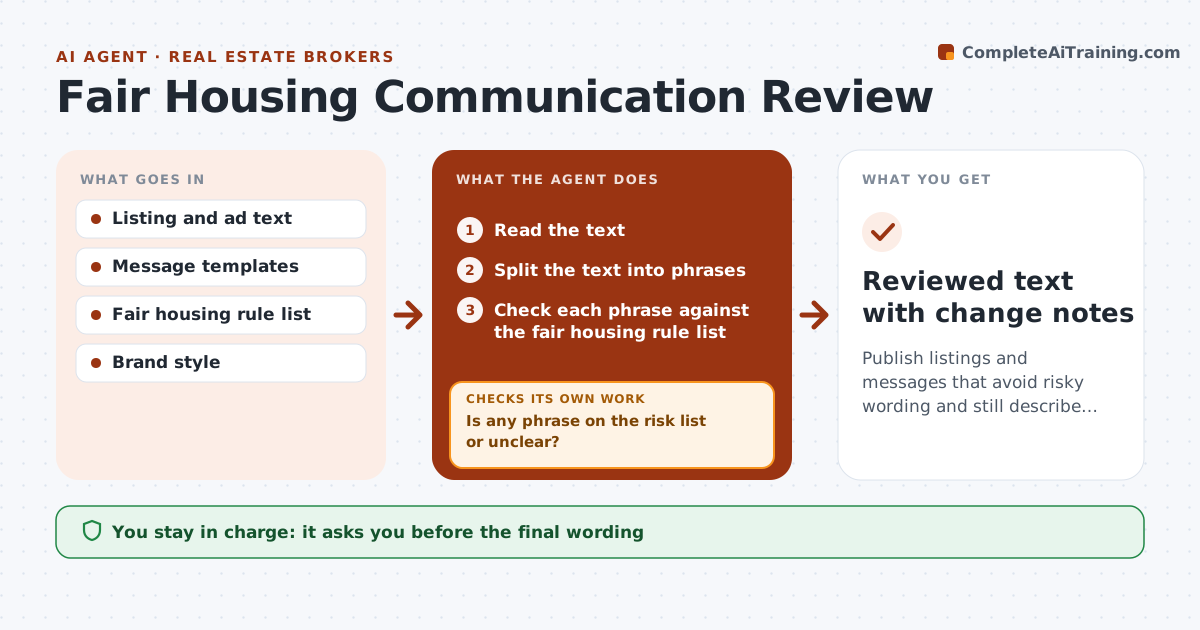
Publish listings and messages that avoid risky wording and still describe the property well.
What it does
A listing that says 'perfect for young professionals' can break fair housing rules, and nobody notices until a complaint arrives. This agent scans listings, ads and message templates for risky wording, such as references to family status, age, religion, race or disability. It checks each phrase against your rule list and proposes safe wording that keeps the selling point. It then checks the new text again. It does not judge intent and does not give legal advice. You or the broker approve the final wording before use. Edge case: 'walking distance to church' is flagged, and the agent proposes 'close to parks and shops'.
How it works
Follow the arrows from top to bottom. The orange dashed arrow is the loop: when a check fails, the agent goes back and tries again.
Read the steps as a list
- Listing or template is drafted
- Read the text
- Split the text into phrases
- Check each phrase against the fair housing rule list
- Is any phrase on the risk list or unclear?If not: List the phrases and the rule they touch. Back to step 4.
- Propose neutral wording that keeps the property fact
- Recheck the revised text
- Is all of the revised text clear?If not: Return remaining phrases with new alternatives. Back to step 3.
- Explain each change in plain words
- Manager or broker approves the final wordingThe agent waits here for your OK.
- Reviewed text with change notes
How it decides
It checks every phrase against the rule list, proposes a neutral alternative that keeps the fact, and rechecks the revised text.
- Wording about family, age, religion, race or disability is flagged
- Describe the property, not the preferred tenant
- Keep factual details such as distance to a school
- Unclear phrases go to a human
Make it yours
Every agent is a starting point. You choose these settings for your own situation.
- Rule list and jurisdiction
- Where to scan (listings, ads, templates)
- Tone of replacement wording
- Who approves
- Phrases always allowed
What keeps you in control
It always asks you first
- The final wording
Hard limits
- Never gives legal advice
- Never publishes
- Keeps the rule list visible
It stops when
- Done: no flagged phrases remain
- Stop: unclear phrase; manager decides with counsel
Set it up
We guide you through the set-up, step by step
Members get the full set-up guide for this agent. No technical skills needed: you copy, paste and upload.
- One set of instructions to paste into your AI, with the clicks for ChatGPT, Claude, Microsoft 365 Copilot, Gemini and Grok
- The agent then walks you through connecting your own data, one source at a time
- A downloadable copy with the flow chart, the rules and the full guide