AI agent for marketing analysts
Campaign Effectiveness Readout Agent
A reliable readout of campaign impact
What it does
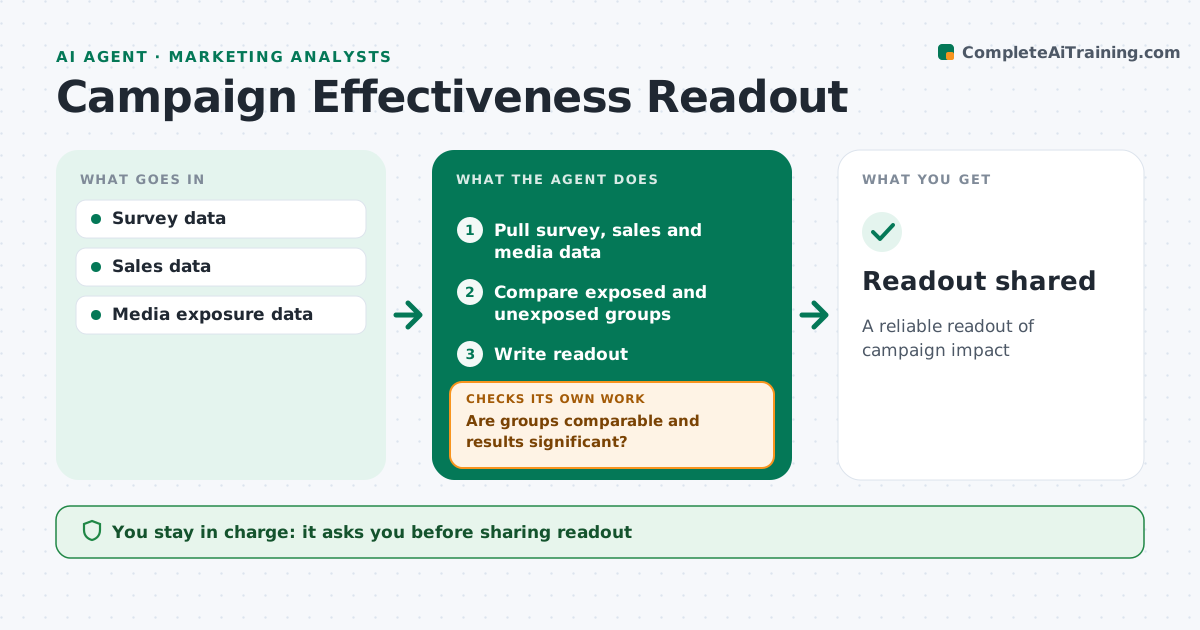
Stakeholders want a clear answer on whether a campaign worked, and a quick comparison can easily mislead. This agent pulls pre and post campaign survey data, sales and media data, and compares exposed and unexposed groups. It checks whether the groups are comparable and whether differences are statistically significant. If the groups differ in makeup, such as more young people among the exposed, it weights them and runs the comparison again. If results are still not significant, it says so plainly and notes the limits. It then writes a readout with lift estimates, confidence ranges and caveats. You approve the readout before it is shared. Edge case: a sales lift that also appears in regions with no campaign is flagged as a possible market effect rather than credited to the campaign.
How it works
Follow the arrows from top to bottom. The orange dashed arrow is the loop: when a check fails, the agent goes back and tries again.
Read the steps as a list
- Post wave closes
- Pull survey, sales and media data
- Compare exposed and unexposed groups
- Are groups comparable and results significant?If not: weight groups or note limits. Back to step 3.
- Write readout
- Analyst approves readoutThe agent waits here for your OK.
- Readout shared
How it decides
It reports lift only when groups are comparable and differences are significant.
- Weight unbalanced groups
- Flag market-wide effects
- Report confidence intervals
Make it yours
Every agent is a starting point. You choose these settings for your own situation.
- Significance level (default 95%)
- Metrics to report
- Weighting variables
- Readout template
What keeps you in control
It always asks you first
- Sharing readout
Hard limits
- Never overstates results
It stops when
- Done: shared
- Stop: no control group
Set it up
We guide you through the set-up, step by step
Members get the full set-up guide for this agent. No technical skills needed: you copy, paste and upload.
- One set of instructions to paste into your AI, with the clicks for ChatGPT, Claude, Microsoft 365 Copilot, Gemini and Grok
- The agent then walks you through connecting your own data, one source at a time
- A downloadable copy with the flow chart, the rules and the full guide