AI agent for fundraisers
Campaign Progress Reporting Agent
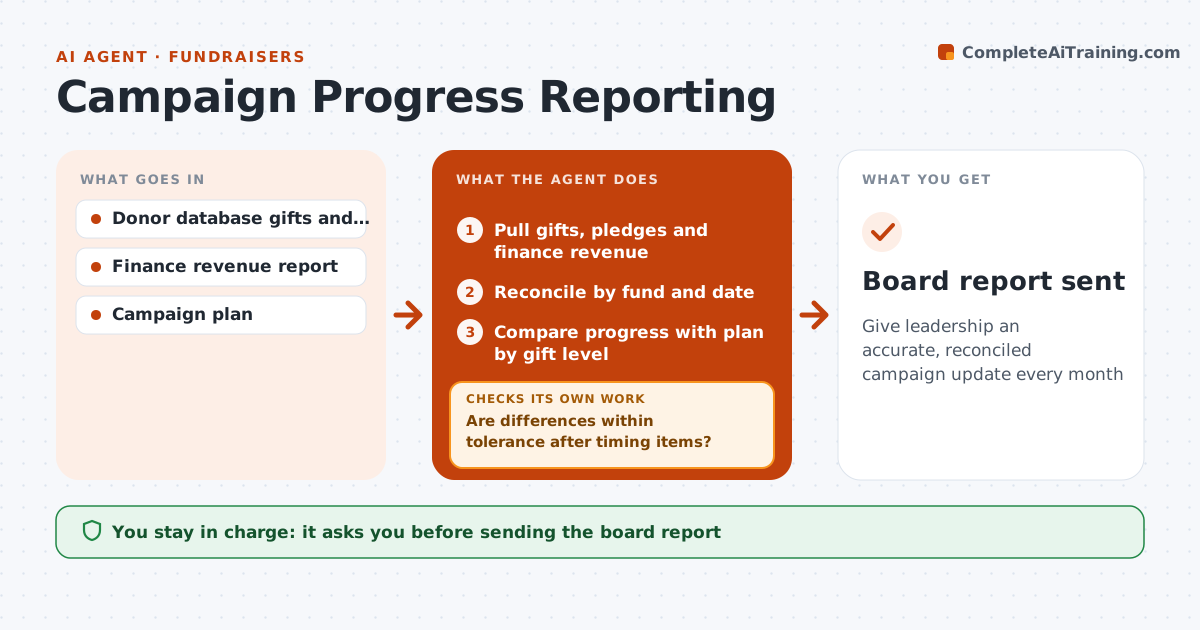
Give leadership an accurate, reconciled campaign update every month
What it does
Boards want monthly updates on campaign progress, but the donor database and finance books rarely agree. Five days after month end, this agent pulls gifts and pledges from the donor database and revenue from finance, and reconciles them by fund and date. Pledges count toward the campaign total, while only paid installments count as revenue. It explains known differences such as unpaid pledges or gifts booked to the wrong fund. If unexplained differences exceed tolerance, by default 1%, it lists the items for finance and updates the reconciliation before drafting. It then compares progress with the plan by gift level and flags levels 20% or more behind. It drafts a short report with charts and next-month priorities. The executive director approves the report. Edge case: a multi-year pledge counts to the campaign total but only paid parts count as revenue.
How it works
Follow the arrows from top to bottom. The orange dashed arrow is the loop: when a check fails, the agent goes back and tries again.
Read the steps as a list
- Month end plus five days
- Pull gifts, pledges and finance revenue
- Reconcile by fund and date
- Are differences within tolerance after timing items?If not: list unexplained items for finance and update the reconciliation. Back to step 3.
- Compare progress with plan by gift level
- Draft the report with charts
- Executive director approves the reportThe agent waits here for your OK.
- Board report sent
How it decides
Database and finance totals must agree within tolerance after known timing differences. Gift levels behind plan by 20% or more are flagged.
- Pledges count to campaign total; paid installments to revenue
- Flag gift levels 20% or more behind plan
- Tolerance for differences (default 1%)
Make it yours
Every agent is a starting point. You choose these settings for your own situation.
- Reconciliation tolerance
- Gift level bands
- Report format
- Recipients
What keeps you in control
It always asks you first
- Sending the board report
Hard limits
- Never changes finance records
- Never shares donor names outside the approved list
It stops when
- Done: report approved
- Stop: finance report not available
Set it up
We guide you through the set-up, step by step
Members get the full set-up guide for this agent. No technical skills needed: you copy, paste and upload.
- One set of instructions to paste into your AI, with the clicks for ChatGPT, Claude, Microsoft 365 Copilot, Gemini and Grok
- The agent then walks you through connecting your own data, one source at a time
- A downloadable copy with the flow chart, the rules and the full guide