AI agent for director of finances
Capital Expenditure Request Review Agent
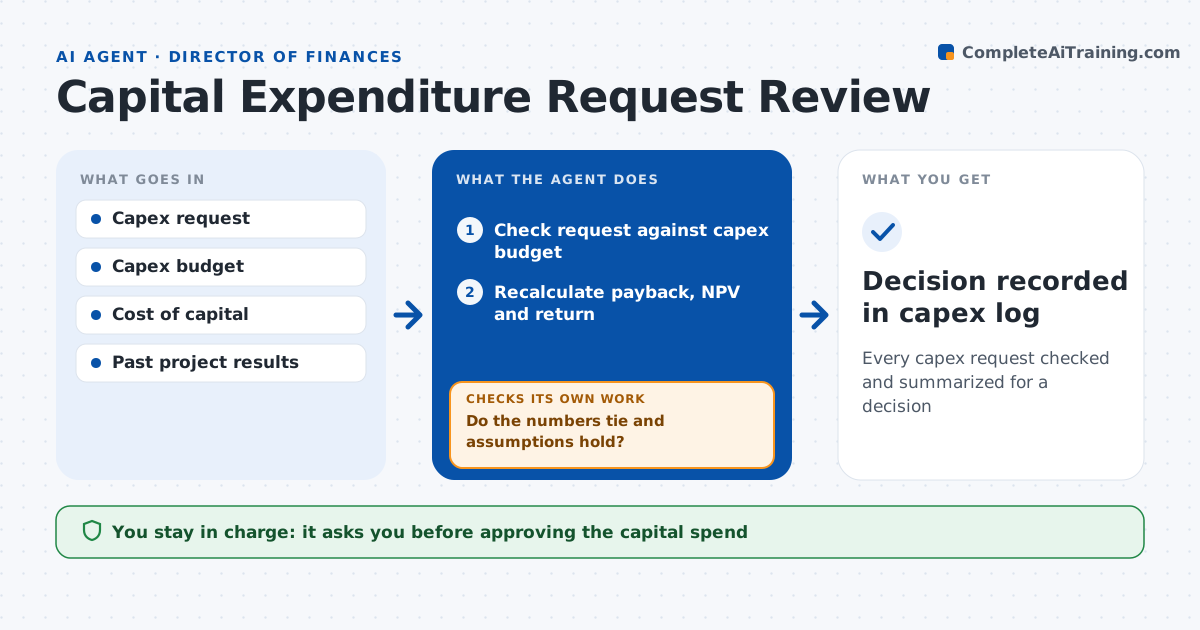
Every capex request checked and summarized for a decision
What it does
Capital requests often reach approvers with optimistic numbers that nobody has checked. When a request is submitted, this agent reviews it first. It confirms the request is in the capex budget, recalculates the payback, net present value and return from the stated inputs, and tests the main assumptions against past projects and current costs. If the numbers do not tie or assumptions are missing, it sends specific questions back to the requester and checks the revised version. Requests below the hurdle rate get a recommendation to rework or reject. It then writes a short review note with risks and a recommendation. The CFO or committee always makes the decision. Edge case: a project is split into two smaller requests to stay under an approval limit, so the agent links related requests from the last 60 days and checks the combined amount.
How it works
Follow the arrows from top to bottom. The orange dashed arrow is the loop: when a check fails, the agent goes back and tries again.
Read the steps as a list
- Capex request submitted
- Check request against capex budget
- Recalculate payback, NPV and return
- Compare assumptions to past projects
- Do the numbers tie and assumptions hold?If not: send questions to the requester and review the revised version. Back to step 3.
- Write review note with risks
- CFO or committee decidesThe agent waits here for your OK.
- Decision recorded in capex log
How it decides
It recomputes returns with the company discount rate and flags requests below the hurdle or outside budget.
- Return below hurdle rate: recommend reject or rework
- Not in budget: needs reallocation source
- Related requests from same project within 60 days: combine for limit check
Make it yours
Every agent is a starting point. You choose these settings for your own situation.
- Hurdle rate
- Approval limits
- Linking window for split requests
- Review note template
What keeps you in control
It always asks you first
- Approving the capital spend
Hard limits
- Never approves spending
- Never edits the requester's file
It stops when
- Done: review note delivered
- Stop: requester does not answer within 10 days
Set it up
We guide you through the set-up, step by step
Members get the full set-up guide for this agent. No technical skills needed: you copy, paste and upload.
- One set of instructions to paste into your AI, with the clicks for ChatGPT, Claude, Microsoft 365 Copilot, Gemini and Grok
- The agent then walks you through connecting your own data, one source at a time
- A downloadable copy with the flow chart, the rules and the full guide