AI agent for packaging engineers
Carrier Damage Claim Agent
Pursue valid carrier claims and fix packaging when it is the cause.
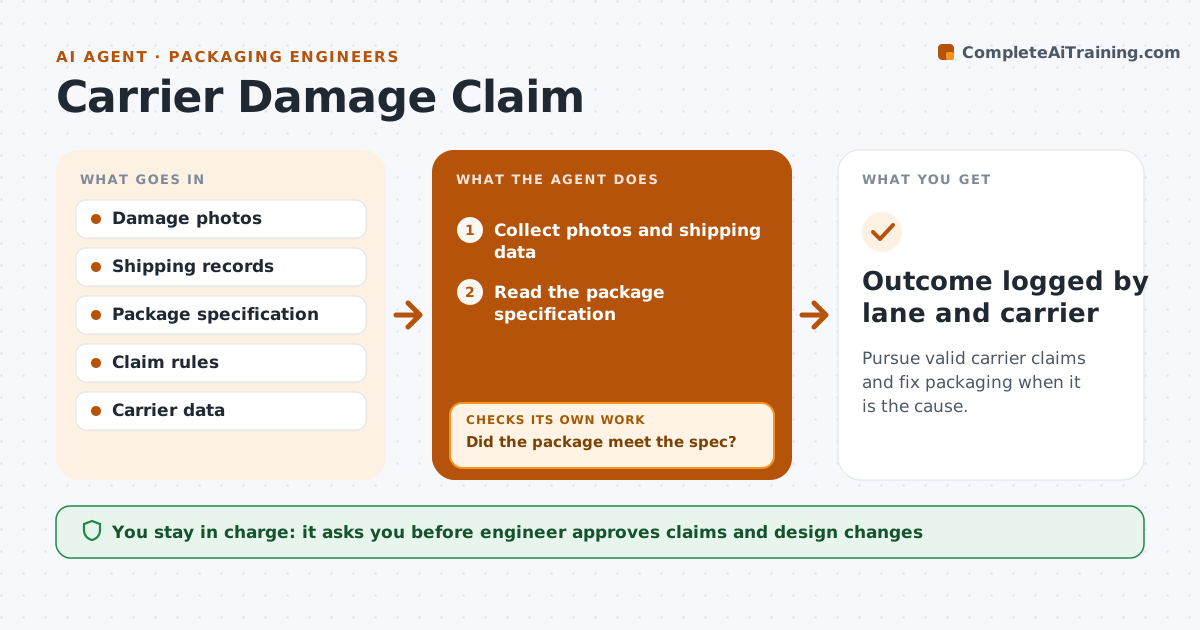
What it does
When a shipment arrives damaged, the carrier blames the packaging and the packaging team blames the carrier. This agent collects the photos, shipping data and package specification for each damage report. It decides whether the packaging met the spec: right materials, right dimensions, right pallet pattern. If it did, it drafts the carrier claim with the evidence. If it did not, it drafts a design change and flags the root cause. It tracks the outcome, whether paid or rejected, and the patterns by lane. The engineer approves every claim and change. Edge case: damage seen only on one lane is noted as a carrier handling pattern.
How it works
Follow the arrows from top to bottom. The orange dashed arrow is the loop: when a check fails, the agent goes back and tries again.
Read the steps as a list
- Damage report received
- Collect photos and shipping data
- Read the package specification
- Check the package against the spec
- Did the package meet the spec?If not: Draft a design change and note the root cause. Back to step 3.
- Check where the damage points to handling
- Draft the carrier claim with evidence
- Engineer approves the claim or the design changeThe agent waits here for your OK.
- Submit the claim and track it
- Was the claim paid?If not: Add evidence and appeal once, or record the loss. Back to step 7.
- Outcome logged by lane and carrier
How it decides
It claims when the packaging met spec and the damage fits handling, and drafts a design change when the spec was not met or was insufficient.
- Claim only with photos of damage and packaging
- Check against the approved spec, not memory
- Group damages by lane and carrier
- Appeal once with new evidence
Make it yours
Every agent is a starting point. You choose these settings for your own situation.
- Claim minimum value
- Spec library location
- Appeal rule
- Lanes to track
What keeps you in control
It always asks you first
- Engineer approves claims and design changes
Hard limits
- Never file a claim without the engineer
- Never blame the carrier without checking the spec
It stops when
- Done: claim paid or a design fix is approved
- Stop: evidence is missing and the report is closed
Set it up
We guide you through the set-up, step by step
Members get the full set-up guide for this agent. No technical skills needed: you copy, paste and upload.
- One set of instructions to paste into your AI, with the clicks for ChatGPT, Claude, Microsoft 365 Copilot, Gemini and Grok
- The agent then walks you through connecting your own data, one source at a time
- A downloadable copy with the flow chart, the rules and the full guide