AI agent for legal secretaries
Case File Organization Agent
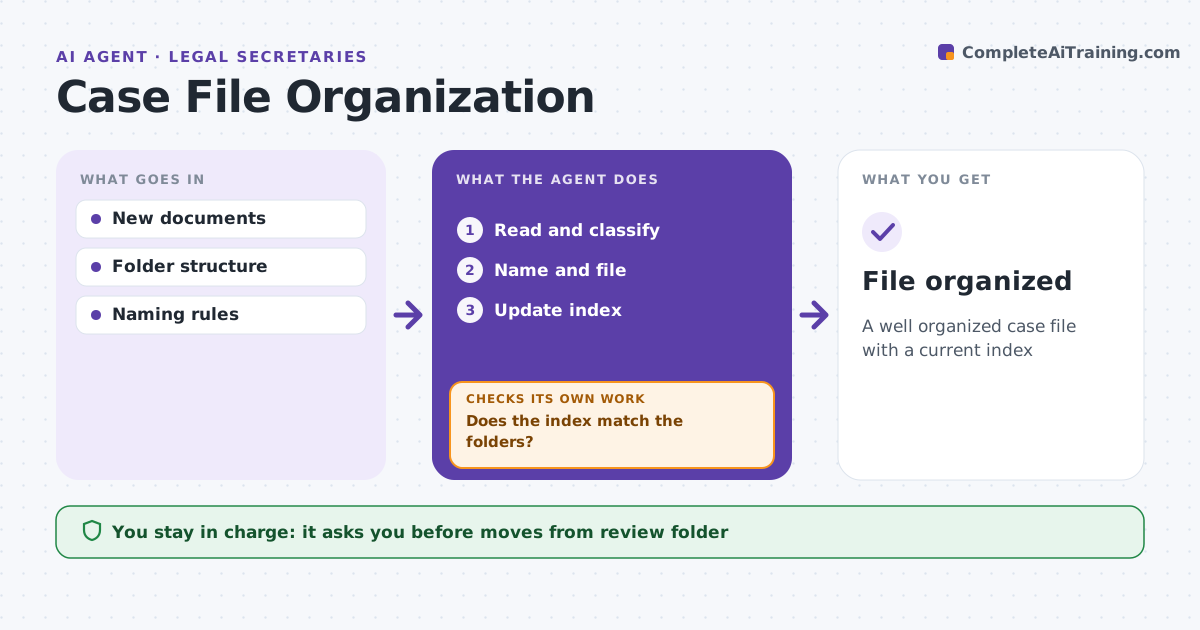
A well organized case file with a current index
What it does
Case files get messy fast when documents arrive by email, mail and portal, and finding the final signed version wastes time. This agent organizes incoming documents. It reads each new document and identifies its type, date and parties. It names it by the firm's convention, files it in the right folder and updates the file index. It checks for duplicates and versions, linking duplicates and marking signed versions as final. If it is unsure of the type or folder, it puts the document in a review folder instead of guessing. Each week it checks that the index matches the folders and fixes broken entries. The secretary reviews the review folder and approves moves. Edge case: an email attachment is the signed version of a draft already filed, so the agent files it as final.
How it works
Follow the arrows from top to bottom. The orange dashed arrow is the loop: when a check fails, the agent goes back and tries again.
Read the steps as a list
- New document added
- Read and classify
- Name and file
- Update index
- Does the index match the folders?If not: fix mismatches or move unsure items to review. Back to step 3.
- Secretary approves review folderThe agent waits here for your OK.
- File organized
How it decides
It classifies by content and places unsure items in review.
- Unsure classification: review folder
- Signed version: mark final
- Duplicate: link
Make it yours
Every agent is a starting point. You choose these settings for your own situation.
- Folder structure
- Naming rules
- Review threshold
- Index format
What keeps you in control
It always asks you first
- Moves from review folder
Hard limits
- Never deletes documents
- Never changes content
It stops when
- Done: file organized
- Stop: matter closed
Set it up
We guide you through the set-up, step by step
Members get the full set-up guide for this agent. No technical skills needed: you copy, paste and upload.
- One set of instructions to paste into your AI, with the clicks for ChatGPT, Claude, Microsoft 365 Copilot, Gemini and Grok
- The agent then walks you through connecting your own data, one source at a time
- A downloadable copy with the flow chart, the rules and the full guide