AI agent for legal secretaries
Legal Filing Format Preflight Agent
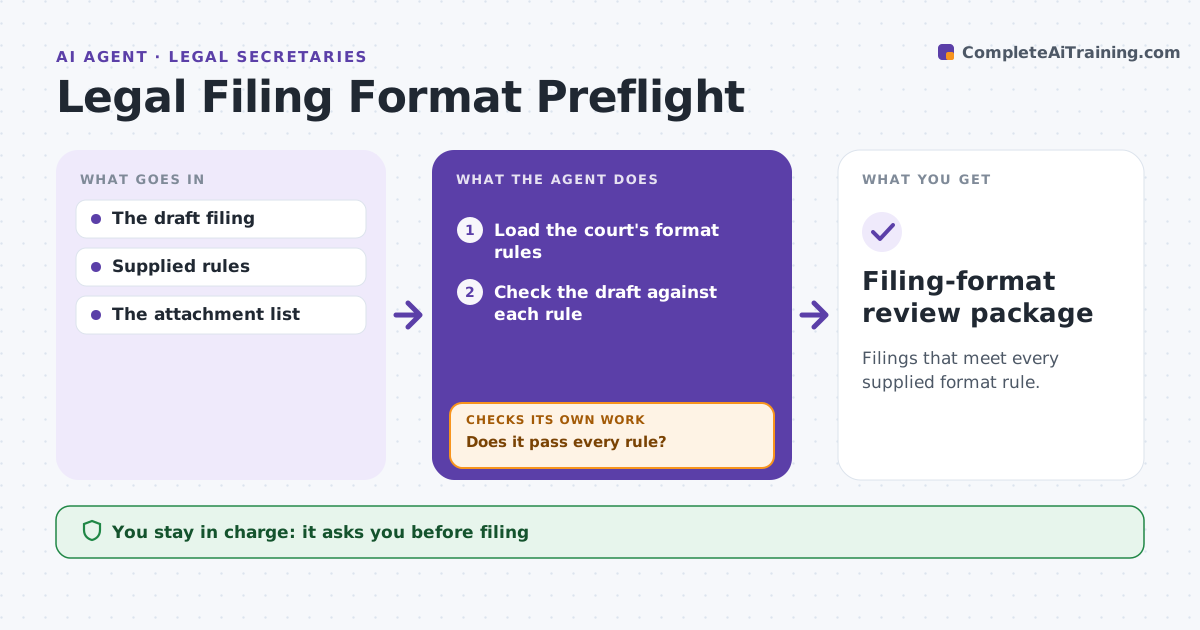
Filings that meet every supplied format rule.
What it does
Court filings get rejected for formatting problems, such as margins, fonts, page limits or missing bookmarks. When a filing draft is ready, this agent checks the mechanical format against the rules the lawyer supplied for that court. For each failure it applies a permitted repair, such as adjusting margins or adding bookmarks, but never one that breaks another rule. It renders the document and validates it again. When a layout change shifts the page numbers, it rechecks every internal reference and the table of contents. The filing administrator files. Procedural questions stay with the lawyer. Edge case: fixing the font size pushes a brief over the page limit, so the agent stops and reports instead of shrinking spacing.
How it works
Follow the arrows from top to bottom. The orange dashed arrow is the loop: when a check fails, the agent goes back and tries again.
Read the steps as a list
- Filing draft ready
- Load the court's format rules
- Check the draft against each rule
- Does it pass every rule?If not: apply a permitted repair that breaks no other rule. Back to step 3.
- Render and validate the copy
- Are references and the table of contents still correct after pagination?If not: update the references and render again. Back to step 5.
- Filing administrator filesThe agent waits here for your OK.
- Filing-format review package
How it decides
It fixes measurable failures and never violates one rule to meet another.
- Never apply a repair that breaks another rule.
- Content is never cut by the agent.
- Recheck references after any change in pagination.
Make it yours
Every agent is a starting point. You choose these settings for your own situation.
- Court format rules supplied by the lawyer
- Permitted repairs (default margins, fonts, bookmarks)
- Output format for the filing copy
- Who files
What keeps you in control
It always asks you first
- Filing
- Procedural interpretation
Hard limits
- No filing.
It stops when
- Done: passes.
Set it up
We guide you through the set-up, step by step
Members get the full set-up guide for this agent. No technical skills needed: you copy, paste and upload.
- One set of instructions to paste into your AI, with the clicks for ChatGPT, Claude, Microsoft 365 Copilot, Gemini and Grok
- The agent then walks you through connecting your own data, one source at a time
- A downloadable copy with the flow chart, the rules and the full guide