AI agent for paralegals
Litigation Exhibit Assembly Agent
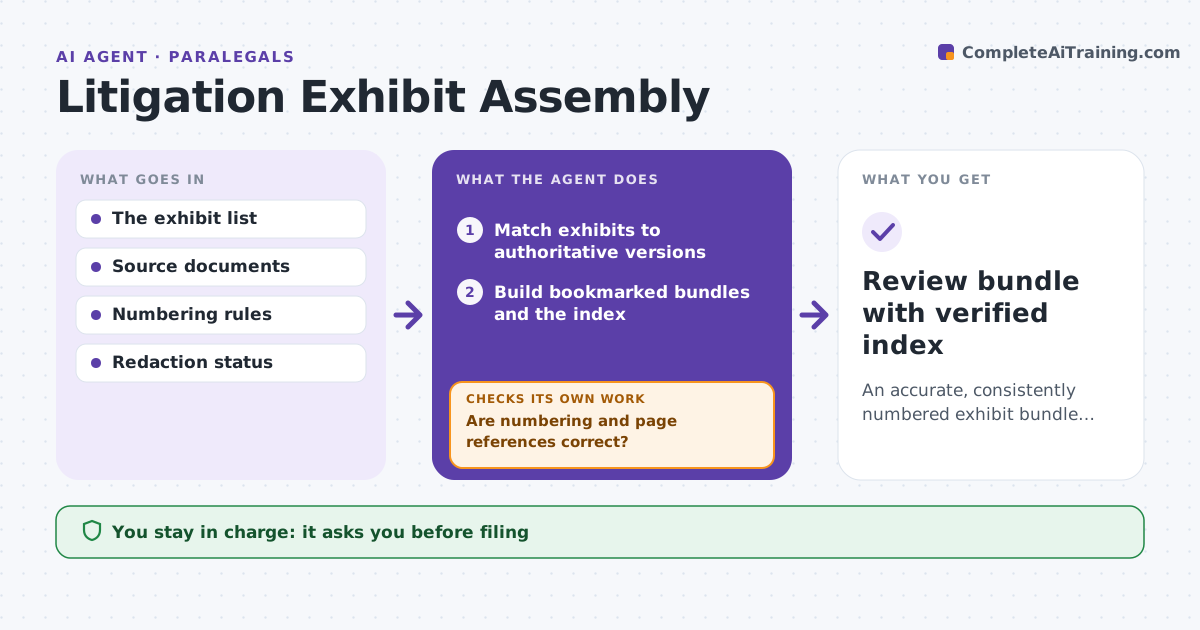
An accurate, consistently numbered exhibit bundle ready for attorney review.
What it does
Litigation exhibit bundles often contain duplicates, missing documents and inconsistent numbering, which causes problems at filing. When the attorney approves or changes the exhibit list, this agent matches each exhibit to its authoritative version in the document system. It builds bookmarked bundles with a cross-reference index, then validates numbering and page references. If references are wrong, it rebuilds the affected bookmarks and checks again. Any exhibit with unresolved redaction status blocks release-ready packaging and creates a review item. The attorney approves filing or service. Edge case: two near-identical versions of a contract exist and only one has the signature page, so the agent uses the version the attorney marked authoritative.
How it works
Follow the arrows from top to bottom. The orange dashed arrow is the loop: when a check fails, the agent goes back and tries again.
Read the steps as a list
- Exhibit list approved or changed
- Match exhibits to authoritative versions
- Build bookmarked bundles and the index
- Are numbering and page references correct?If not: rebuild the affected bookmarks. Back to step 3.
- Is redaction status resolved for every exhibit?If not: block packaging and create a review item. Back to step 2.
- Attorney approves filing or serviceThe agent waits here for your OK.
- Review bundle with verified index
How it decides
It picks authoritative versions, rebuilds affected bookmarks after changes, and blocks on redaction flags.
- Use the authoritative version for each exhibit.
- Unresolved redaction flags block packaging.
- Duplicates are listed for the attorney, not removed.
Make it yours
Every agent is a starting point. You choose these settings for your own situation.
- Numbering and bookmark conventions
- Source of authoritative versions
- Index format
- Who approves filing or service
What keeps you in control
It always asks you first
- Filing
- Serving documents
- Redaction decisions
Hard limits
- No filing.
It stops when
- Done: bundle verified.
- Blocked: redaction pending.
Set it up
We guide you through the set-up, step by step
Members get the full set-up guide for this agent. No technical skills needed: you copy, paste and upload.
- One set of instructions to paste into your AI, with the clicks for ChatGPT, Claude, Microsoft 365 Copilot, Gemini and Grok
- The agent then walks you through connecting your own data, one source at a time
- A downloadable copy with the flow chart, the rules and the full guide