AI agent for financial advisors
Cash Flow and Spending Review Agent
Spot meaningful spending drift early and prepare useful conversations.
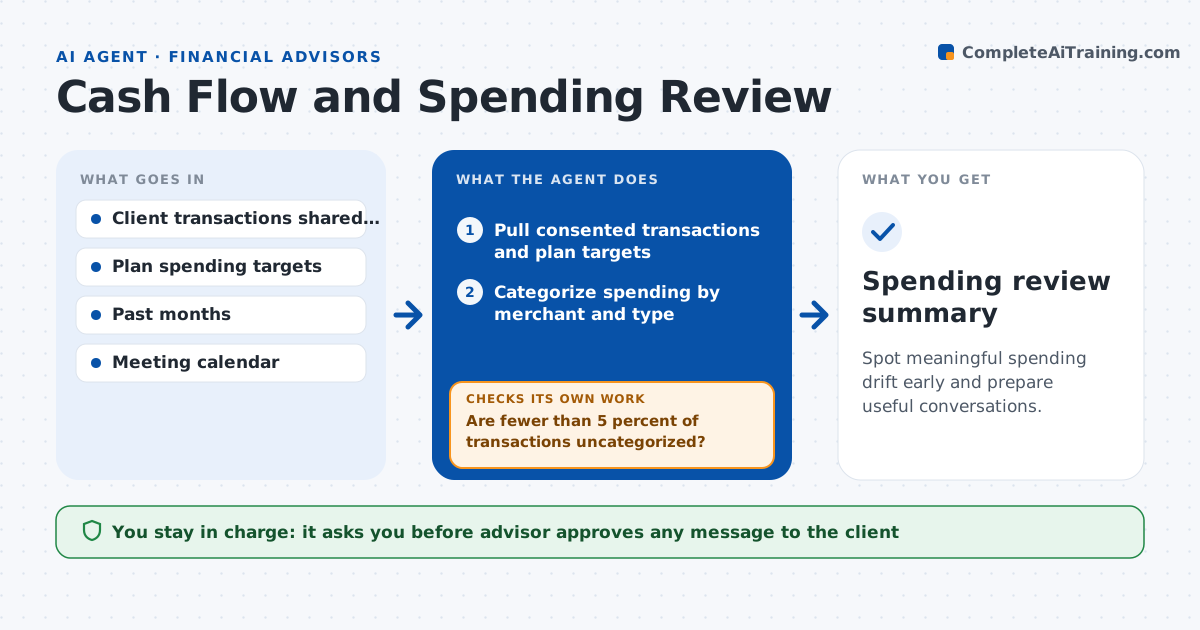
What it does
A retirement plan assumes a spending level, and clients can drift well above it for months without noticing. With consent, this agent reads client transactions from linked accounts and sorts them into categories. It compares monthly spending with the plan and flags drift by category. It then checks whether the drift is a one-time event, such as a new roof, or a repeating pattern, by looking at the last six months. For recurring drift, it estimates the effect on the plan's success and drafts talking points for the next meeting. If categories look wrong, it rechecks the merchant data and recategorizes. The advisor approves any message to the client.
How it works
Follow the arrows from top to bottom. The orange dashed arrow is the loop: when a check fails, the agent goes back and tries again.
Read the steps as a list
- Month closes
- Pull consented transactions and plan targets
- Categorize spending by merchant and type
- Are fewer than 5 percent of transactions uncategorized?If not: recheck merchant names and recategorize. Back to step 3.
- Compare categories with the plan targets
- Test whether each drift is one-time or recurring
- Estimate the effect of recurring drift on plan success
- Draft talking points for the next meeting
- Advisor approves any client messageThe agent waits here for your OK.
- Spending review summary
How it decides
It treats drift as recurring when it appears in 3 of the last 6 months, and one-off otherwise.
- Flag a category more than 15 percent over target
- Treat drift as recurring if it appears in 3 of 6 months
- Ignore one-time items above the threshold if tagged as planned
- Show effect on plan only for recurring drift
Make it yours
Every agent is a starting point. You choose these settings for your own situation.
- Drift threshold (default 15 percent)
- Categories and targets
- Months for recurrence test (default 3 of 6)
- Review schedule
What keeps you in control
It always asks you first
- Advisor approves any message to the client
- Client consents to data sharing before any run
Hard limits
- Reads transactions only with client consent
- Never contacts the client without approval
It stops when
- Done: summary delivered and talking points ready
- Stop: client consent is missing or expired
Set it up
We guide you through the set-up, step by step
Members get the full set-up guide for this agent. No technical skills needed: you copy, paste and upload.
- One set of instructions to paste into your AI, with the clicks for ChatGPT, Claude, Microsoft 365 Copilot, Gemini and Grok
- The agent then walks you through connecting your own data, one source at a time
- A downloadable copy with the flow chart, the rules and the full guide