AI agent for financial advisors
Client Life Event Response Agent
Turn a life event into a reviewed set of plan changes and options quickly.
What it does
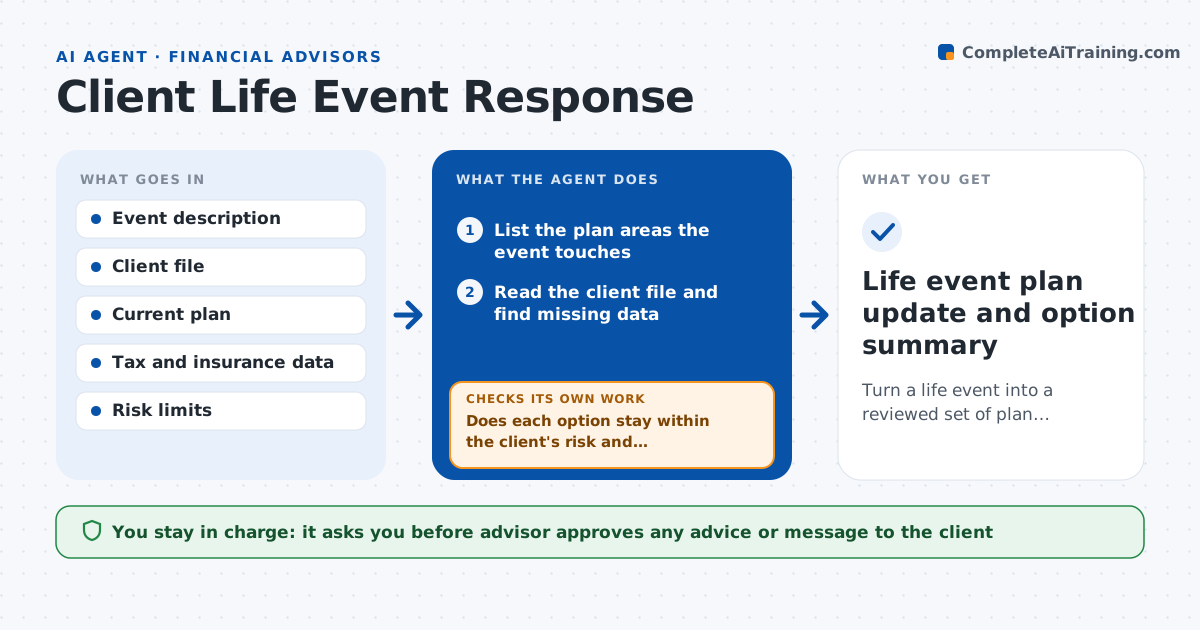
A life event, such as a marriage, an inheritance or a job loss, touches insurance, taxes, savings, estate papers and goals at once, and advisors work through it from memory. This agent takes the event and lists the plan areas it affects. It gathers the missing data from the client file, asks for what is not there, reruns the projections with the new facts, and compares a few options, such as paying down debt versus investing. It checks each option against the client's risk limits and liquidity needs and drops any that break them. It then drafts a summary of what changed and what to do first. The advisor approves any advice given to the client.
How it works
Follow the arrows from top to bottom. The orange dashed arrow is the loop: when a check fails, the agent goes back and tries again.
Read the steps as a list
- Advisor logs a life event
- List the plan areas the event touches
- Read the client file and find missing data
- Draft a short data request for missing facts
- Rerun projections with the new facts
- Build two or three options and compare results
- Does each option stay within the client's risk and liquidity limits?If not: adjust the option or drop it and build another. Back to step 6.
- Rank options and note the trade-offs
- Draft a summary with first steps and a time order
- Advisor approves any advice shared with the clientThe agent waits here for your OK.
- Life event plan update and option summary
How it decides
It keeps an option only if it meets the client's stated risk limits and liquidity needs in the projections.
- Require an emergency reserve of at least 6 months of expenses
- Drop options that push projected success below 80 percent
- Review insurance and beneficiaries for every event
- Order first steps by deadline and cost of delay
Make it yours
Every agent is a starting point. You choose these settings for your own situation.
- Reserve months (default 6)
- Minimum plan success level (default 80 percent)
- Event types and checklists
- Summary format
What keeps you in control
It always asks you first
- Advisor approves any advice or message to the client
Hard limits
- Never advises the client directly
- Does not trade or change any account
It stops when
- Done: summary approved by the advisor
- Stop: missing facts the client has not provided
Set it up
We guide you through the set-up, step by step
Members get the full set-up guide for this agent. No technical skills needed: you copy, paste and upload.
- One set of instructions to paste into your AI, with the clicks for ChatGPT, Claude, Microsoft 365 Copilot, Gemini and Grok
- The agent then walks you through connecting your own data, one source at a time
- A downloadable copy with the flow chart, the rules and the full guide