AI agent for laboratory technicians
Cell Line Authentication and Passage Tracking Agent
Keep every line within passage and testing limits and confirmed as the right line
What it does
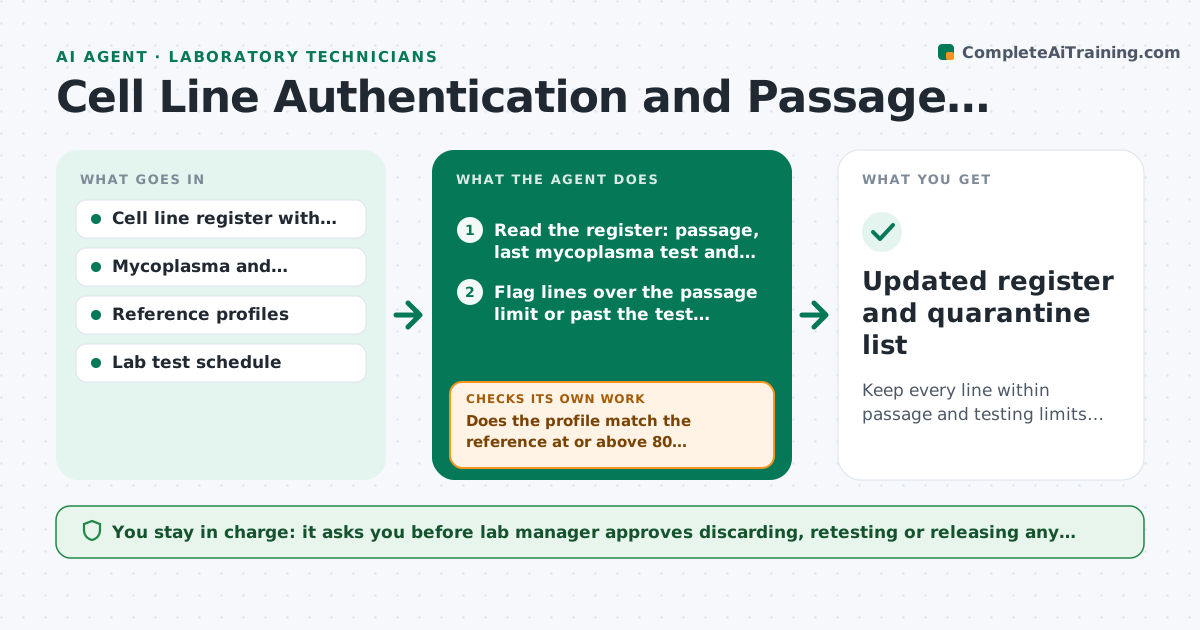
A lab uses a cell line for three years and nobody tests it, then finds out it was contaminated or switched. Years of work are questioned. This agent tracks each line. It records passage number, mycoplasma test dates and authentication records, flags lines that are due or overdue, and schedules tests. When results arrive, it checks them against the reference profile and quarantines mismatches in the log so they cannot be used. It reminds the owner and tracks the follow-up. The lab manager approves discarding any line. Edge case: the profile partially matches. The agent calculates the match percentage and flags it for review.
How it works
Follow the arrows from top to bottom. The orange dashed arrow is the loop: when a check fails, the agent goes back and tries again.
Read the steps as a list
- Weekly line review
- Read the register: passage, last mycoplasma test and last authentication
- Flag lines over the passage limit or past the test interval
- Schedule tests and remind the owners
- Collect test results when they arrive
- Does the profile match the reference at or above 80 percent?If not: Quarantine the line in the log and notify the lab manager. Back to step 4.
- Is the mycoplasma test negative?If not: Quarantine the line and list the shared equipment to check. Back to step 4.
- Update the register and the freeze stock status
- Lab manager approves discarding or retesting any lineThe agent waits here for your OK.
- Updated register and quarantine list
How it decides
A line is due when it exceeds the passage limit or the test interval. A profile match below 80 percent is a mismatch and the line is quarantined.
- Passage limit for each line is set in the register
- Mycoplasma testing every 3 months
- Authentication every 6 months and before publication
- Match under 80 percent means quarantine
Make it yours
Every agent is a starting point. You choose these settings for your own situation.
- Passage limits per line
- Test intervals
- Reference profile source
- Reminder recipients
- Quarantine labeling
What keeps you in control
It always asks you first
- Lab manager approves discarding, retesting or releasing any quarantined line
Hard limits
- Never discards a line
- Keeps frozen stocks linked to their records
It stops when
- Done: all lines in date and verified
- Stop: contamination is suspected in several lines, alert the lab manager
Set it up
We guide you through the set-up, step by step
Members get the full set-up guide for this agent. No technical skills needed: you copy, paste and upload.
- One set of instructions to paste into your AI, with the clicks for ChatGPT, Claude, Microsoft 365 Copilot, Gemini and Grok
- The agent then walks you through connecting your own data, one source at a time
- A downloadable copy with the flow chart, the rules and the full guide