AI agent for economists
Central Bank and Policy Statement Tracker Agent
Turn each policy statement into a clear read of what changed and what it means for forecasts.
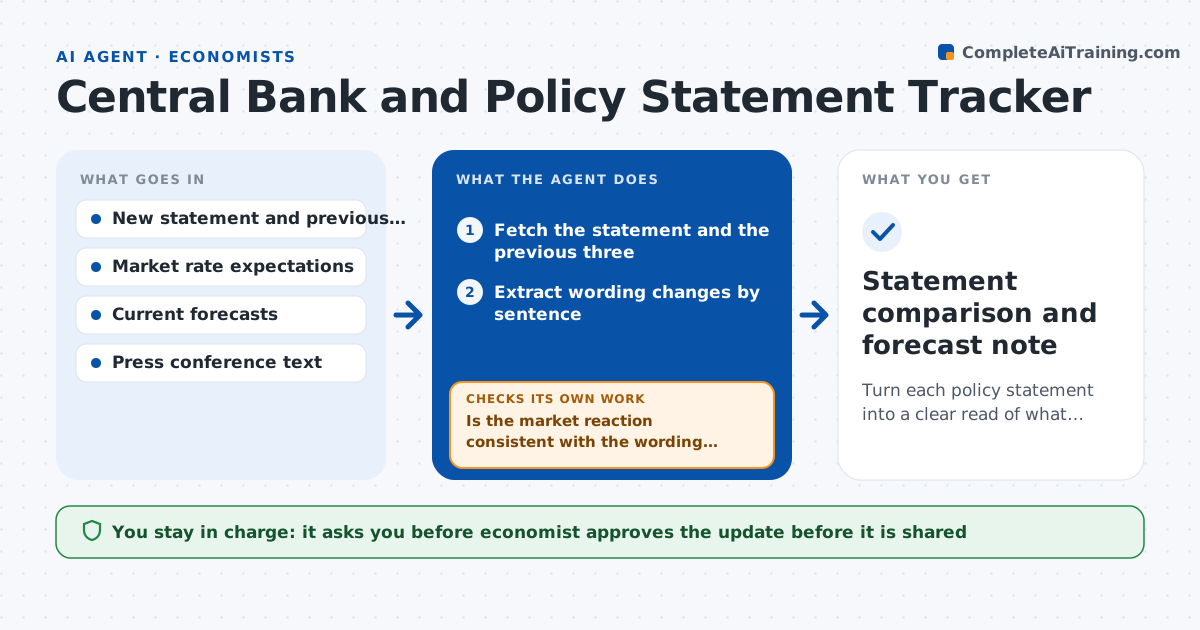
What it does
A central bank changes a single phrase, such as from further tightening to additional firming, and the market reads a signal that analysts miss. This agent compares each new policy statement with the last several. It extracts wording changes sentence by sentence, groups them into themes such as inflation, growth and the path of rates, and rates each shift as stronger, weaker or unchanged. It then checks the changes against market rate expectations and your current forecasts to see whether anything needs updating. If the wording shift and the market reaction disagree, it looks at the press conference and minutes. It drafts an update for review. The economist approves.
How it works
Follow the arrows from top to bottom. The orange dashed arrow is the loop: when a check fails, the agent goes back and tries again.
Read the steps as a list
- New statement is released
- Fetch the statement and the previous three
- Extract wording changes by sentence
- Group changes by theme and rate each as stronger, weaker or unchanged
- Pull market rate expectations before and after release
- Is the market reaction consistent with the wording shift?If not: read the press conference and minutes for context and rerate. Back to step 3.
- Compare the signal with the current forecast
- Draft an update with suggested forecast changes
- Economist approves the updateThe agent waits here for your OK.
- Statement comparison and forecast note
How it decides
It rates wording change by theme, then tests whether the change is consistent with market pricing and current forecasts.
- Report only changes in substance, not style
- Rate a theme stronger only if the wording or numbers shift in that direction
- Compare with the last three statements
- Suggest a forecast change only if rate expectations move more than 10 basis points
Make it yours
Every agent is a starting point. You choose these settings for your own situation.
- Central banks to follow
- Number of past statements to compare (default 3)
- Market data sources
- Forecast change trigger (default 10 basis points)
What keeps you in control
It always asks you first
- Economist approves the update before it is shared
Hard limits
- Never gives trading advice
- Quotes only short, attributed phrases from the statements
It stops when
- Done: update approved and delivered
- Stop: market data is unavailable for the release window
Set it up
We guide you through the set-up, step by step
Members get the full set-up guide for this agent. No technical skills needed: you copy, paste and upload.
- One set of instructions to paste into your AI, with the clicks for ChatGPT, Claude, Microsoft 365 Copilot, Gemini and Grok
- The agent then walks you through connecting your own data, one source at a time
- A downloadable copy with the flow chart, the rules and the full guide