AI agent for ai engineers
Champion-Challenger Rollout Agent
Move a replacement model from shadow to full traffic only while the evidence supports each step
What it does
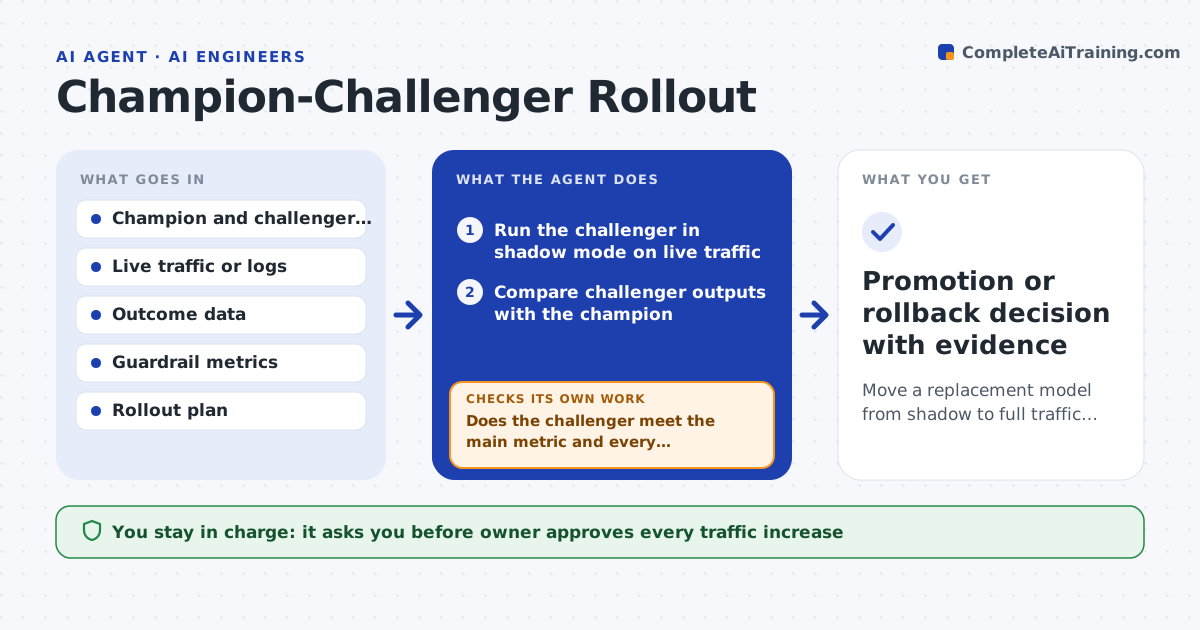
Replacing a live model on a good offline score is a gamble. This agent turns it into a staged test. It runs the new model, the challenger, in shadow mode so it sees real traffic but changes nothing. It compares the outputs with the current champion, then compares business results such as approval rate, conversion or error cost once outcomes arrive. It checks input drift and output drift on both models. If results are clean it recommends a small traffic share, then rechecks every metric after each increase. If a metric slips, it recommends going back to the previous share. Each step needs the model owner's approval. Edge case: the challenger is better overall but worse for one region, so the agent holds the rollout and shows the gap.
How it works
Follow the arrows from top to bottom. The orange dashed arrow is the loop: when a check fails, the agent goes back and tries again.
Read the steps as a list
- Challenger registered for rollout
- Run the challenger in shadow mode on live traffic
- Compare challenger outputs with the champion
- Join outcomes and compute business metrics by segment
- Does the challenger meet the main metric and every guardrail?If not: keep shadow mode, list the failing metrics and segments, and wait for fresh data or a fixed model. Back to step 2.
- Owner approves the next traffic shareThe agent waits here for your OK.
- Raise live traffic to the challenger
- Monitor drift, latency and outcomes
- Are all metrics still within limits at this share?If not: recommend rollback to the previous share and show which metric slipped. Back to step 7.
- Promotion or rollback decision with evidence
How it decides
It advances only when the challenger matches or beats the champion on the main metric and stays within limits on every guardrail metric and segment.
- Advance traffic in steps of 5%, 25%, 50%, 100%
- Require at least 1,000 outcomes per step before judging
- Block advancement when any segment drops more than 2% on the main metric
- Roll back when latency rises more than 20% or errors double
Make it yours
Every agent is a starting point. You choose these settings for your own situation.
- Traffic steps (default 5, 25, 50, 100)
- Main metric and guardrail metrics
- Minimum outcomes per step (default 1,000)
- Maximum drop allowed per segment (default 2%)
- Who gets the rollout alerts
What keeps you in control
It always asks you first
- Owner approves every traffic increase
- Owner approves final promotion and retirement of the champion
Hard limits
- Never change live traffic without owner approval
- Never delete the champion until the final step is approved
It stops when
- Done: the challenger serves all traffic with metrics inside limits
- Stop: rollback completed and the challenger is returned for retraining
Set it up
We guide you through the set-up, step by step
Members get the full set-up guide for this agent. No technical skills needed: you copy, paste and upload.
- One set of instructions to paste into your AI, with the clicks for ChatGPT, Claude, Microsoft 365 Copilot, Gemini and Grok
- The agent then walks you through connecting your own data, one source at a time
- A downloadable copy with the flow chart, the rules and the full guide