AI agent for data scientists
Model Fairness Audit Agent
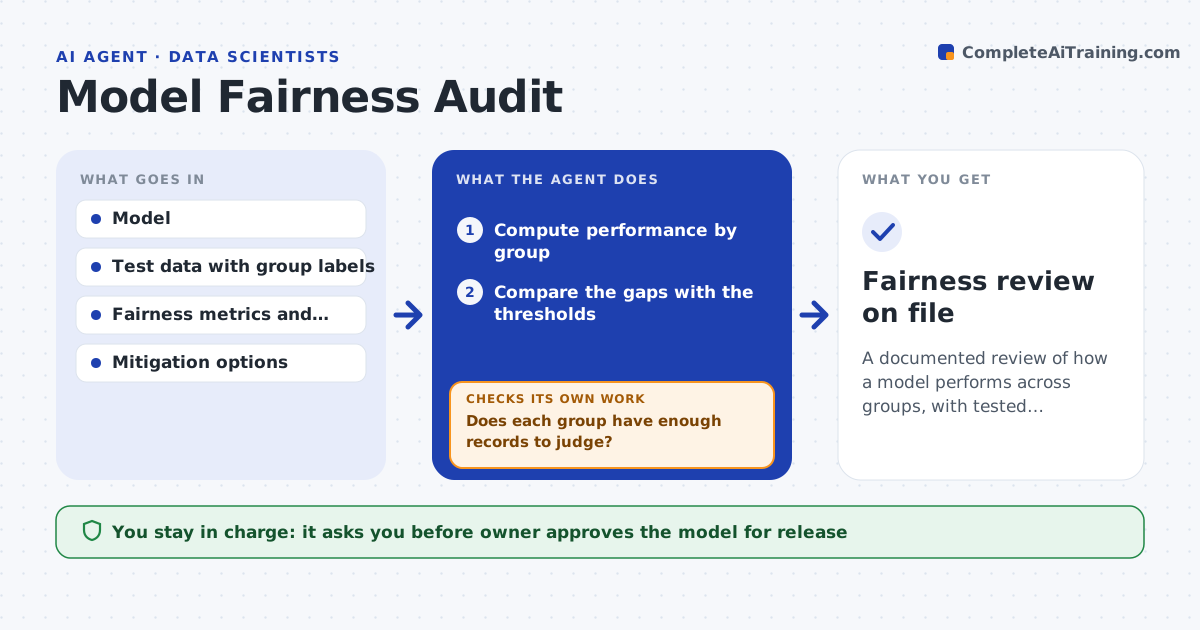
A documented review of how a model performs across groups, with tested mitigations and tradeoffs
What it does
Models are checked for accuracy but not for uneven results across groups. This agent computes model performance by group and tests the gaps against your threshold. If a gap is too large, it tries mitigations such as changing decision thresholds for each group or reweighting data, and it measures the cost to overall accuracy. It then rechecks the gap after each mitigation. It writes a draft fairness review with the numbers and tradeoffs. The owner approves the model for release. Edge case: one group has very few records, so the agent states the numbers are too small to judge and suggests collecting more.
How it works
Follow the arrows from top to bottom. The orange dashed arrow is the loop: when a check fails, the agent goes back and tries again.
Read the steps as a list
- Model is ready for review
- Compute performance by group
- Compare the gaps with the thresholds
- Does each group have enough records to judge?If not: mark it too small to judge and request more data. Back to step 2.
- Try mitigations such as threshold changes or reweighting
- Measure the gap and accuracy after each mitigation
- Is the gap within the threshold at acceptable accuracy cost?If not: try the next mitigation or report that the gap remains. Back to step 5.
- Draft the fairness review with the tradeoffs
- Owner approves the model for releaseThe agent waits here for your OK.
- Fairness review on file
How it decides
A gap is a problem when it exceeds the threshold and the group has enough records. A mitigation is kept when it narrows the gap at an acceptable accuracy cost.
- Use the metrics set by the policy
- Require a minimum group size
- Accept a mitigation only within the accuracy cost limit
- Report any gap that remains
Make it yours
Every agent is a starting point. You choose these settings for your own situation.
- Fairness metrics
- Gap threshold (default: 5 points)
- Accuracy cost limit (default: 2 points)
- Minimum group size
What keeps you in control
It always asks you first
- Owner approves the model for release
Hard limits
- Never releases a model
- Never hides a gap that remains
It stops when
- Done: the review is complete and the owner decides
- Stop: no group labels are available
Set it up
We guide you through the set-up, step by step
Members get the full set-up guide for this agent. No technical skills needed: you copy, paste and upload.
- One set of instructions to paste into your AI, with the clicks for ChatGPT, Claude, Microsoft 365 Copilot, Gemini and Grok
- The agent then walks you through connecting your own data, one source at a time
- A downloadable copy with the flow chart, the rules and the full guide