AI agent for customer success managers
Churn Risk Review Agent
Find at-risk accounts early with a concrete save plan
What it does
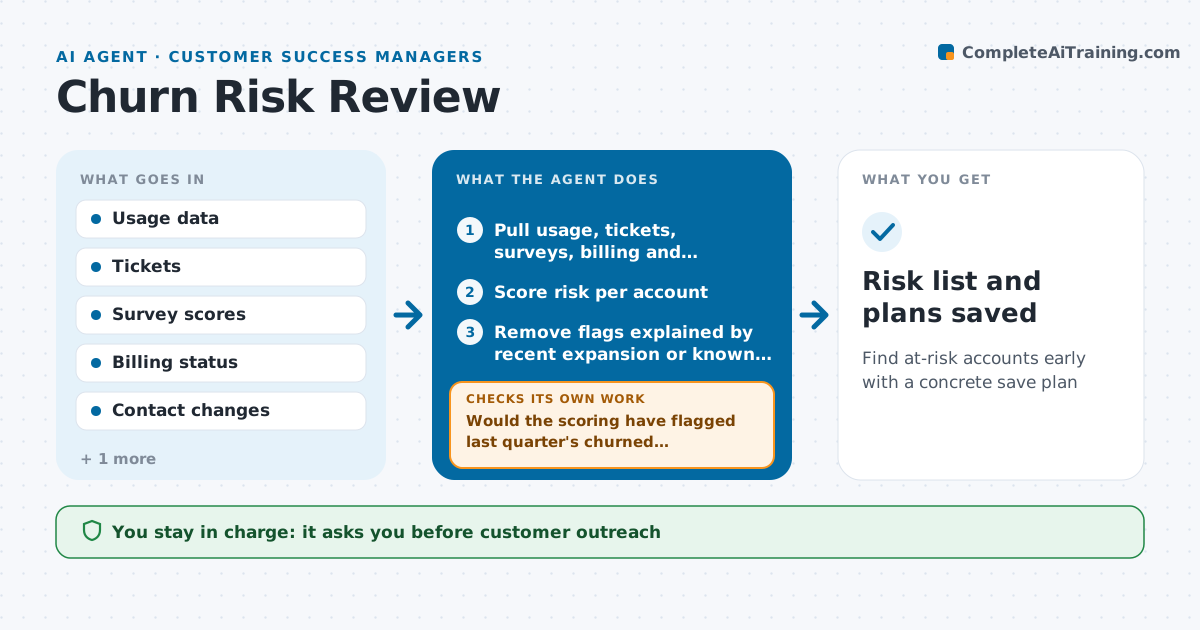
Customer success managers cannot watch every account closely, and churn often shows warning signs weeks early. Each week this agent scores every account on churn risk using usage trends, support tickets, survey scores, payment issues and contact changes, such as a sponsor leaving. Before trusting the scores, it tests them on last quarter: would they have flagged the accounts that churned without flagging many that renewed? If there are too many false alarms, it adjusts the weights and scores again. For high-risk accounts it writes a short reason and a save plan: who to talk to, what value to show and what to fix. The CSM reviews the risk list and approves all outreach. Edge case: an account with low usage but a recent expansion is not flagged high.
How it works
Follow the arrows from top to bottom. The orange dashed arrow is the loop: when a check fails, the agent goes back and tries again.
Read the steps as a list
- Weekly risk review
- Pull usage, tickets, surveys, billing and contacts
- Score risk per account
- Would the scoring have flagged last quarter's churned accounts without many false alarms?If not: adjust signal weights and score again. Back to step 3.
- Remove flags explained by recent expansion or known seasonal dips
- Draft reasons and save plans for high-risk accounts
- Does each save plan name a contact, a value point and a fix?If not: fill the gaps from account notes or ask the CSM. Back to step 6.
- CSM approves outreachThe agent waits here for your OK.
- Risk list and plans saved
How it decides
It weights signals that came before past churn and requires two signals for a high-risk flag.
- High risk needs two signals
- Sponsor departure is always a signal
- Recent expansion lowers risk
Make it yours
Every agent is a starting point. You choose these settings for your own situation.
- Signals and weights
- Risk threshold
- Review day
- Save plan template
What keeps you in control
It always asks you first
- Customer outreach
- Offering discounts
Hard limits
- Never offers discounts
- Never contacts customers itself
It stops when
- Done: weekly list delivered
- Stop: usage data delayed
Set it up
We guide you through the set-up, step by step
Members get the full set-up guide for this agent. No technical skills needed: you copy, paste and upload.
- One set of instructions to paste into your AI, with the clicks for ChatGPT, Claude, Microsoft 365 Copilot, Gemini and Grok
- The agent then walks you through connecting your own data, one source at a time
- A downloadable copy with the flow chart, the rules and the full guide