AI agent for account managers
Sales Renewal Commitment Review Agent
Account teams know every unfulfilled commitment before renewal.
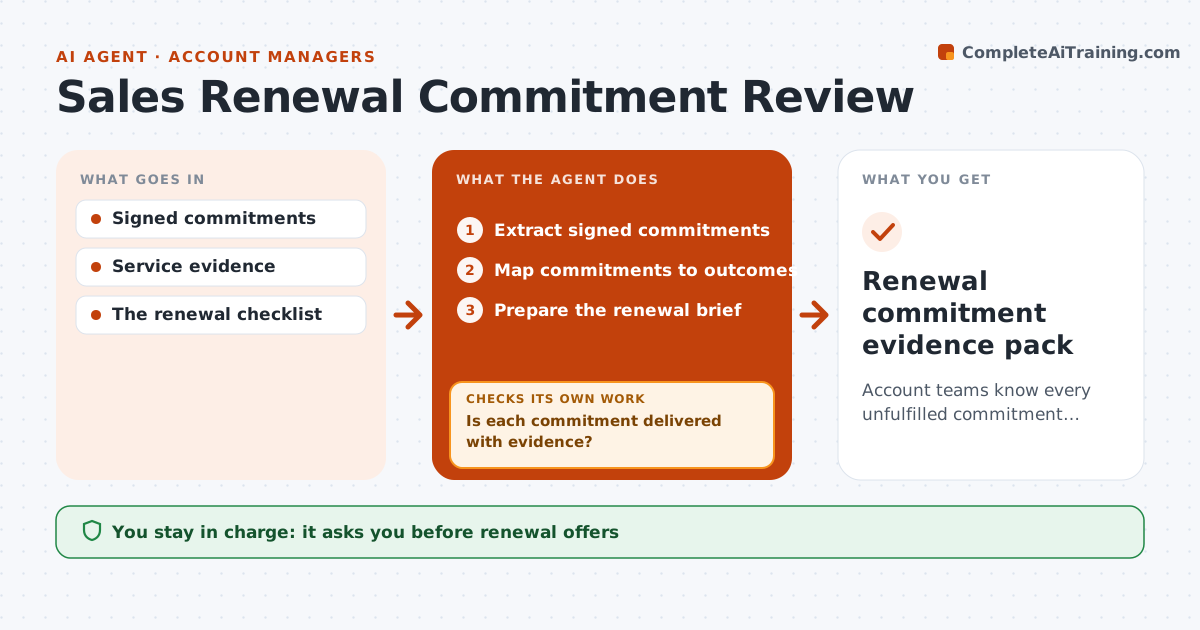
What it does
Renewal conversations go badly when the account team forgets commitments the vendor itself did not fulfil, and the customer brings them up first. This agent starts 90 days before renewal. It maps every signed commitment, such as training sessions, integrations or service levels, to evidence of delivered outcomes. Planned or scheduled is not the same as delivered, so it looks for attendance records, completion tickets or reports. Commitments without evidence stay visible in the renewal brief, with what is missing and who owns it. It prepares the brief with usage facts and open obligations. The account manager decides on any offer or concession. Edge case: a commitment the customer itself postponed in writing is listed as postponed, not as missed.
How it works
Follow the arrows from top to bottom. The orange dashed arrow is the loop: when a check fails, the agent goes back and tries again.
Read the steps as a list
- Renewal 90 days out
- Extract signed commitments
- Map commitments to outcomes
- Is each commitment delivered with evidence?If not: keep it visible in the brief with what is missing. Back to step 3.
- Prepare the renewal brief
- Account manager approves offersThe agent waits here for your OK.
- Renewal commitment evidence pack
How it decides
It checks material obligations first.
- Planned is not delivered; evidence is required.
- Customer-postponed items are marked postponed.
- Open obligations are never hidden from the brief.
- Offers and concessions are the account manager's call.
Make it yours
Every agent is a starting point. You choose these settings for your own situation.
- Days before renewal to start (default 90)
- Evidence sources (default: tickets, training records, SLA reports)
- Brief format and length
- Who approves offers (default: account manager)
- Whether to recheck weekly until renewal (default yes)
What keeps you in control
It always asks you first
- Renewal offers
- Customer communication
- Settlement
Hard limits
- No offers.
It stops when
- Done: brief ready.
Set it up
We guide you through the set-up, step by step
Members get the full set-up guide for this agent. No technical skills needed: you copy, paste and upload.
- One set of instructions to paste into your AI, with the clicks for ChatGPT, Claude, Microsoft 365 Copilot, Gemini and Grok
- The agent then walks you through connecting your own data, one source at a time
- A downloadable copy with the flow chart, the rules and the full guide