AI agent for operations managers
Circuit Outage and Provider Credit Agent
Credit claims filed with evidence for every outage that qualifies, and tracked to payment
What it does
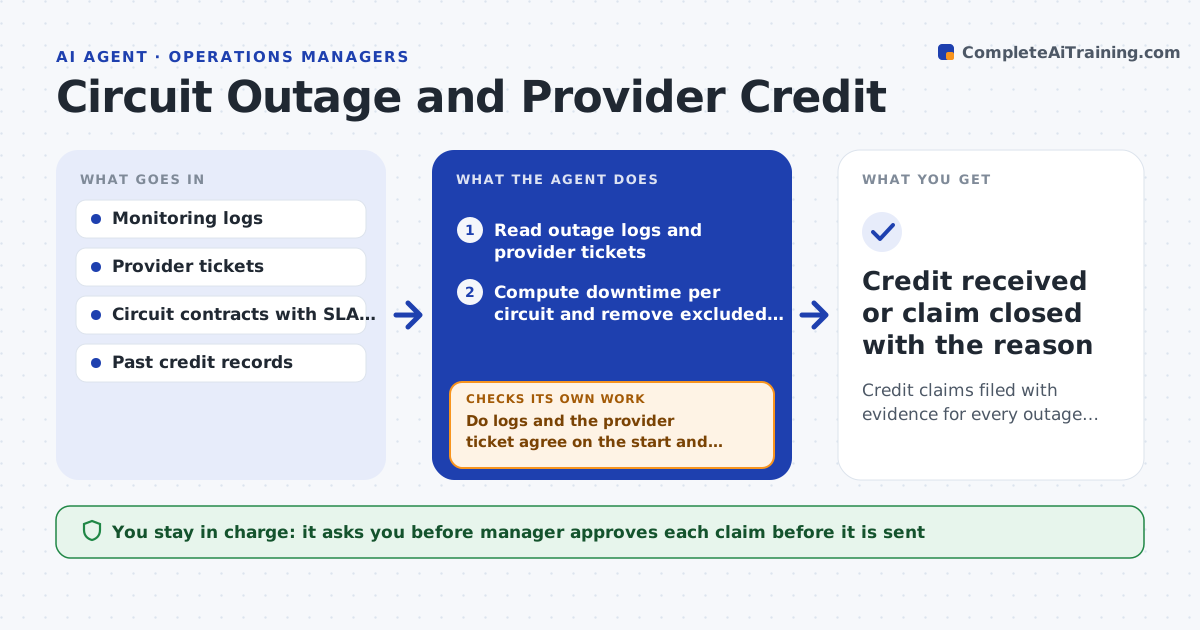
Outage credits owed under the contract are often never claimed. This agent reads outage logs and the provider's tickets and works out downtime for each circuit. It compares the downtime with the SLA terms in the contract to see whether a credit is due and how much. It drafts a credit claim with the evidence and dates. It then tracks the provider's response and escalates if the response deadline passes. The manager approves each claim. Edge case: the outage began during the provider's agreed maintenance window, so the agent excludes that time before computing the credit.
How it works
Follow the arrows from top to bottom. The orange dashed arrow is the loop: when a check fails, the agent goes back and tries again.
Read the steps as a list
- Monthly outage review
- Read outage logs and provider tickets
- Compute downtime per circuit and remove excluded windows
- Compare with SLA terms and find credits due
- Do logs and the provider ticket agree on the start and end times?If not: get more evidence from monitoring or ask the provider for its timestamps. Back to step 3.
- Draft the claim with evidence and the credit amount
- Manager approves each claimThe agent waits here for your OK.
- Submit and track the claim
- Did the provider respond by the deadline?If not: escalate to the account manager with the claim history. Back to step 8.
- Credit received or claim closed with the reason
How it decides
A claim is made when downtime outside excluded windows exceeds the SLA. The credit follows the contract table.
- Exclude agreed maintenance windows
- Claim only above the SLA threshold
- Use monitoring timestamps if the provider's differ and are not supported
- Claim within the contract deadline
Make it yours
Every agent is a starting point. You choose these settings for your own situation.
- SLA terms by circuit
- Provider response deadline (default: 10 days)
- Evidence required
- Who approves claims
What keeps you in control
It always asks you first
- Manager approves each claim before it is sent
Hard limits
- Never submits a claim without approval
- Never counts excluded time
It stops when
- Done: the credit is received or the provider's rejection is recorded
- Stop: the contract or SLA terms are missing
Set it up
We guide you through the set-up, step by step
Members get the full set-up guide for this agent. No technical skills needed: you copy, paste and upload.
- One set of instructions to paste into your AI, with the clicks for ChatGPT, Claude, Microsoft 365 Copilot, Gemini and Grok
- The agent then walks you through connecting your own data, one source at a time
- A downloadable copy with the flow chart, the rules and the full guide