AI agent for customer service representatives
Warranty Evidence Collection Agent
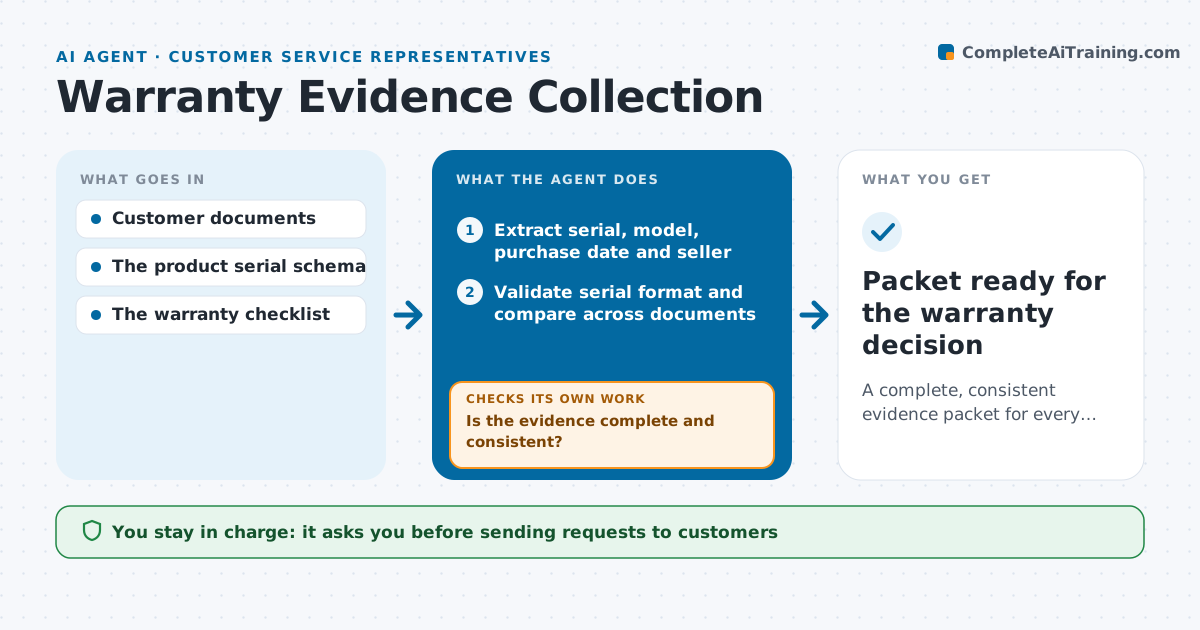
A complete, consistent evidence packet for every warranty claim.
What it does
Warranty claims often go back and forth because the serial number, the receipt and the product do not match. Each round of vague requests adds days and frustrates customers. This agent extracts the serial number, model, purchase date and seller from what the customer uploaded, validates the serial format and compares the identifiers across all documents. It builds an evidence map and finds the biggest inconsistency first. It then drafts a precise request for the missing or mismatching item, which the coordinator approves before sending. When new documents arrive, it checks again and updates the claim's completeness. It never decides whether the warranty applies; that stays with the warranty team. Edge case: a receipt from a reseller not on the authorized list is flagged for the coordinator, not rejected.
How it works
Follow the arrows from top to bottom. The orange dashed arrow is the loop: when a check fails, the agent goes back and tries again.
Read the steps as a list
- Claim created or documents uploaded
- Extract serial, model, purchase date and seller
- Validate serial format and compare across documents
- Is the evidence complete and consistent?If not: draft a precise request for the mismatch. Back to step 2.
- Coordinator approves sending the requestThe agent waits here for your OK.
- Mark the evidence packet complete
- Packet ready for the warranty decision
How it decides
It compares identifiers across documents, picks the largest inconsistency, and drafts a narrow question about exactly that; each response is re-validated.
- Next question: the largest inconsistency first.
- Complete: all checklist items present and consistent.
- Entitlement: never decided by the agent.
Make it yours
Every agent is a starting point. You choose these settings for your own situation.
- Required documents per product line (default receipt, serial label photo, fault description)
- Authorized seller list used for checks
- Tone and template for customer requests (default short, friendly, one item per message)
- Whether requests need coordinator approval (default yes)
- Reminder timing when the customer does not reply (default after 3 business days)
What keeps you in control
It always asks you first
- Sending requests to customers
- Approving or rejecting coverage
Hard limits
- Never decides coverage.
It stops when
- Done: packet complete.
- Waiting: customer has not replied.
Set it up
We guide you through the set-up, step by step
Members get the full set-up guide for this agent. No technical skills needed: you copy, paste and upload.
- One set of instructions to paste into your AI, with the clicks for ChatGPT, Claude, Microsoft 365 Copilot, Gemini and Grok
- The agent then walks you through connecting your own data, one source at a time
- A downloadable copy with the flow chart, the rules and the full guide