AI agent for customer service representatives
Claim Status Proactive Update Agent
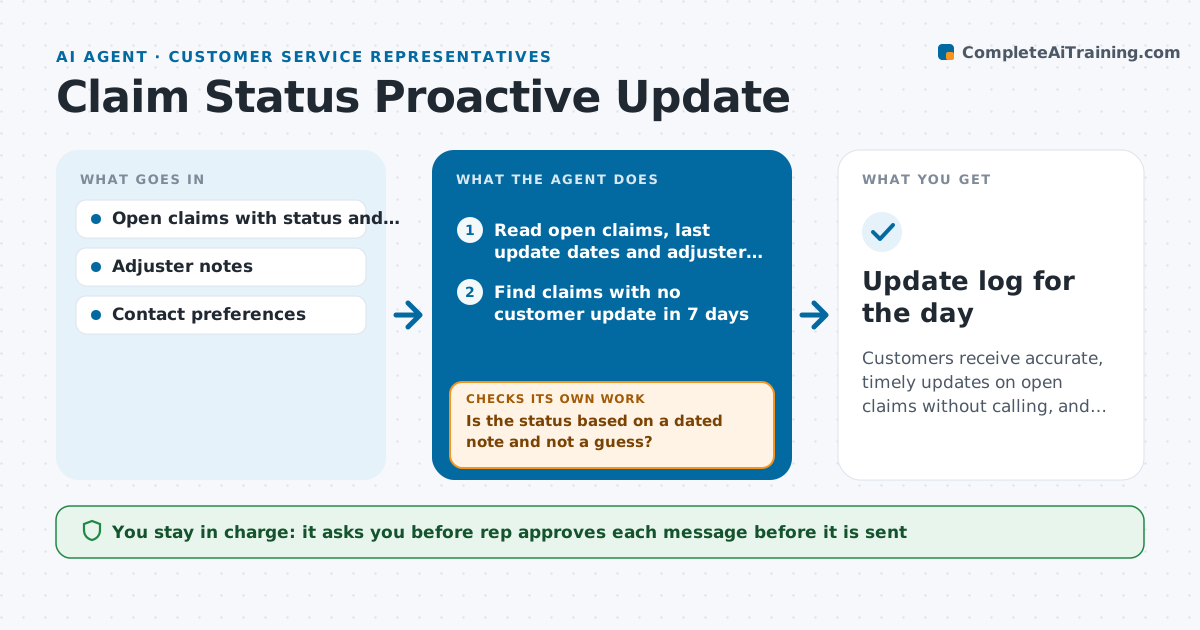
Customers receive accurate, timely updates on open claims without calling, and every message is checked against the latest status
What it does
A customer files a claim, hears nothing for ten days, and calls three times, tying up the rep, while the adjuster has already moved the claim forward. Each day this agent reads open claims and the date of the last update to the customer, checks the adjuster's notes for changes, and finds claims that have gone stale. For each stale claim it prepares a plain-language status, such as what has been done, what is waiting and when the customer will next hear. It rechecks the claim just before sending in case the status changed, and rewrites the message if it did. It also holds back messages when the notes contain a sensitive topic, such as a dispute. The rep approves each message. Edge case: a claim waiting on the customer for documents gets a reminder instead of a status.
How it works
Follow the arrows from top to bottom. The orange dashed arrow is the loop: when a check fails, the agent goes back and tries again.
Read the steps as a list
- Daily claim review
- Read open claims, last update dates and adjuster notes
- Find claims with no customer update in 7 days
- Summarize the current status, what is next and when the next update is due
- Is the status based on a dated note and not a guess?If not: Ask the adjuster for an update or skip the claim for today. Back to step 3.
- Draft a plain-language message in the customer's preferred channel
- Rep approves each messageThe agent waits here for your OK.
- Reread the claim just before sending
- Is the status still the same as in the approved message?If not: Rewrite the message with the new status and ask for approval again. Back to step 4.
- Send the message and log it in the claim
- Update log for the day
How it decides
It marks a claim stale when 7 days have passed since the last update and the notes show a change or a pending step, and it chooses the message by the claim's current stage.
- A claim is stale after 7 days without an update
- Hold messages for claims with a dispute or legal note
- Send a document reminder instead of a status if the claim waits on the customer
- Use the customer's preferred channel
Make it yours
Every agent is a starting point. You choose these settings for your own situation.
- Staleness limit (default 7 days)
- Message tone and length
- Channels
- Topics to hold back
- Daily run time
What keeps you in control
It always asks you first
- Rep approves each message before it is sent
Hard limits
- Never send a message without approval
- Never give coverage decisions or promises not in the notes
It stops when
- Done: Every stale claim has an approved update or a reason it was skipped
- Stop: Adjuster notes are missing, so the agent asks the adjuster for a status
Set it up
We guide you through the set-up, step by step
Members get the full set-up guide for this agent. No technical skills needed: you copy, paste and upload.
- One set of instructions to paste into your AI, with the clicks for ChatGPT, Claude, Microsoft 365 Copilot, Gemini and Grok
- The agent then walks you through connecting your own data, one source at a time
- A downloadable copy with the flow chart, the rules and the full guide