AI agent for insurance claims managers
Catastrophe Surge Triage Agent
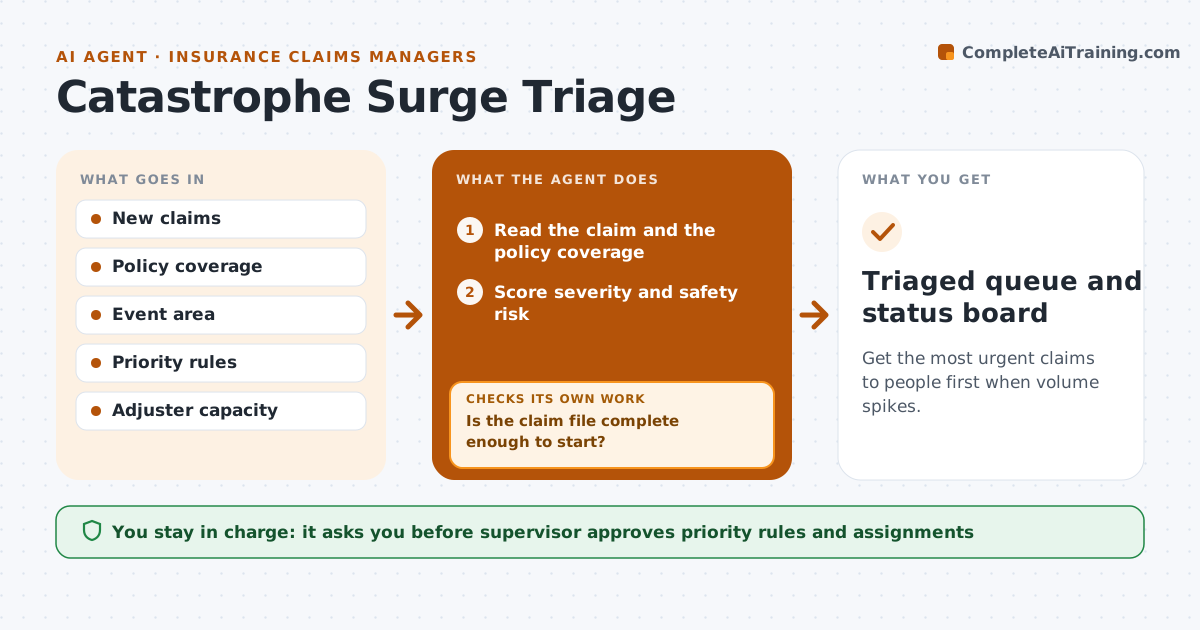
Get the most urgent claims to people first when volume spikes.
What it does
After a storm, thousands of claims can arrive in a day and the urgent ones are buried. This agent reads each new claim as it comes in and sorts it by severity, safety risk and coverage. A claim with a family out of their home or a roof open to the rain goes first. It assigns each to a queue, checks what information is missing and sends the claimant a request for photos or details. It tracks replies and moves a claim up when the missing piece arrives. The supervisor approves the priority rules and the assignments. Edge case: a claim that reports a gas smell is flagged as a safety risk and sent to a human at once.
How it works
Follow the arrows from top to bottom. The orange dashed arrow is the loop: when a check fails, the agent goes back and tries again.
Read the steps as a list
- A claim arrives after the event
- Read the claim and the policy coverage
- Score severity and safety risk
- Assign a queue by score and adjuster capacity
- Check for missing information
- Is the claim file complete enough to start?If not: Send the claimant a request and wait for the reply. Back to step 3.
- Send the request and track replies
- Supervisor approves priority rules and assignmentsThe agent waits here for your OK.
- Has the reply arrived within 24 hours?If not: Send a reminder and try a second contact method. Back to step 7.
- Move the claim up when complete
- Triaged queue and status board
How it decides
It scores severity and safety risk using the supervisor's rules and assigns the highest scores to the first free adjusters.
- Safety risk claims go to a human immediately
- Uninhabitable home ranks above roof damage
- Claims with no coverage are flagged for review, not rejected
- Reassess priority every 24 hours
Make it yours
Every agent is a starting point. You choose these settings for your own situation.
- Priority rules and weights
- Reply wait time (default 24 hours)
- Contact methods
- Queue capacity
What keeps you in control
It always asks you first
- Supervisor approves priority rules and assignments
Hard limits
- Never deny or reject a claim
- Never skip a safety flag
It stops when
- Done: every claim has a queue and a next step
- Stop: the supervisor changes the rules
Set it up
We guide you through the set-up, step by step
Members get the full set-up guide for this agent. No technical skills needed: you copy, paste and upload.
- One set of instructions to paste into your AI, with the clicks for ChatGPT, Claude, Microsoft 365 Copilot, Gemini and Grok
- The agent then walks you through connecting your own data, one source at a time
- A downloadable copy with the flow chart, the rules and the full guide